Section C Standard Displays
C-19
C 4.3.3 Area options tab
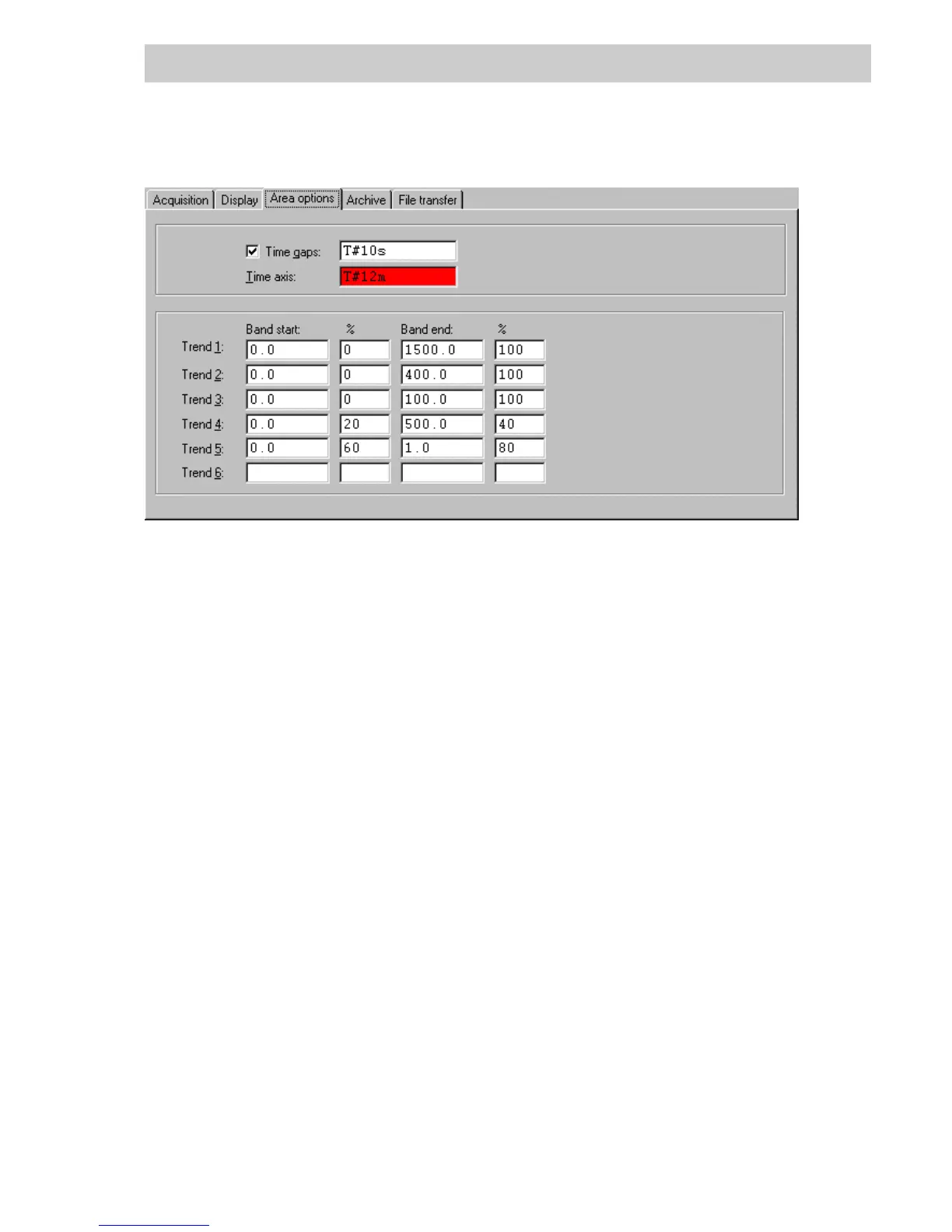
Trend area options The parameter definition of position comprises the time range for depiction
on the X-axis, the definition of scaling on the Y-axis and band start / band
end for up to six trends.
Time gaps Maximum time interval between two successive time stamps of a value.
The values in this internal are interpolated (see Operators Manual, Ope-
rator Station, Trend display, Interpolation). Entry is made acc. to IEC
1131-3 time format.
Time axis The input field must be filled in.
The time range specifies the yardstick on the X-axis for the trend depic-
tion in DigiVis. Entry is made acc. to IEC1131-3 time format. The highest
value amounts to about T#24d20h31m23s.
Example:
T#2147s or T#24d20h31m23s
Band start The Band start specifies the value for scale start of the Y-axis for depict-
ing an individual trend. See figure below.
Values entered as real numbers.
The value range is 0.0 and ±9999999999.9. The value for the band start
must be less than the value for the band end.
% The percentage value specifies the position of the scale start for Band
start % on the Y-axis. See figure below.
The percentage values must be entered as integers. The value range is
0 - ±5000%.
tt0432us.bmp
Gross Automation, 1725 South Johnson Road, New Berlin, WI 53146, www.ssacsales.com, 800-349-5827



 To Next Page