Section D Graphic Display
D-60
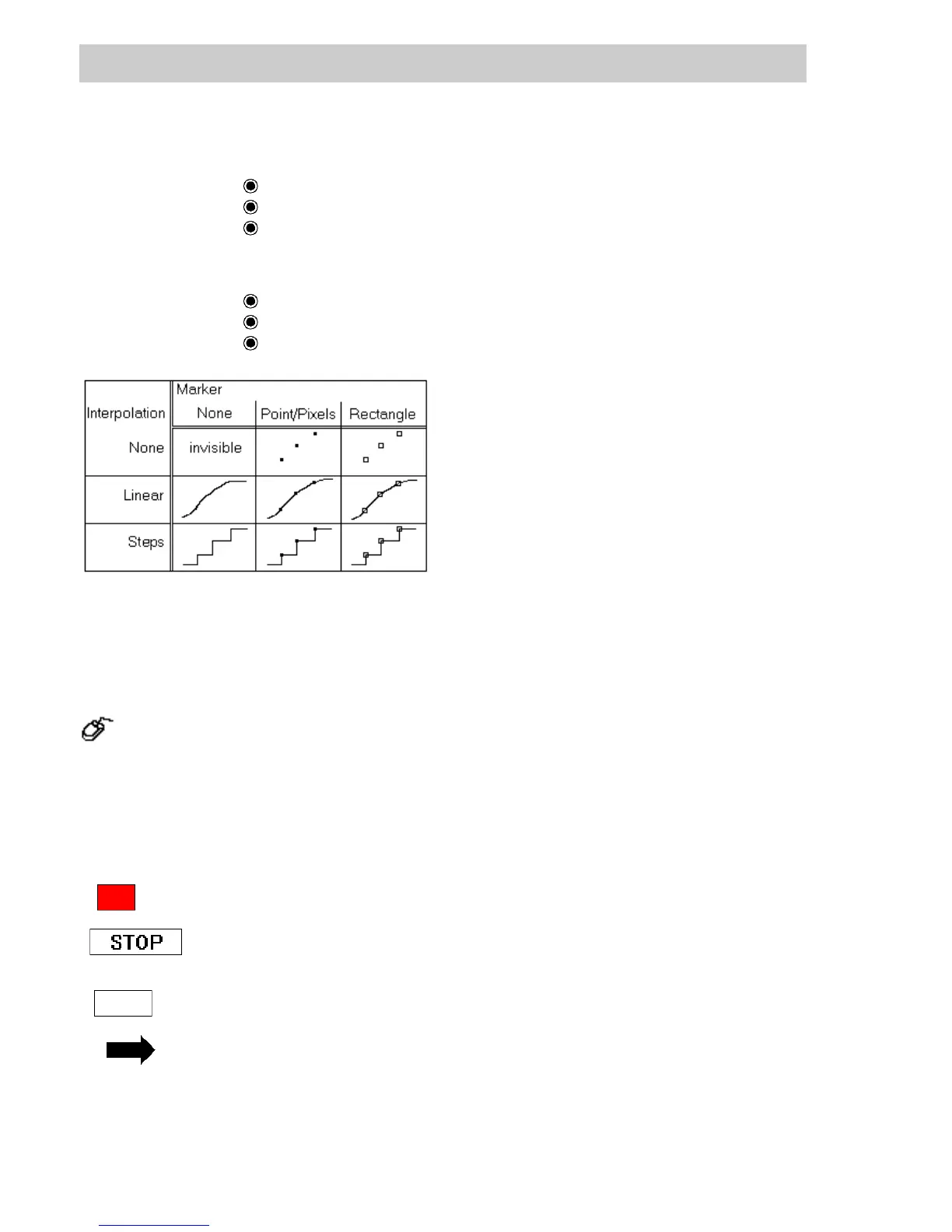
Interpolation Specify trend depiction.
None No interpolation is performed,
Linear
Trend is interpolated in a linear fashion,
Stairs
Trend is depicted in discrete steps.
Marker Specify depiction of individual measured values.
None
Individual measured values are not marked,
Point/Pixels
Individual measured values are marked with points,
Rectangle
Individual measured values are marked with rectangles.
D 5.21 Selection area
→Animate → Selection area (select field)
→A mouse click fixes the position of the top left-hand corner and, by pulling the
rectangle, the size of the selection area can be specified. Another click of the mouse
at this point concludes the procedure,
→Enter data in the parameter mask,
→Display the select field without frame.
A selection area enables tag faceplates to be called up in graphic displays. It is
also possible to change over into another specific display (graphic, group
display, trend,..) or to write a fixed or operated value to a process variable or to
acknowledge messages. In case of selection the configured action will be
carried out.
The field and the border of the selection area can be displayed visibly and
colored or they can lie transparent underneath other graphic objects.
On selecting the select field in the graphic display, a frame appears. The select
field can then be resized and moved.
A selection field is configured using the parameters on the Display and
General tabs.
di0559uk.bmp
di0532.bmp



 To Next Page