Section E Logs
E-18
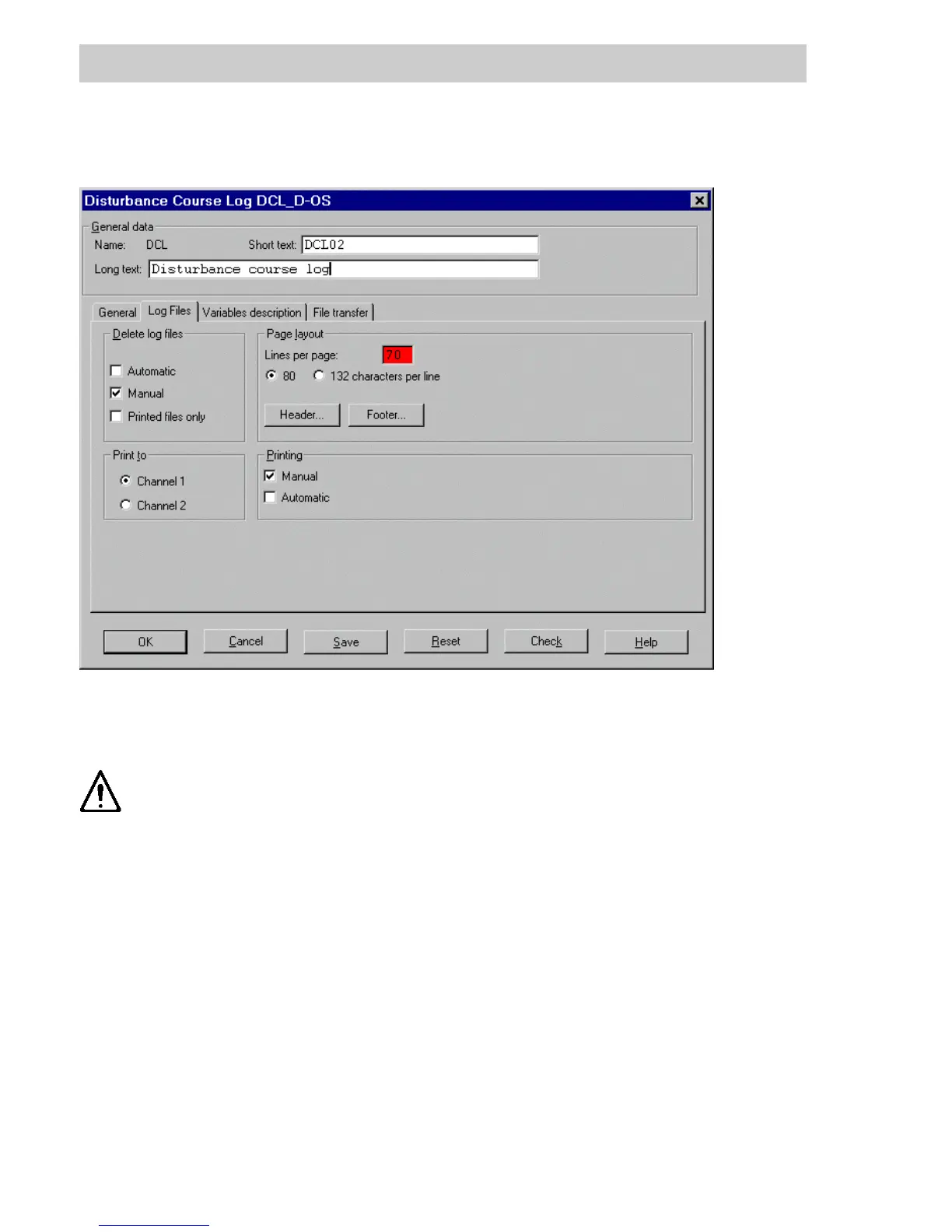
E 3.2 Log files tab - Disturbance course log
Delete log files
automatic When the automatic delete option is selected and the configured number of
files is exceeded, the oldest log file is overwritten by the current file.
If the automatic delete option is not selected then logging is suspended
as soon as the max. number of files has been reached.
Manual The operator can select and delete individual log files.
Printed files only Only printed log files can be deleted manually.
Page layout Defines page layout for the printout. The number of Lines per page must be
entered and is between 10 and 100 lines. The number of characters per
line can be defined as 80 or 132 characters according to the paper format.
H
EADER /FOOTER The contents of the log header and footer are freely definable. They can
include static text and dynamic process variables. There is also a collection
of globally preset variables. The default is a commonly used form of the
layout. See description on page E-27.
di1394uk.bmp
Gross Automation, 1725 South Johnson Road, New Berlin, WI 53146, www.ssacsales.com, 800-349-5827



 To Next Page