Section C Standard Displays
C-27
C 5.2 Create a new SFC display
A sequence function chart display is created and edited in the project tree beneath a resource
operator station or in the operator station pool, for detailed description see Engineering
Manual, System Configuration, Project Tree.
Project tree menu → Edit → Insert above/below → SFC display
If a sequence function chart is configured in the general display pool, this sequence
function chart will be available in all operator stations.
C 5.3 SFC Display configuration
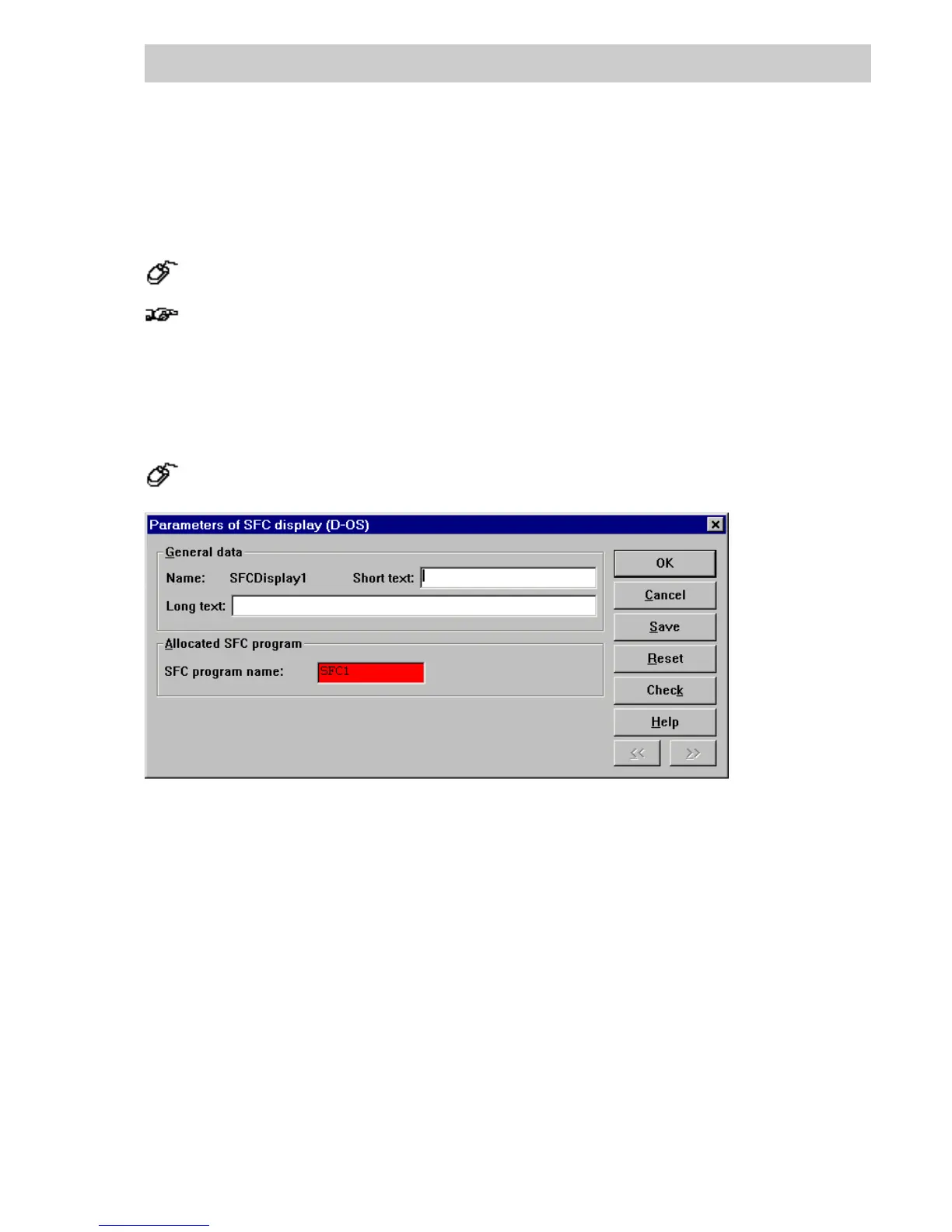
→DOUBLE CLICK the name of the SFC display in project tree
General data
Name The name of SFC display, changeable in project tree
Short text Short text assigned to the SFC. It can be up to 12 characters in length. All
characters are permitted.
Long text Text in the header of the SFC. It can be up to 30 characters in length. All
characters are permitted.
Allocated SFC program
SFC program name This input field must be filled out.
Here, enter the name of the sequential function chart program of the pro-
cess station to be operated with the SFC display.
di1348uk.bmp
Gross Automation, 1725 South Johnson Road, New Berlin, WI 53146, www.ssacsales.com, 800-349-5827



 To Next Page