Section D Graphic Display
D-39
D 5.11 Acknowledgment of messages
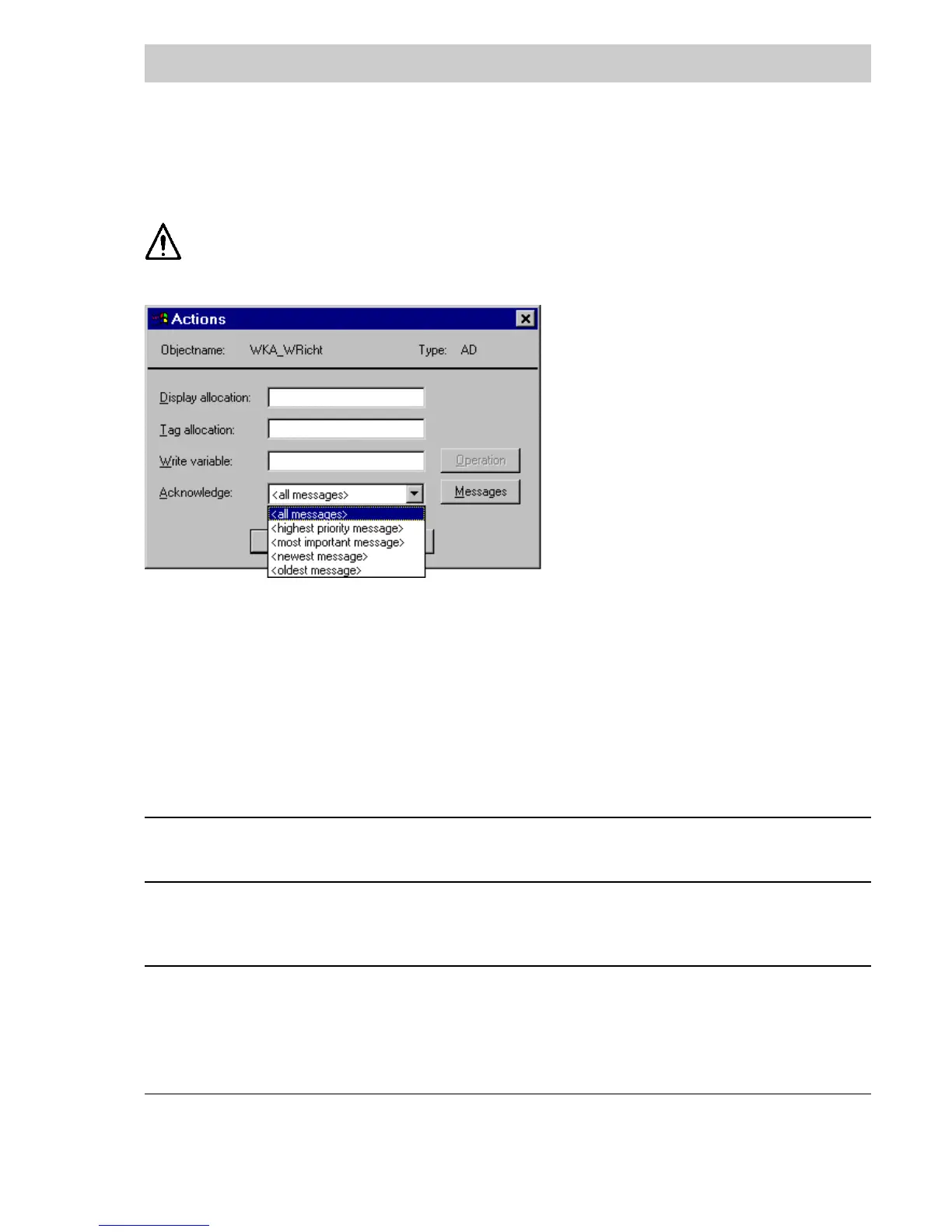
DigiVis can be made to acknowledge messages when an object is selected.
It is possible to so configure a dynamic object, that when it is selected in DigiVis,
messages which are not visible in the display will be acknowledged.
Acknowledgment messages are only sent to message points for which an entry in the message
page is available. Which of the specified message points are to be acknowledged when the
graphic object is selected, must be specified with the acknowledgment function.
From all message points configured under M
ESSAGES are acknowledged:
all messages all message points.
most important The most important unacknowledged message is determined using the
message following algorithm :
Criterion A: Message status
Step 1 active, not acknowledged
Step 2 not active, not acknowledged
Step 3 active, acknowledged
All messages being equally important according to Criterion A are sorted
according to:
Criterion B: priority.
Step 1 System messages S1..S3
Step 2 Messages with priority 1
Step 3 Messages with priority 2
Step 4 Messages with priority 3
Step 5 Messages with priority 4
Step 6 Messages with priority 5
tu0571us.bmp



 To Next Page