Section D Graphic Display
D-46
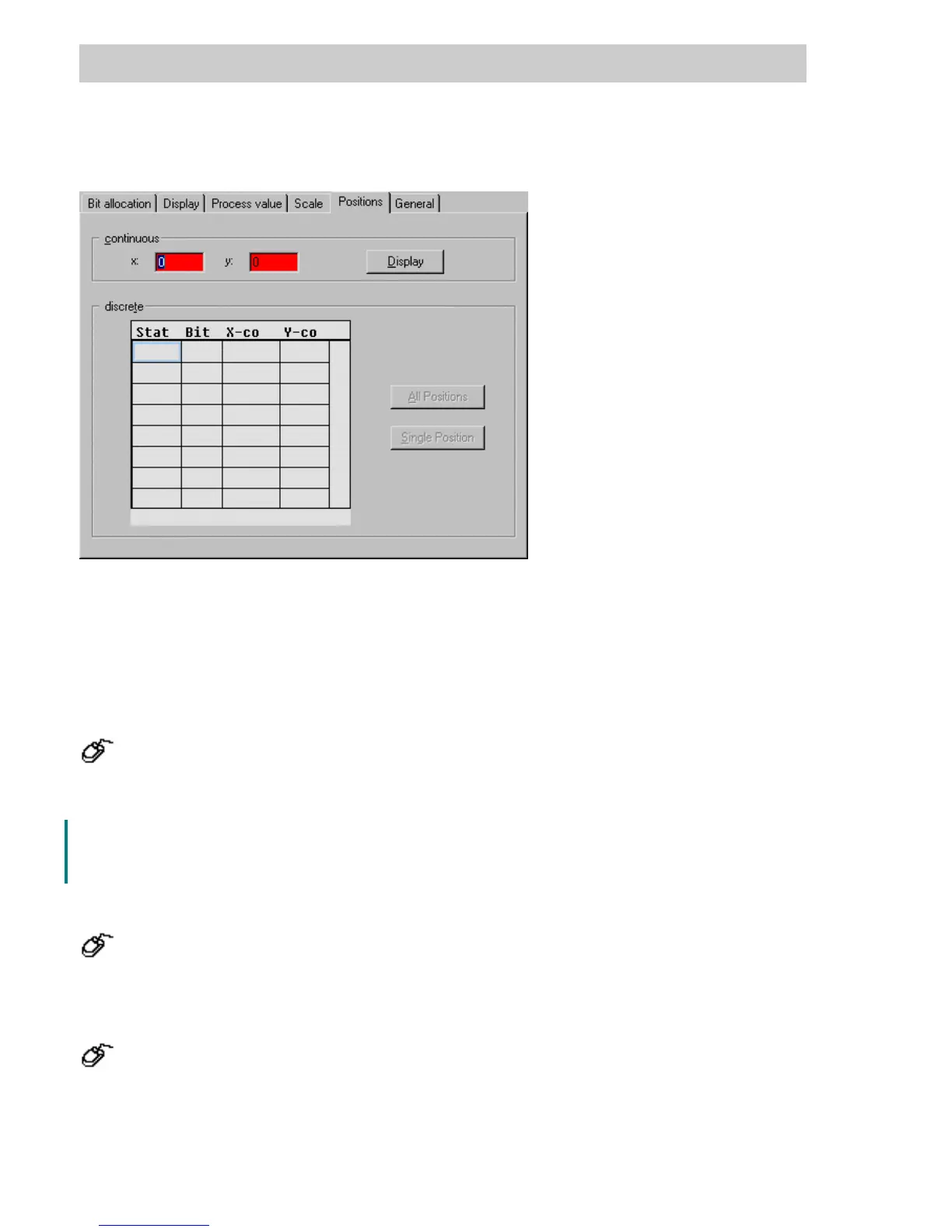
D 5.14 Positions tab (only for graphic symbol)
continuous
x-, y- coordinates Enter the x/y coordinates of max. movement. The movement range is
produced from the process variable and the scaling. The movement
vector set determines the movement of the graphic symbol when the
value of the variable is equal to the end of the scale. When the variable
value is equal to the start of the scale, the graphic symbol is displayed in
the design position.
→ click on x- or y- field,
→ switch to the graphic display via the D
ISPLAY button,
→ Determine position with cursor.
D
ISPLAY Switch to graphic display,
Return via → Return automatically to parameter definition following 2
mouse clicks.
Discrete
A
LL POSITIONS Enter all positions
→ Change to the graphic display via the ALL POSITIONS button,
→ Click positions, → Automatic return to the parameter screen,
→ Coordinates are entered.
S
INGLE POS. Enter single position
→ Select x- or y- field, → Enter the x/y-position or
→ Change to the graphic display via the S
INGLE POS button.,
→ Click on desired position, automatic return to the parameter screen,
→ Coordinates are entered.
tu0905us.bmp



 To Next Page