Section D Graphic Display
D-84
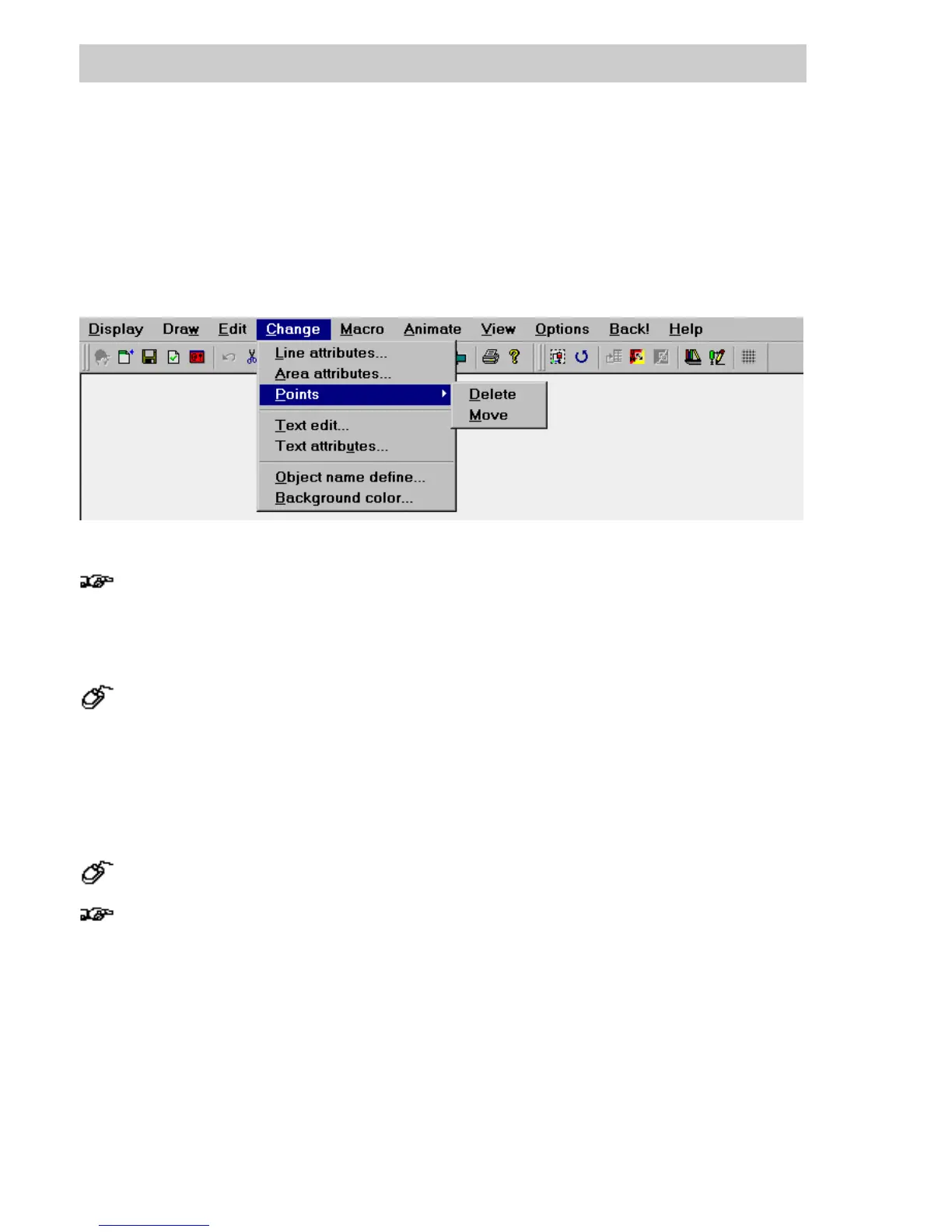
D 7.5 Change attributes
The various line, area and text attributes, as well as the text content of the selected graphic
objects can be altered. If similar graphic objects or grouped graphic objects comprised of several
graphic objects of the same type have been selected, then all attributes are changed together. A
general alteration of attributes, however, to effect subsequent graphic objects, must be made via
the toolbox.
Several objects can be selected and moved together. As a result, it is possible that
individual objects are moved outside of the visible drawing area. If the selection is then
canceled, these objects cannot be selected with the common procedures The plausibility
check generates a message, that the graphic contains objects outside the visible area.
Use the following procedure to delete these objects from the graphic display:
→ Edit
→
Select all
→
all objects in the drawing are selected.
→ Deselect all visible objects with S
HIFT + left cursor click.
→
Edit
→
Delete or press DEL to delete all objects not visible in the graphic display.
D 7.5.1 Line attributes
→Change → Line attributes
The graphic object line with the attribute invisible is not particularly useful.. It can be
obtained, if required, via → Edit → Select all.
The line attributes of the selected graphic objects are altered in a dialog window.
tu0750us.bmp
Gross Automation, 1725 South Johnson Road, New Berlin, WI 53146, www.ssacsales.com, 800-349-5827



 To Next Page