Section C Standard Displays
C-9
C 2.2 Create a new overview display
An overview display is created and edited in the project tree beneath a resource operator sta-
tion or in the general display pool; for detailed information see Engineering Manual, System
Configuration, Project Tree.
Project tree menu → Edit → Insert below/above → Overview display
If an overview display is configured in the general display pool, this overview display will
be available in all operator stations.
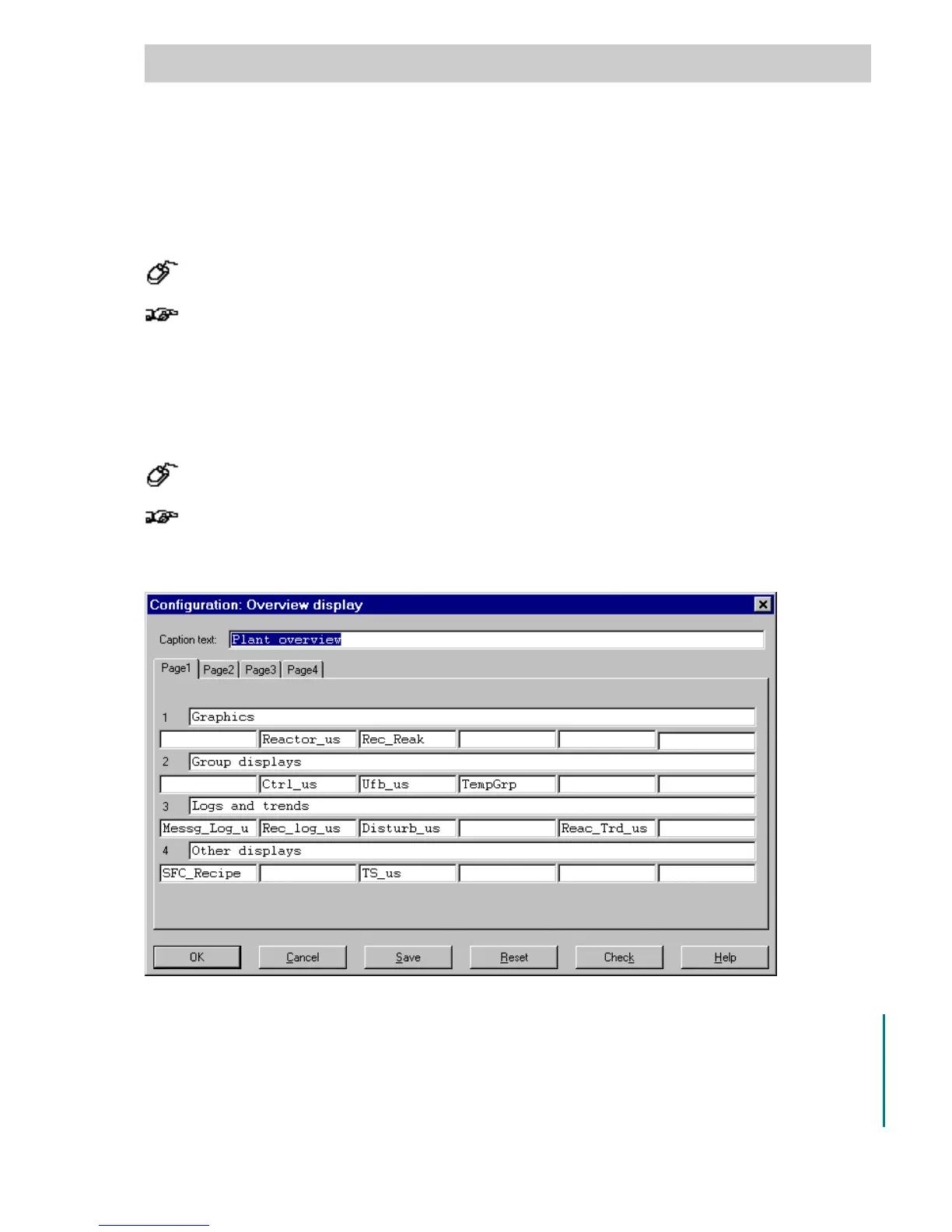
C 2.3 Overview display configuration
→ DOUBLE CLICK the name of the overview display in the project tree
Displays and logs, which had been entered into the overview display but were later de-
leted, are displayed in red in the configuration mask and are reported as non-existent in
the error list during a plausibility check.
Caption text Max. 48 characters
Tabs Page 1 to 4 The overview display is configured on 4 pages, each with 4 lines.
Line Header Max. 77 characters per line
Segment Name of the display or log entered (6 per line)
tt0005us.bmp
Gross Automation, 1725 South Johnson Road, New Berlin, WI 53146, www.ssacsales.com, 800-349-5827



 To Next Page