Section D Graphic Display
D-41
It is possible, however, to configure a variable to receive a value from the user via one graphic
object and to receive a fixed, preconfigured value via another graphic object.
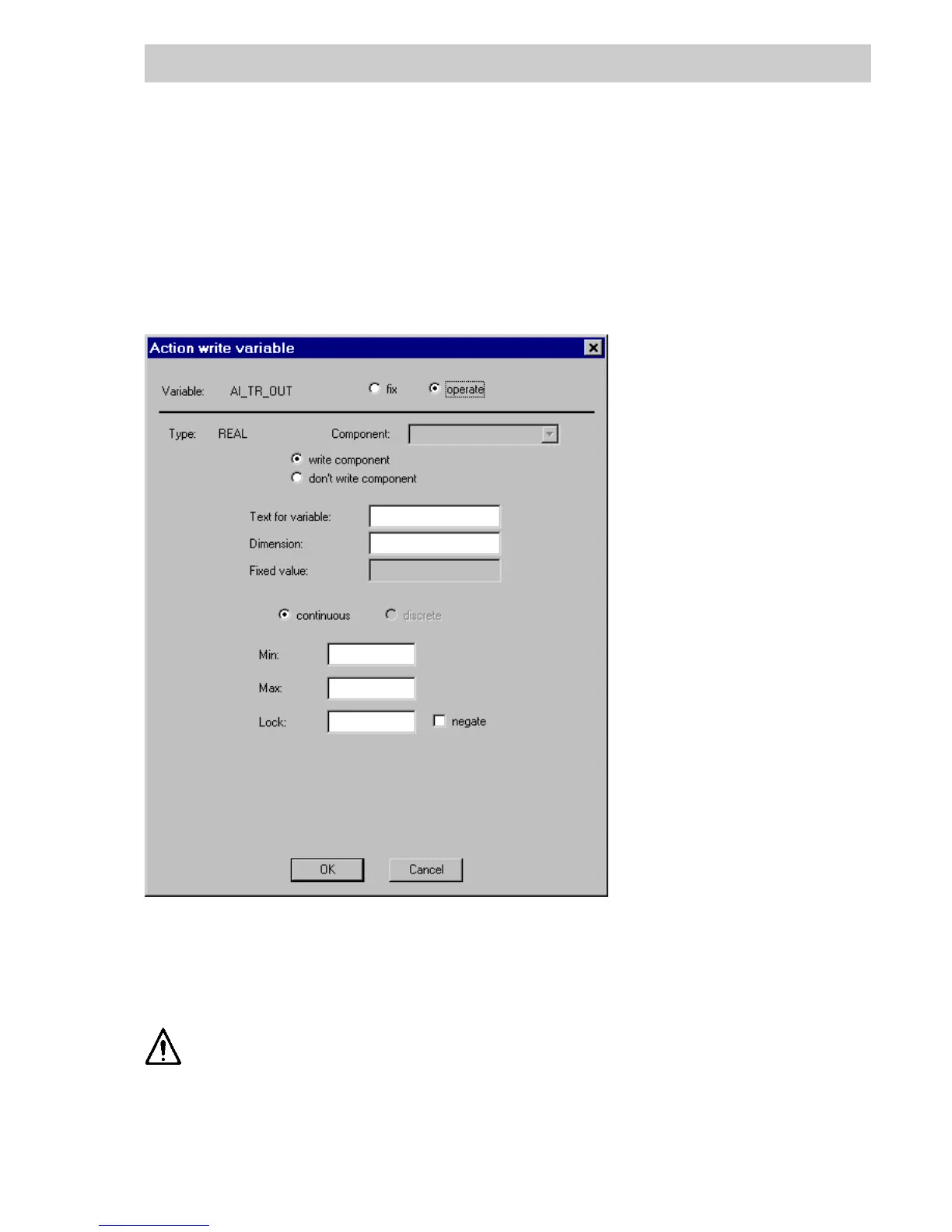
The mask which appears when OPERATION is chosen for configuring the writing to a process
variable, depends on the data type of the variable.
Configuring operation of a REAL variable
Variable Shows the name of the associated process variable.
fix/operate Choose whether the variable is to receive a fixed value or a value
obtained from the DigiVis user. If fix is selected, entries may be made
in the Text for variable, Dimension, Fixed value and Lock fields.
When setting up parameters for a radio field, entries can be made only for
fixed values.
Type Shows the data type of the variable.
tu0580us.bmp
Gross Automation, 1725 South Johnson Road, New Berlin, WI 53146, www.ssacsales.com, 800-349-5827



 To Next Page