Section D Graphic Display
D-43
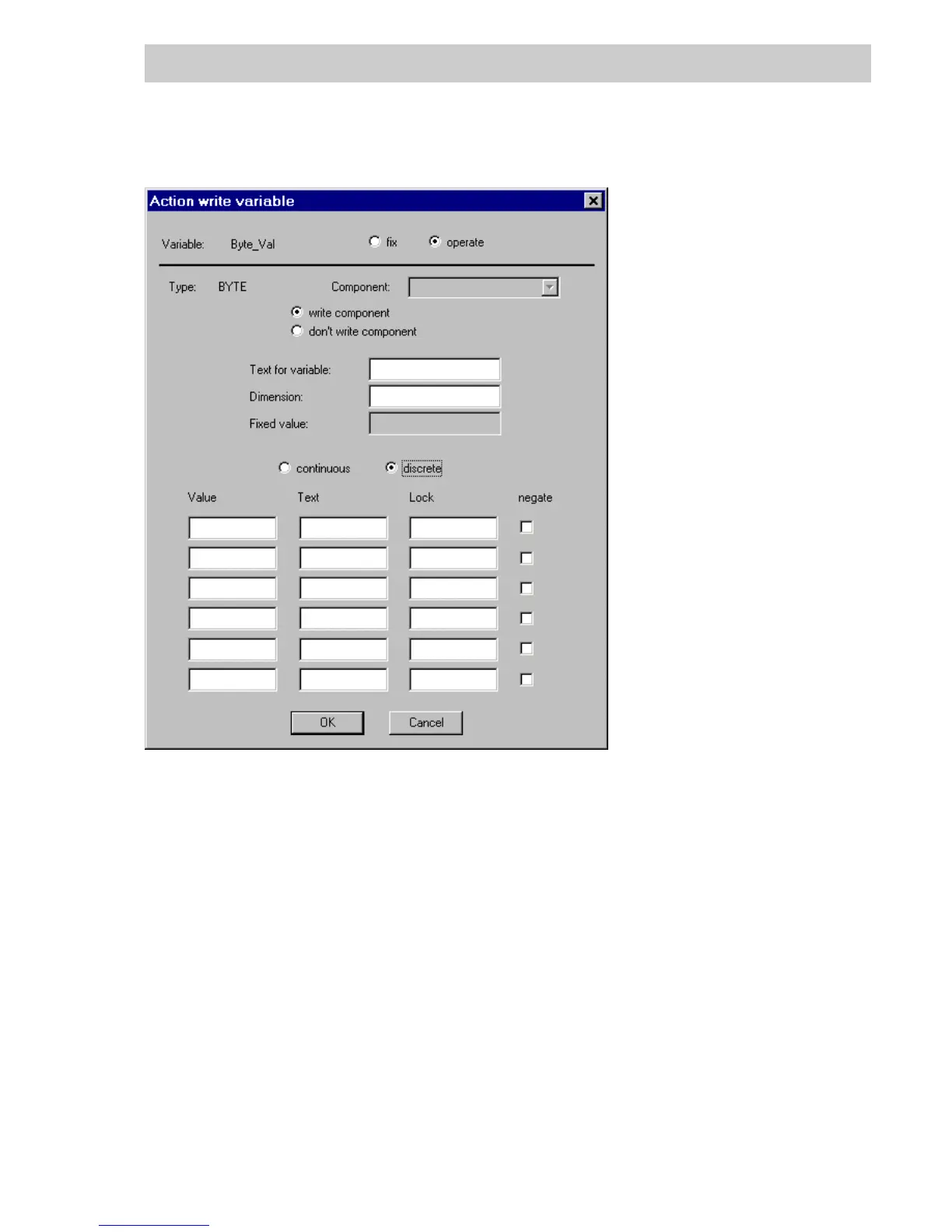
Configuring operation of a BYTE variable
To operate a variable with the help of radio buttons, after selecting discrete, configure up to 6
radio buttons.
Value Value (must be compatible with data type of the variable to be operated).
When the dialog box is called up, the variable to be operated will be read.
The radio button whose configured value agrees with the variables
current value will be displayed as selected.
When DigiVis initiates the write action, the value that was configured for
the radio button that is selected will be written to the variable.
Text Input any text.
This text will be displayed in the operation dialog behind of the radio
buttons and used as ”value” in the operations log.
Lock The operation of an individual radio button can be locked In conjunction
with a BOOL variable. When the operation dialog is called up, this
variable is first read and the radio button displayed as unavailable if the
variable has a value of TRUE.
tu0581us.bmp
Gross Automation, 1725 South Johnson Road, New Berlin, WI 53146, www.ssacsales.com, 800-349-5827



 To Next Page