Section D Graphic Display
D-50
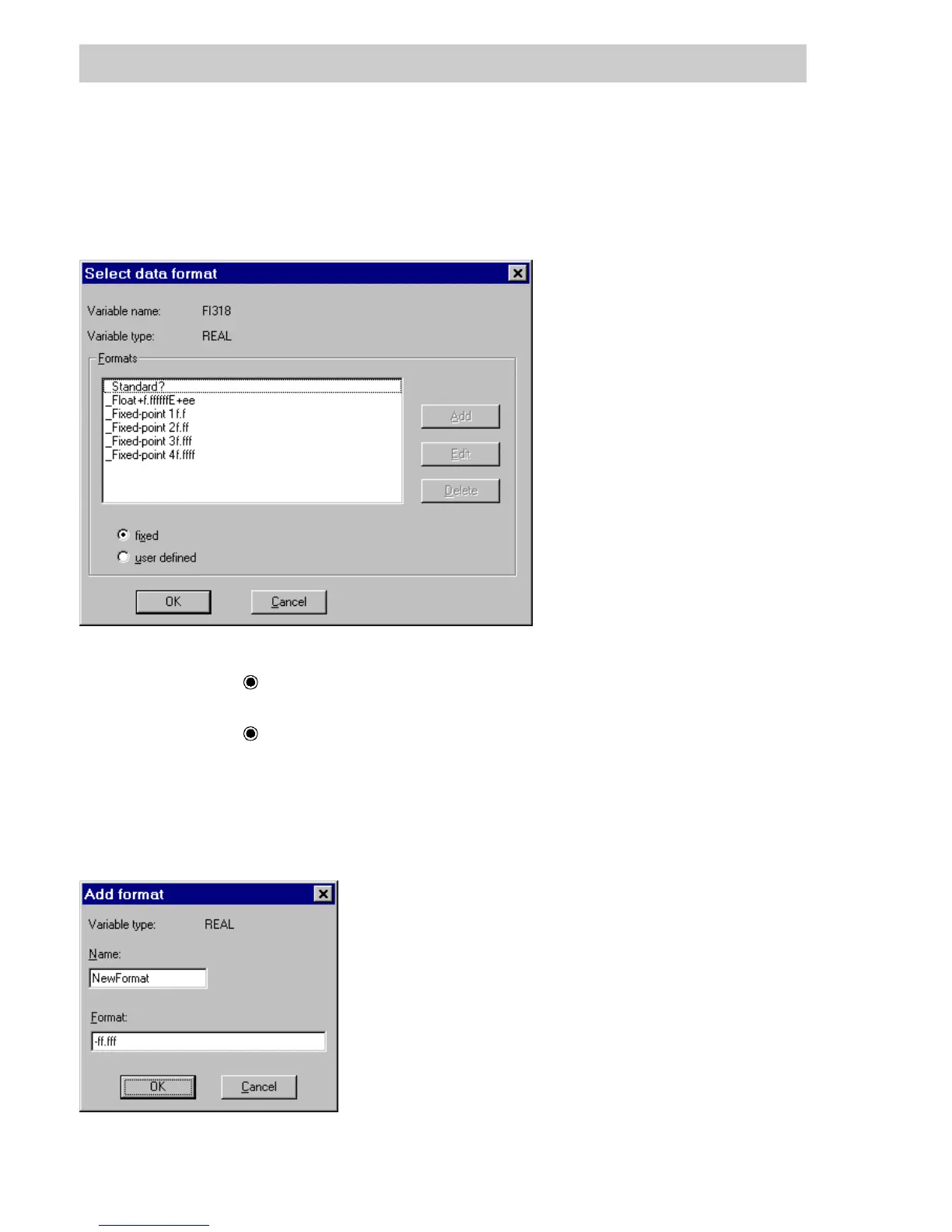
Select and create custom formats
After selecting the table column Format on the Display tab and pressing F2, the Select Format
window shows the standard default data formats for the relevant data type. The desired format
can be selected, then accepted with OK.
Format
fixed
Standard formats for the data type; the ADD,EDIT and DELETE buttons
are disabled.
user defined
Display custom formats; the ADD,EDIT and DELETE buttons are
available.
With the settings fixed and user defined one can switch between the format displays. In the
user defined display mode, a new format can be specified using the A
DD button. A selected
format can be deleted with the D
ELETE buttonorbecalledupviatheEDIT button and changed
in another window.
di0540uk.bmp
di0542uk.bmp
Gross Automation, 1725 South Johnson Road, New Berlin, WI 53146, www.ssacsales.com, 800-349-5827



 To Next Page