Section D Graphic Display
D-62
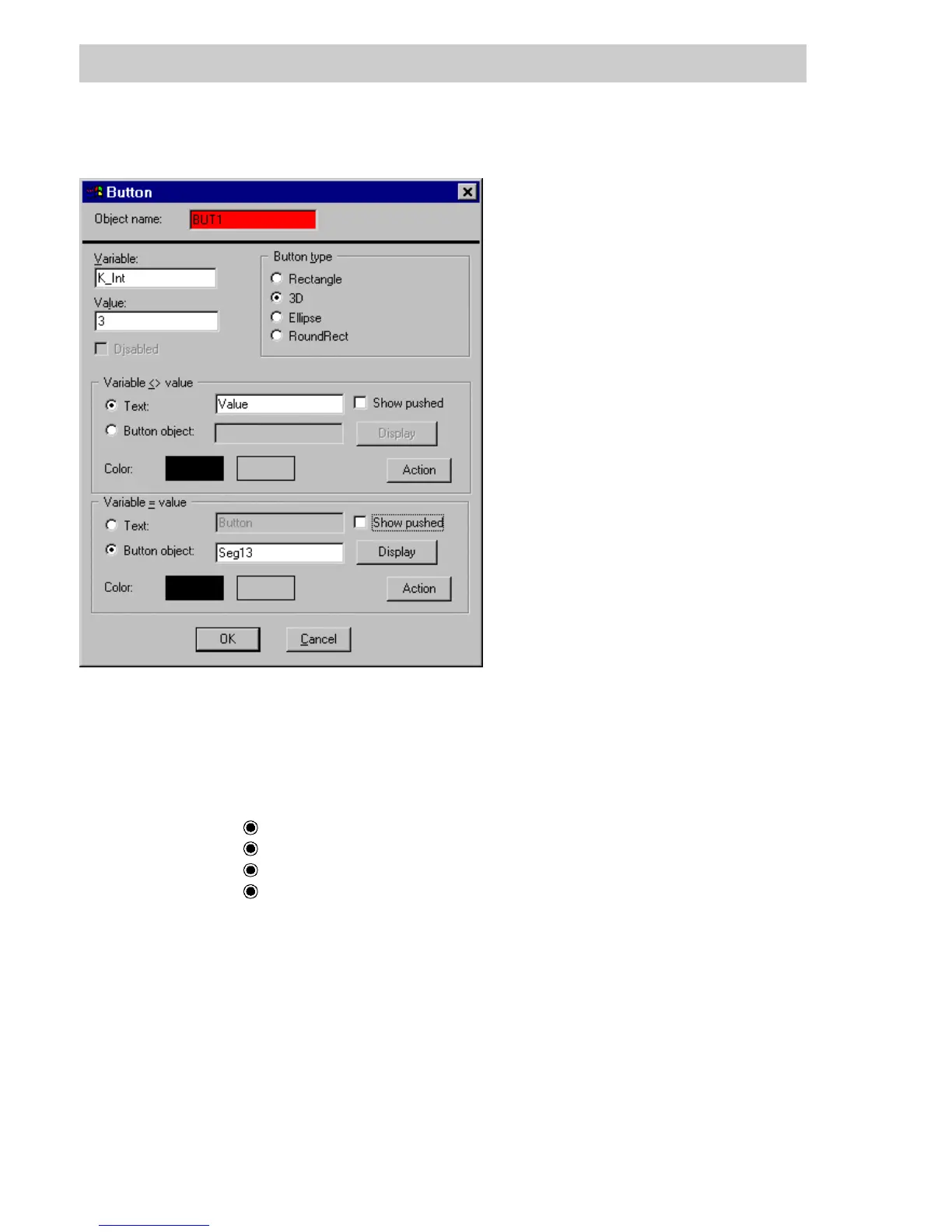
D 5.22.1 Set button parameters
Variable The value of this variable will determine the text and color with which the
button is displayed, as defined below.
Value Reference value for determining the display format:
Variable <> Value or Variable = Value.
Button type Display format of the button in the graphic display.
As a rectangle.
As a 3D rectangle
As an ellipse.
As a rectangle with rounded corners.
Variable <> Value When the variable shown has a value different from the reference value,
the button will be displayed with the text, text color and button color
specified here.
Variable = Value When the variable shown is the same as the reference value, the button
will be displayed with the text, text color and button color specified here.
Entries are not accepted here until a variable name and its reference
value have been specified. (Variable, Value).
tu0550us.bmp
Gross Automation, 1725 South Johnson Road, New Berlin, WI 53146, www.ssacsales.com, 800-349-5827



 To Next Page