Repair, Replacement of Spare Parts Section 7
7-52 Abbott VP 2000™ Processor Service Manual
30-608308/R1—September 2008
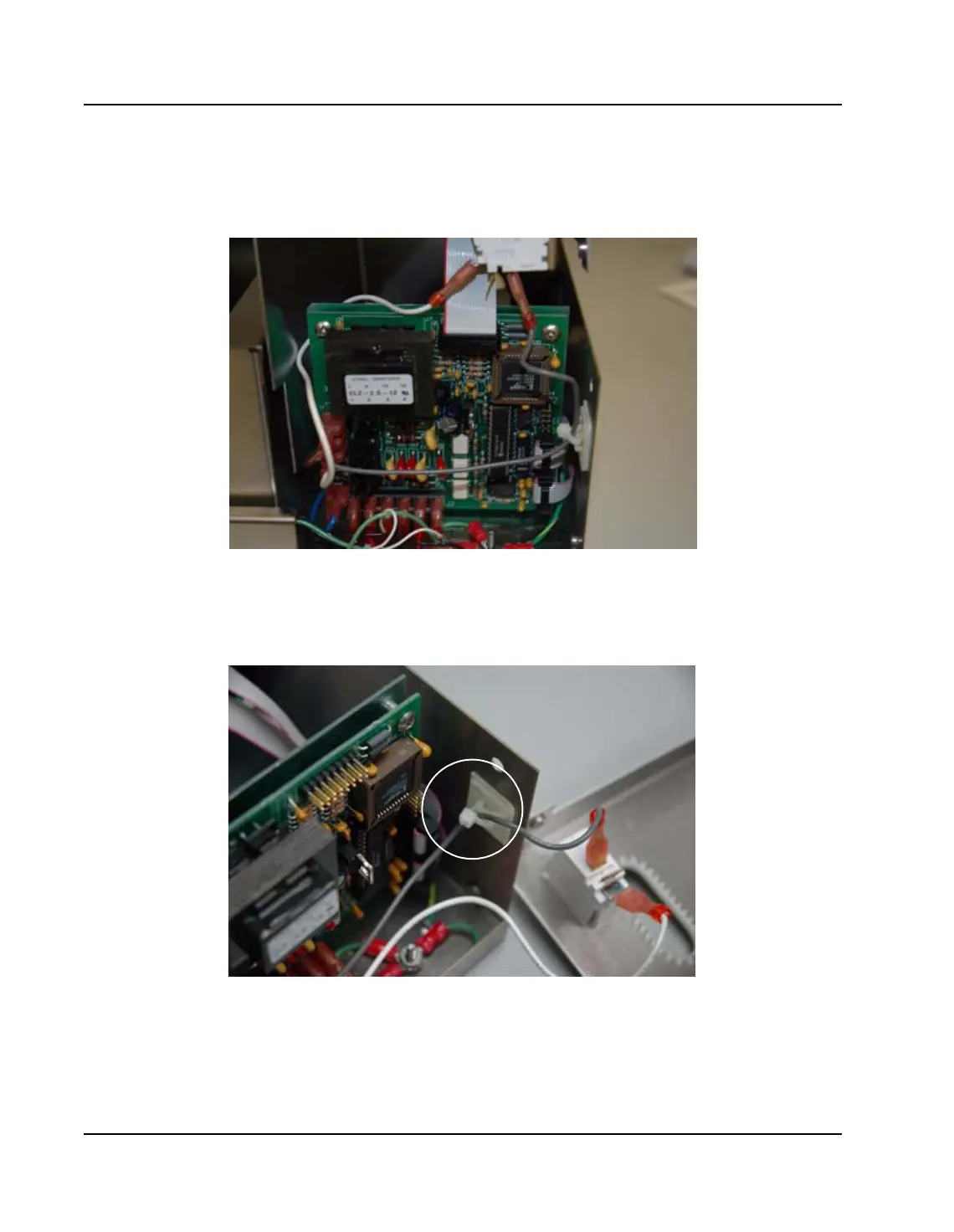
12. Disconnect the cable from the Control Board and pull
carefully through the opening on the top of the cover.
Figure 7.24: Control Board to Interface Cable Connection
13. Carefully pull the power cable and green ground wire
through the large grommet on the back of the cover.
Figure 7.25: Interlock Switch Gray Wire Mounting Area
14. Carefully cut and remove the cable tie securing the Gray
wire to the Interlock Switch mounted on the cover.



 To Next Page