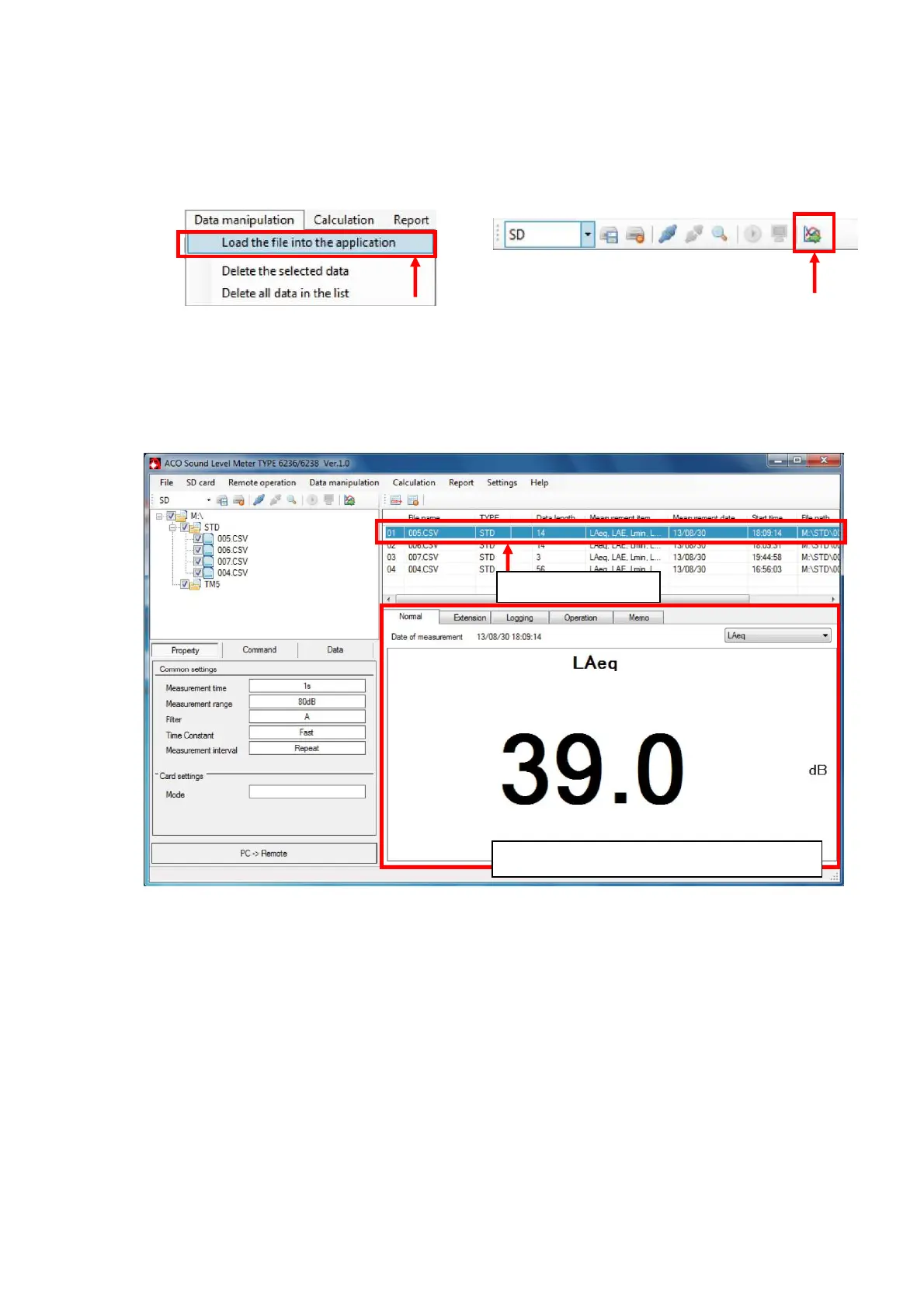
6. Import selected measurement data file to the measurement data list.
To import the measurement data file to the measurement data file list, select
[Data manipulation]→[Load the file into the application] on the Menu Bar, or click
[Load the file into the application] on the Tool Bar.
【Menu Bar】 【Tool Bar】
7. Select 1 (one) measurement data file in the measurement data file list.
Selected measurement data is displayed in the Measurement data display area.
By changing display panels (Normal/Extension/Logging/Calculation/Memo), content of the
display is changed.
Click to select
Data selected above is displayed here



 To Next Page