How to use the Recording Card(RSR)
-Option-
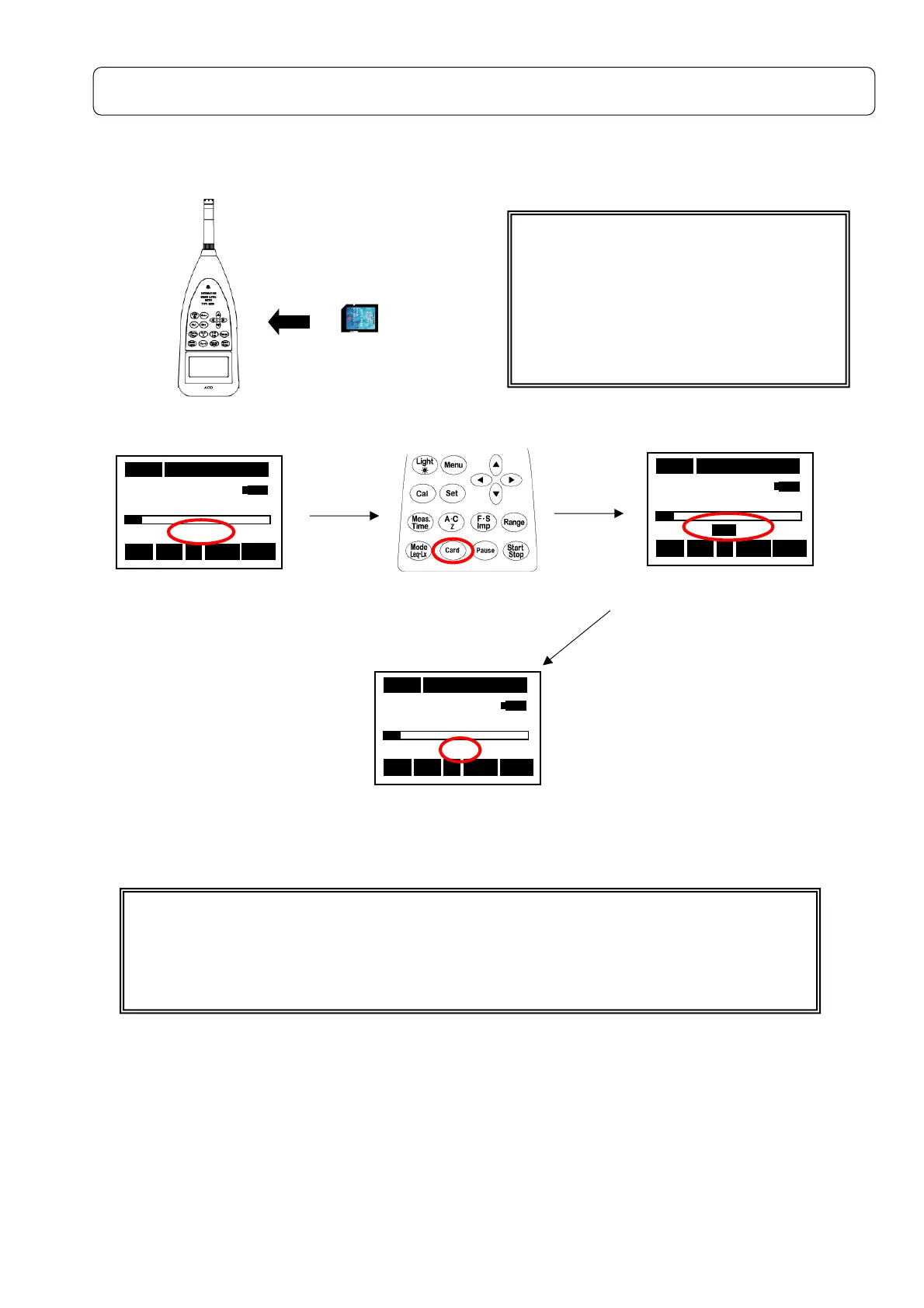
Card Installation
Start up
05s 00h00m00s
63.5 dB
RSR
Stp Z Fast Lp
05s 00h00m00s
63.5 dB
Stp Z Fast Lp
E F
05s 00h00m00s
63.5 dB
RSR
Stp Z Fast Lp
(
)
【When you do power supply ON with the card inserted】
The card is recognized automatically, it becomes RSR screen if the power switch is
turned on with the RSR card inserted, and it enters the state that can be used.
It enters the state of the measurement condition when use ends last time.
Insert the card.
When RSR card is used
Frequency Range
:Z
Meas.Time:
5s or more
Please solve and note becoming.
The continuous record time is six hours
①RSR lighting.
②Press [Card] key.
③The remaining card capacity
displayed.
④Blinked RSR is a standby display on starting
the measurement.



 To Next Page