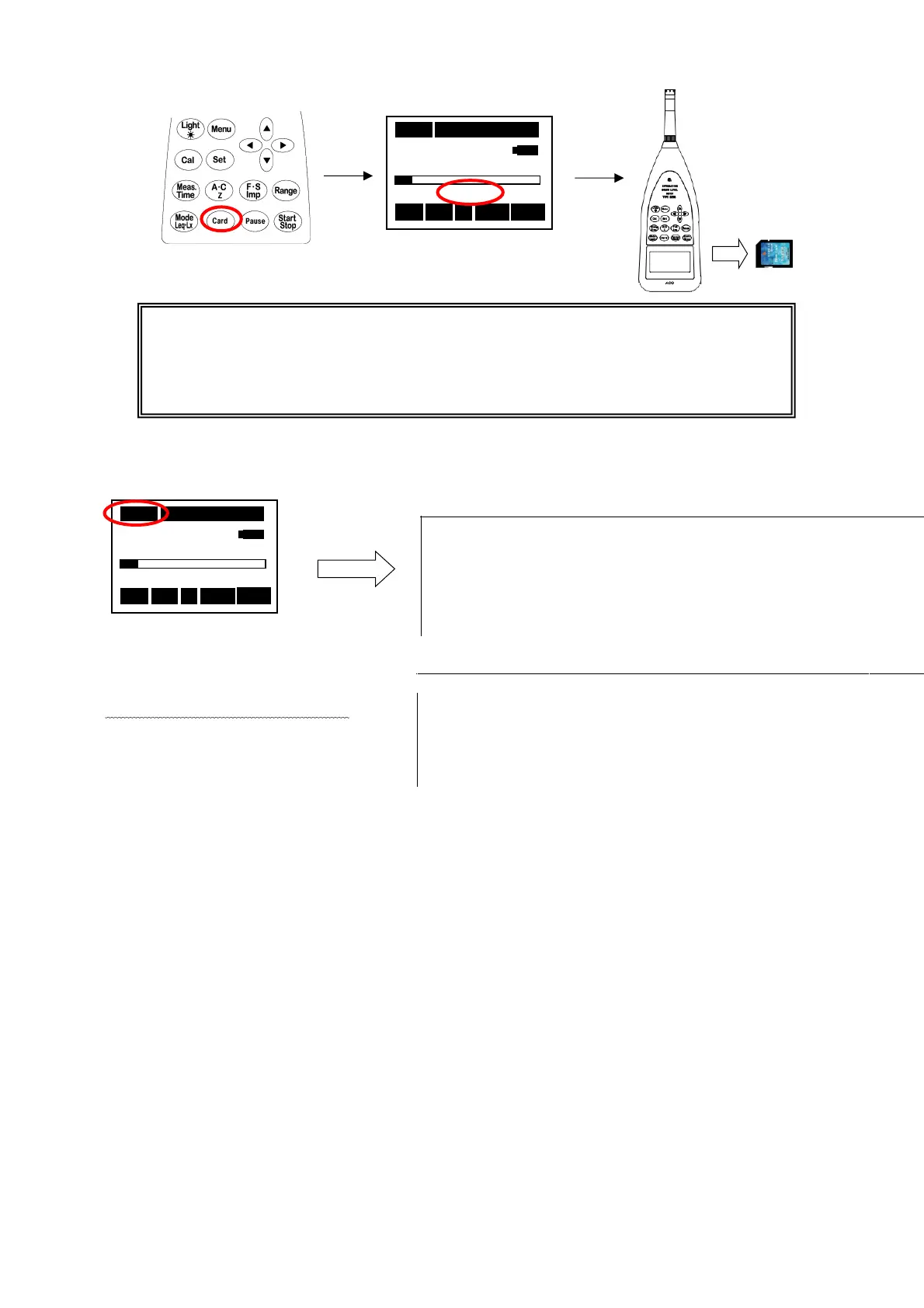
Eject the card
Measurement
※It is recorded in file (txt&wav) every measurement time (Meas Time).
←:
00001.wav←:Data file
<C
reated in pairs each
time.>
・
・
・
03s 00h00m00s
63.5 dB
RSR
Stp A Fast Lp
①Press [Card] key. ②RSR Lighting.
④Eject the Card.
<E.g. Acquired data to be stored in WAV format>
【※CAUTION】
After "RSR" lighting, please take out a card after a little.
There is the case that
"Card ERR"
is displayed. In that case, the file might
be damaged.
05s 000h00m00s
63.5 dB
RSR
Stp Z Fast Lp
The time recorded with
Meas Time is selected.
※1s and 3s cannot be selected.
Measurement day, Measurement time, Frequency-weight, Level Range, Time setting
09/01/14, 00:00:00, Z, 80dB, 000h00m05s
<Example of printing text file>
Press
[Start/Stop]
key.
※
The wav file can be
reproduced with
Windows Media Player etc.



 To Next Page