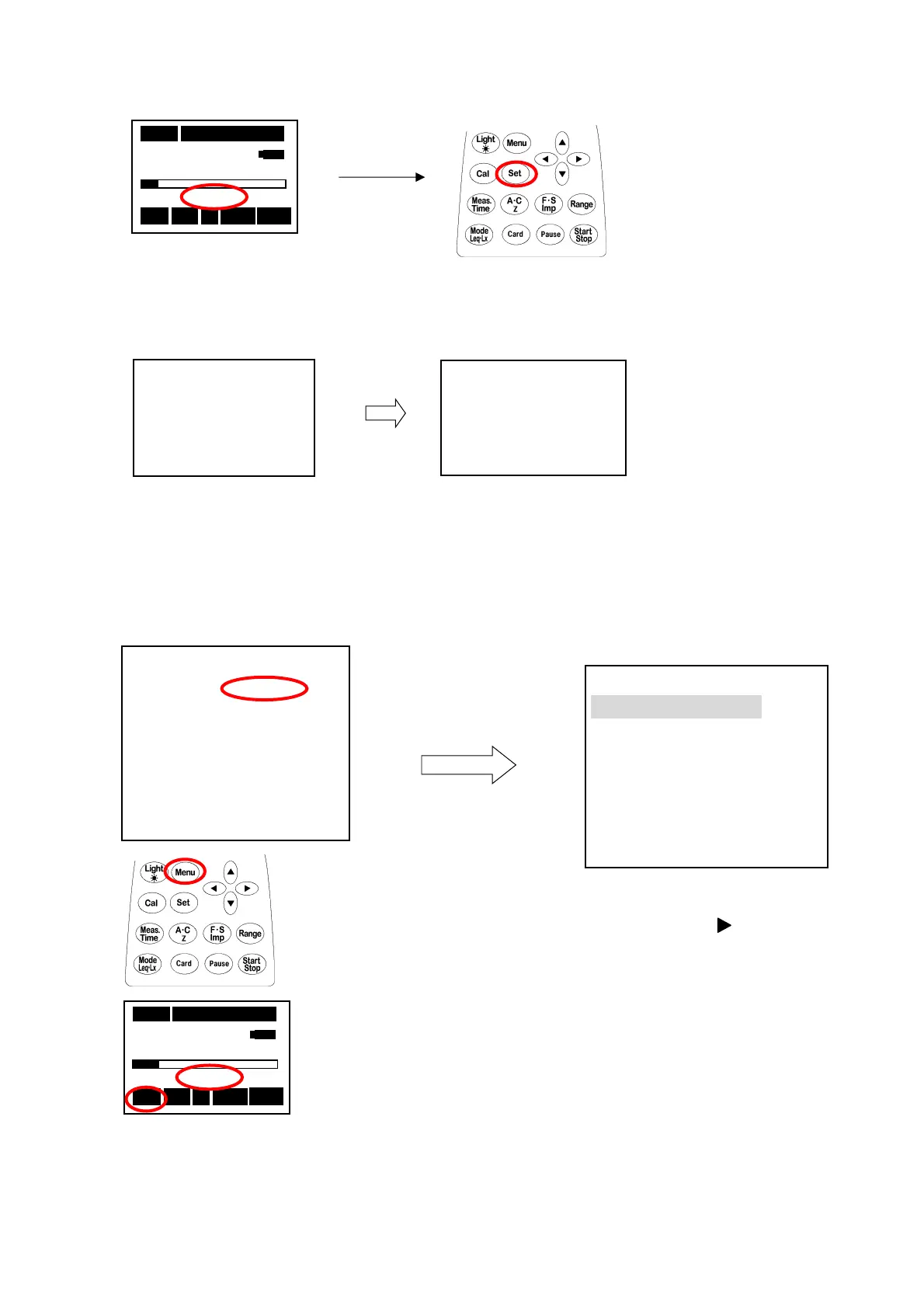
Delete the card data
Record of Auto mode
Auto mode (automatic measuring system) is set.
① Confirm RSR blinking.
②Keep
[Set]
key pushed for a few
seconds in the situation with the
card installed.
③Delete all the data along the displayed flow of operation, then to
return to the former window.
Data all Clear
Yes=Start
No=Set
Sure?
Yes=Start
No=Set
05s 000h00m00s
63.5 dB
RSR
Stp A Fast Lp
<Memory> 2/3
Mode :Auto
Interval :Single
I/O :OFF
Level :65dB
Samp Time
:Meas Time
Sta:08/10/10 18:16:00
Stp:08/10/12 20:16:00
<Memory> 2/3
Mode :Normal
Interval
:
Single
Mode:After selecting
Auto
① The
[Menu]
key is pushed
twice, and < Memory>2/3 is
displayed.
② The value is changed with the
▲▼key after
key is input
with Mode and the
[Set]
key is
pushed.
It returns to the measurement
screen with the
[Set]
key.
05s 000h00m00s
63.5 dB
A-RSR
Stp Z Fast Lp
③ A-RSR blinks.
If the Start key is pushed, "Stp" blinks, and it becomes a stand-by state.
It changes into blinking "Stp"→"Rec" when the record is begun.
It changes into lighting "Rec"→"Stp" when the record ends.



 To Next Page