Chap. I - Multi-Diag Scope Basic User’s Manual
Scope_manual_en-v110.docx — 45 —
Switchable sensitivity
Higher sensitivity (see pos 1) curve monitoring on ignition modules
Lower sensitivity (see pos 2) curve monitoring on ignition cables
Fig. 106 – Switchable sensitivity on the HV Touch sensor
14.7 SIGNALLING THAT SATURATION AREAS AT THE INPUT HAVE BEEN REACHED
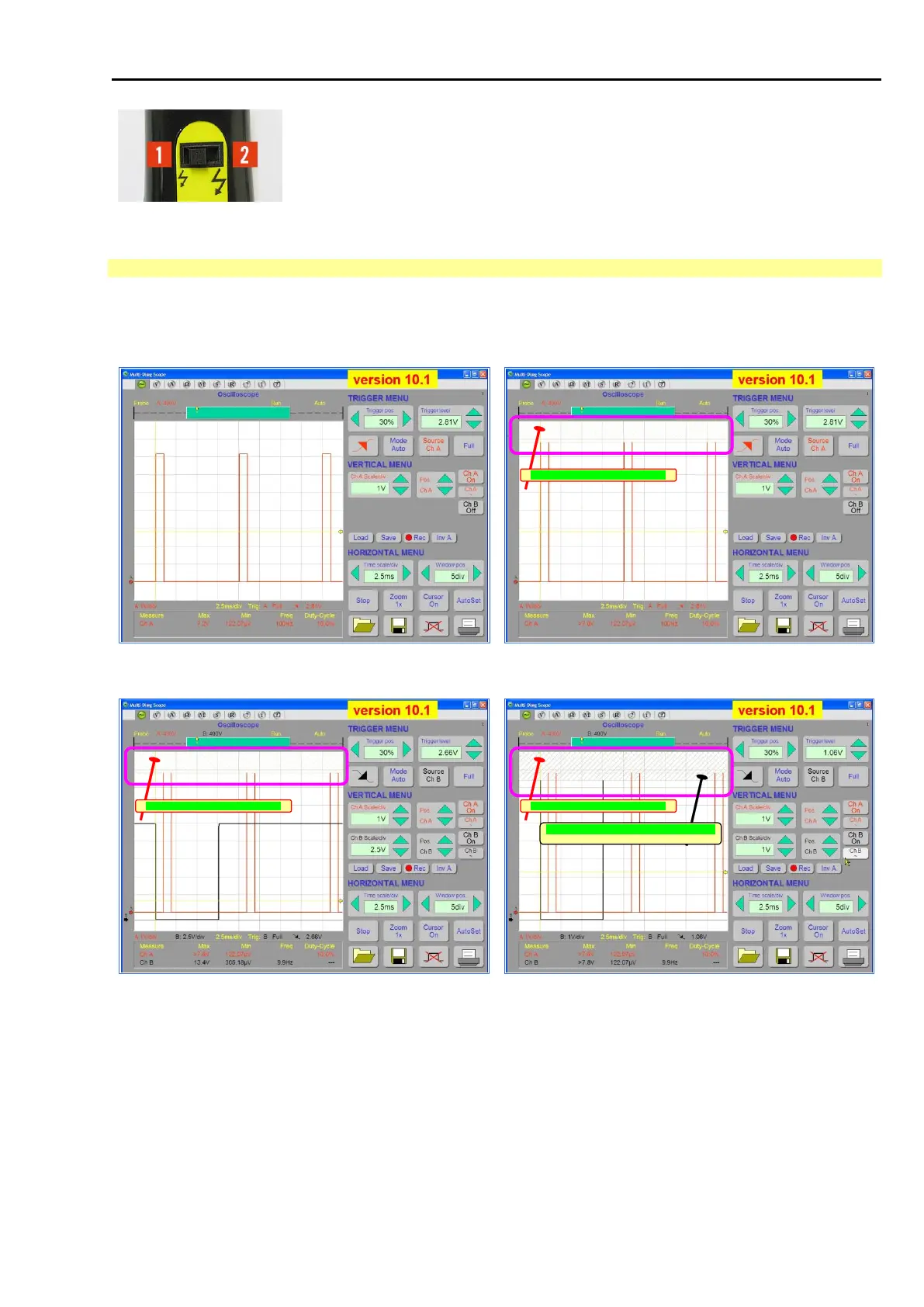
If a smaller than the actual input sensitivity is set (see Fig. 39 or Fig. 50), the so-called “saturation” occurs. The
signal is trimmed and the saturation area is hachured (see the following pictures Fig. 107 to Fig. 110).
saturation area of the channel Ch-A
Fig. 107 – Oscilloscope sensitivity is set correctly to the level of
the driving signal.
Fig. 108 – The driving signal level is higher than the defined
sensitivity of the channel Ch-A (the saturation area is hachured)
saturation area of the channel Ch-A
saturation area of the channels Ch-A & Ch/B
saturation area of the channel Ch-A
Fig. 109 – The driving signal level is higher than the defined
sensitivity of channel Ch-A (the saturation area is hachured). In
channel Ch-B the oscilloscope sensitivity is set in line with the
driving signal level.
Fig. 110 – The driving signals level is higher than the defined
sensitivities of both channels Ch-A and Ch-B (saturation areas
are hachured)
This function reflects in the following areas:
immediate records, visualization, storage, printing
long records, visualization, storage, printing
displaying of the measured values (maximums and minimums)
displaying of the cursor measurements



 To Next Page