Copyright
©
2005 ACTIA - How to Use SmarTach
®
- Basic Functions - 13
English
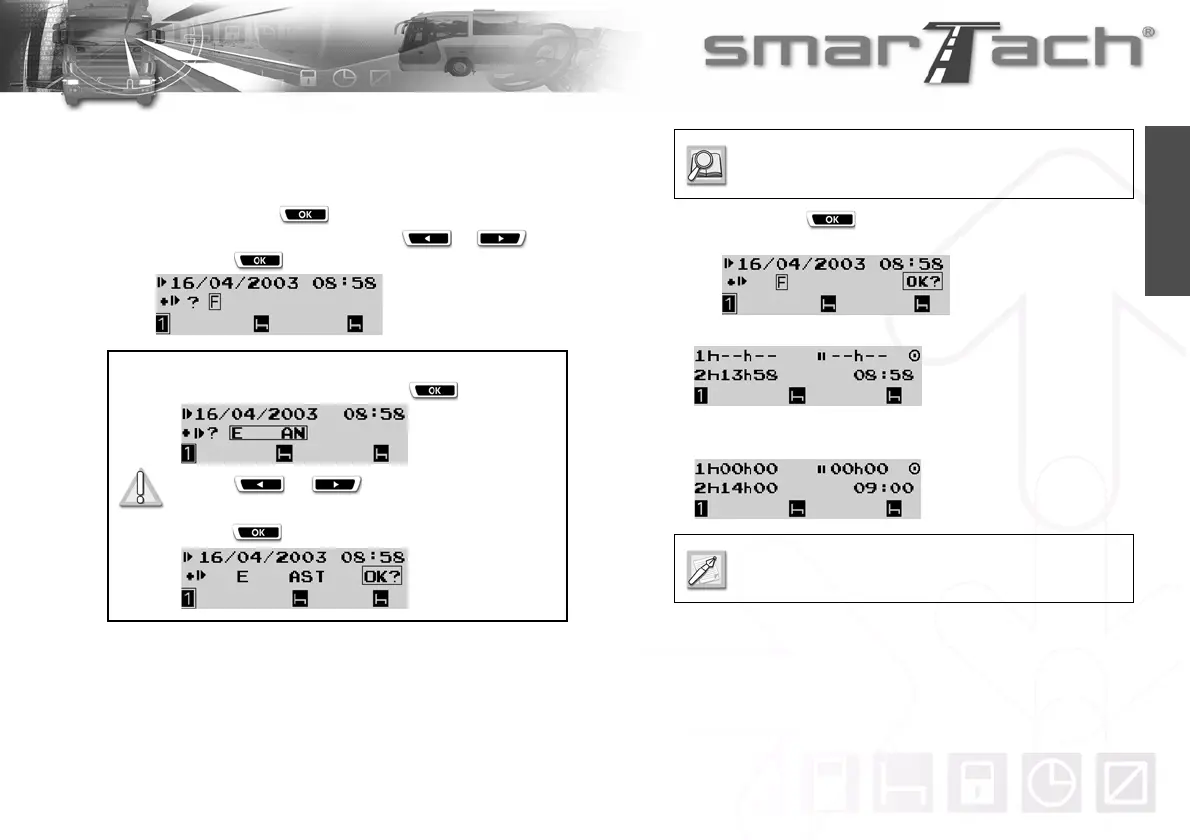
If you are starting your daily work period, you must enter the
relevant location:
• to confirm the country displayed by default (here F for
FRANCE), press ,
• to select a different country, press or , and
then press .
• Then press to confirm the selected starting
location for the period.
9. A display appears while the data are processed.
10. Your card has been inserted correctly.
A default display from the first level appears.
For Spain, you have to specify the region:
Select E for Spain and press .
Press or as many times as
necessary to go to the relevant region.
Press to validate.
Refer to Section 6.8 List of Countries and
Regions.
In a few moments, counters are updated according
to the data stored on your card.



 To Next Page