4/9
C 405
Configuration Menu
GB 04527 - Edition 02 - June 12
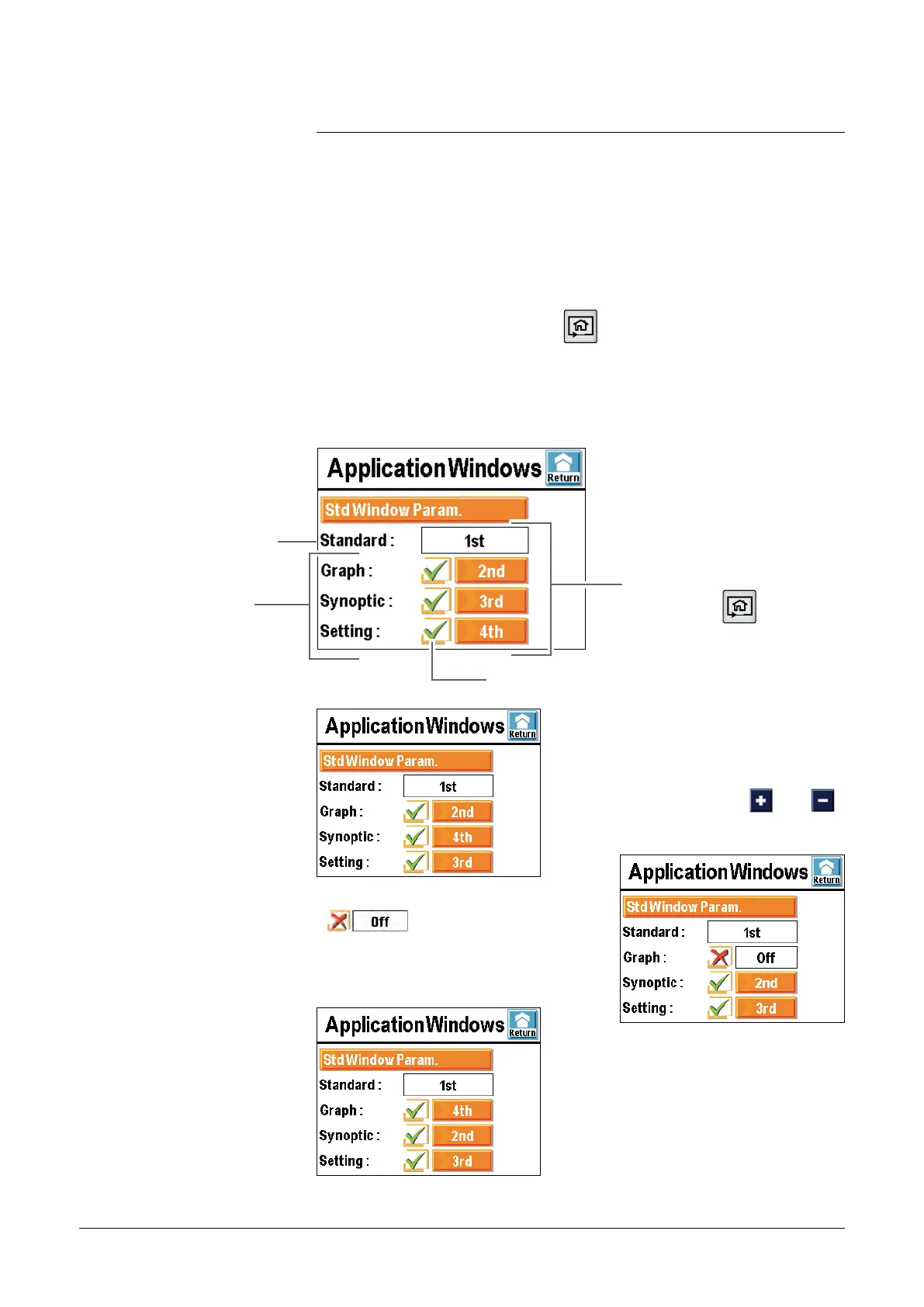
By successive presses on the key , the different applicative
windows available appear.
The operator can hide one or several windows or switch around the
scrolling order of these.
The standard applicative window is always available:
Applicative windows
Windows proposed
Order of the displayed windows
with the touch
.
Selection of the displayed windows.
The window order can be
modified:tactile press on the order
number and use the keys
and ,
then validation.
When a window is no more selected
(
) or if its order has been
changed, the order is automatically up
dated.
When a window is again selected, it
takes place automatically at the last
position.
Standard applicative
window always available
adixen Vacuum Products - ASM 310 Operating instructions



 To Next Page