GB 03344 - Edition 04 - March 12
5/8
C 300
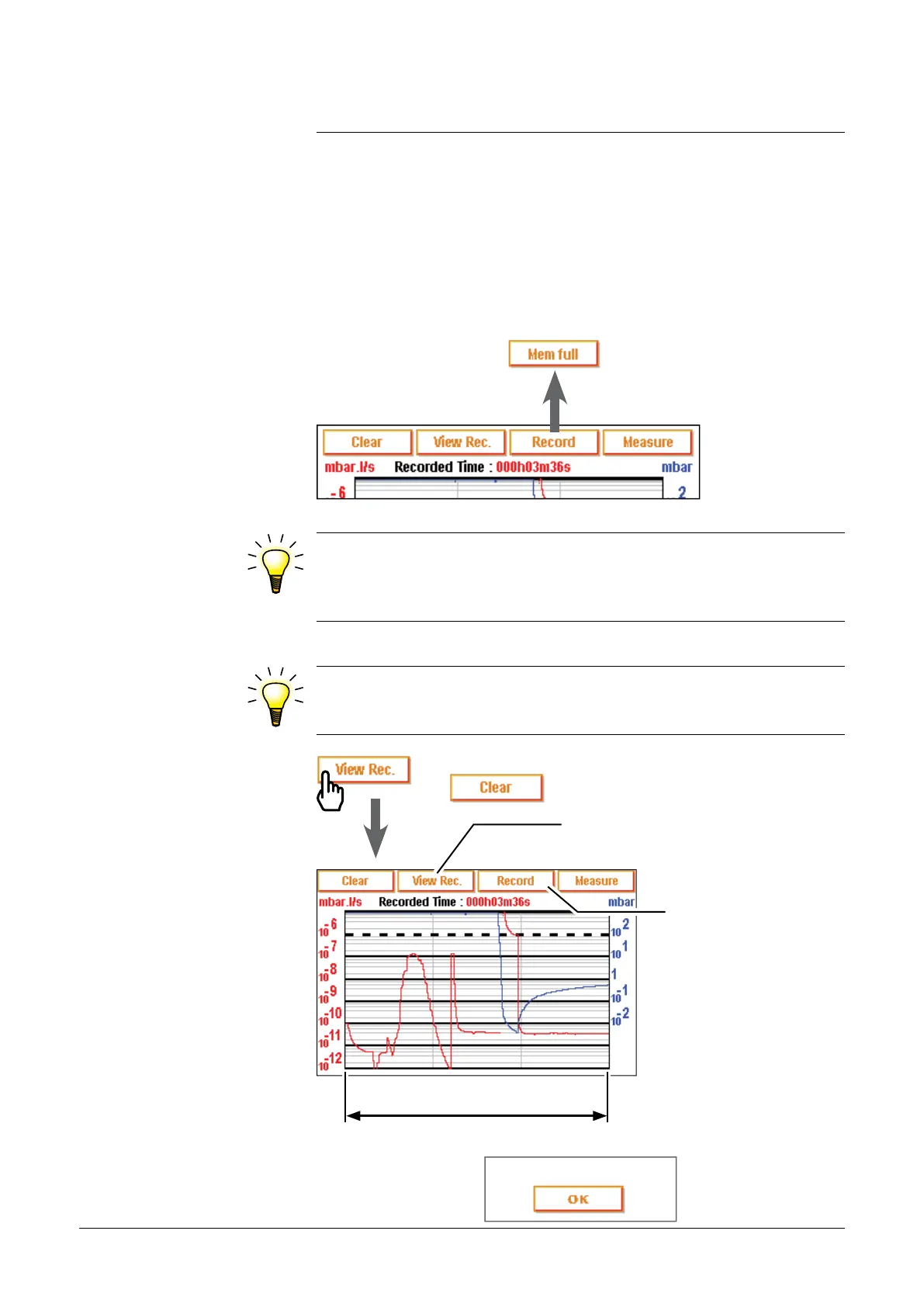
Graphic display
Recording
visualization
Visualisation of the plottings recorded done since the
last
or the last switching on.
Visualisation of a plotting
realized.
Deletion of
the plottings
recordings.
Plotting total time
If any plotting has been done, the message below appears:
When the memory is full and if a recording is in progress,
recording is automatically stopped and the message below
displays:
Recording (ctd)
•During a recording, all the detector functions are available.
•Every detector swiching off or control panel disconnection will
deletes the memory: if necessary, save the recorded plotting on the
SD card before these operations.
•At any time, during a plotting, the operator can visualize a plotting
part already recorded or do a zoom, without stop the plotting in
progress.
Nothing recording
adixen Vacuum Products - ASM 310 Operating instructions



 To Next Page