6/8
C 300
Graphic display
GB 03344 - Edition 04 - March 12
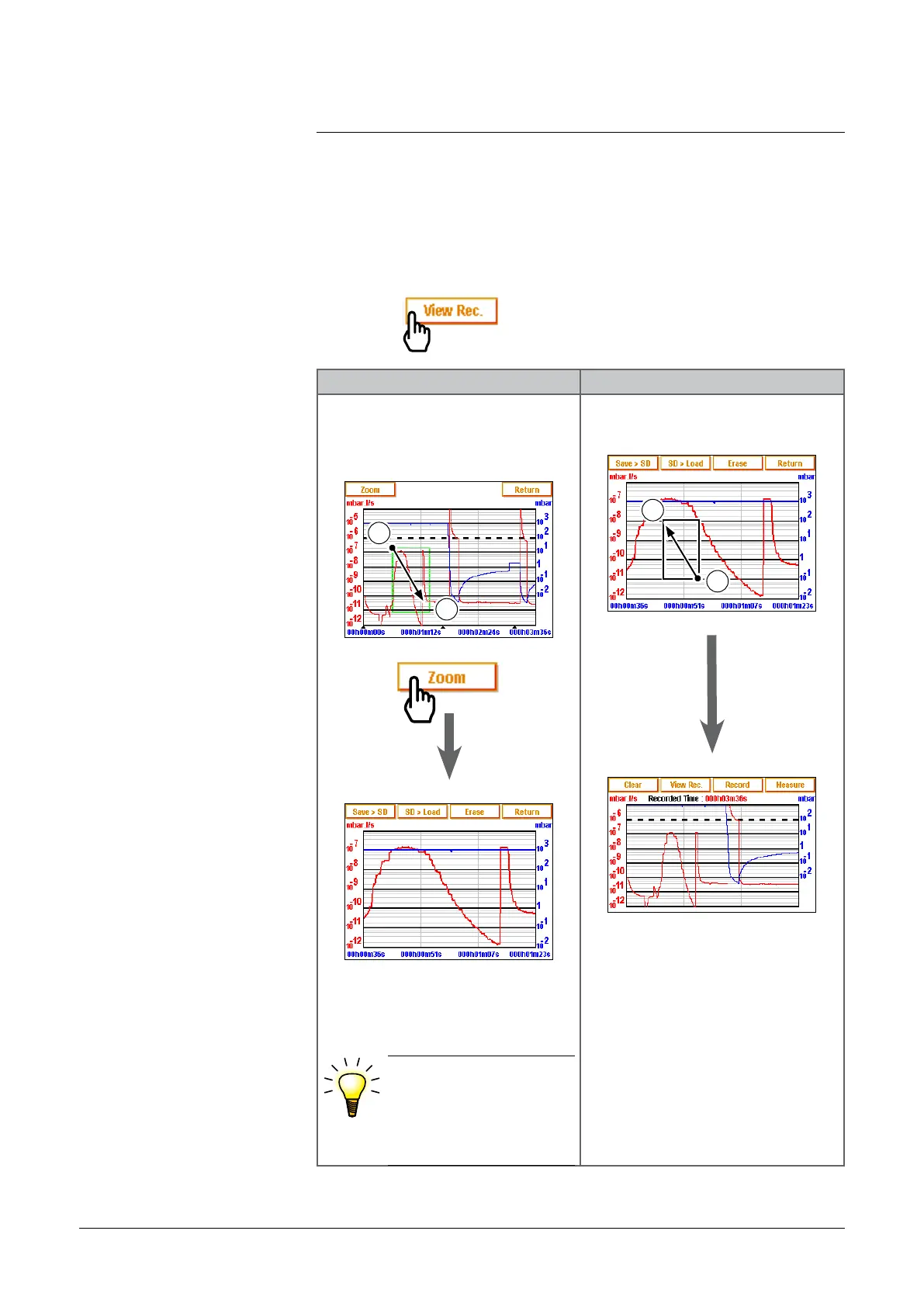
Zoom Zoom is only possible on a recorded plotting.
Zoom on Zoom off
Define the zone to enlarge
(point
1 then point 2) :
1
2
Several successive zooms are
possible (except in a same
range).
•Adjust if necessary the
zone to enlarge by
pulling the corners or
sides of the zone with
your finger.
Press twice on the screen as
indicated below:
2
1
Come back to the previous sc:
reen if several zooms have be
done, repeat the operation until
basic graph come back.
adixen Vacuum Products - ASM 310 Operating instructions



 To Next Page