GB 03292 - Edition 03 - March 12
1/7
C 200
Control panel
Description
Use a finger or any object with end rounded off on the touch-
sensitive screen. Do not use sharp objects (screwdriver for example).
C 403
C 405
Any press on the screen will reactivate the display.
If the touch-sensitive screen is defective, the functions remain
accessible by keys: use the RS 232 to pilot/set the detector or the SD
card (setting only).
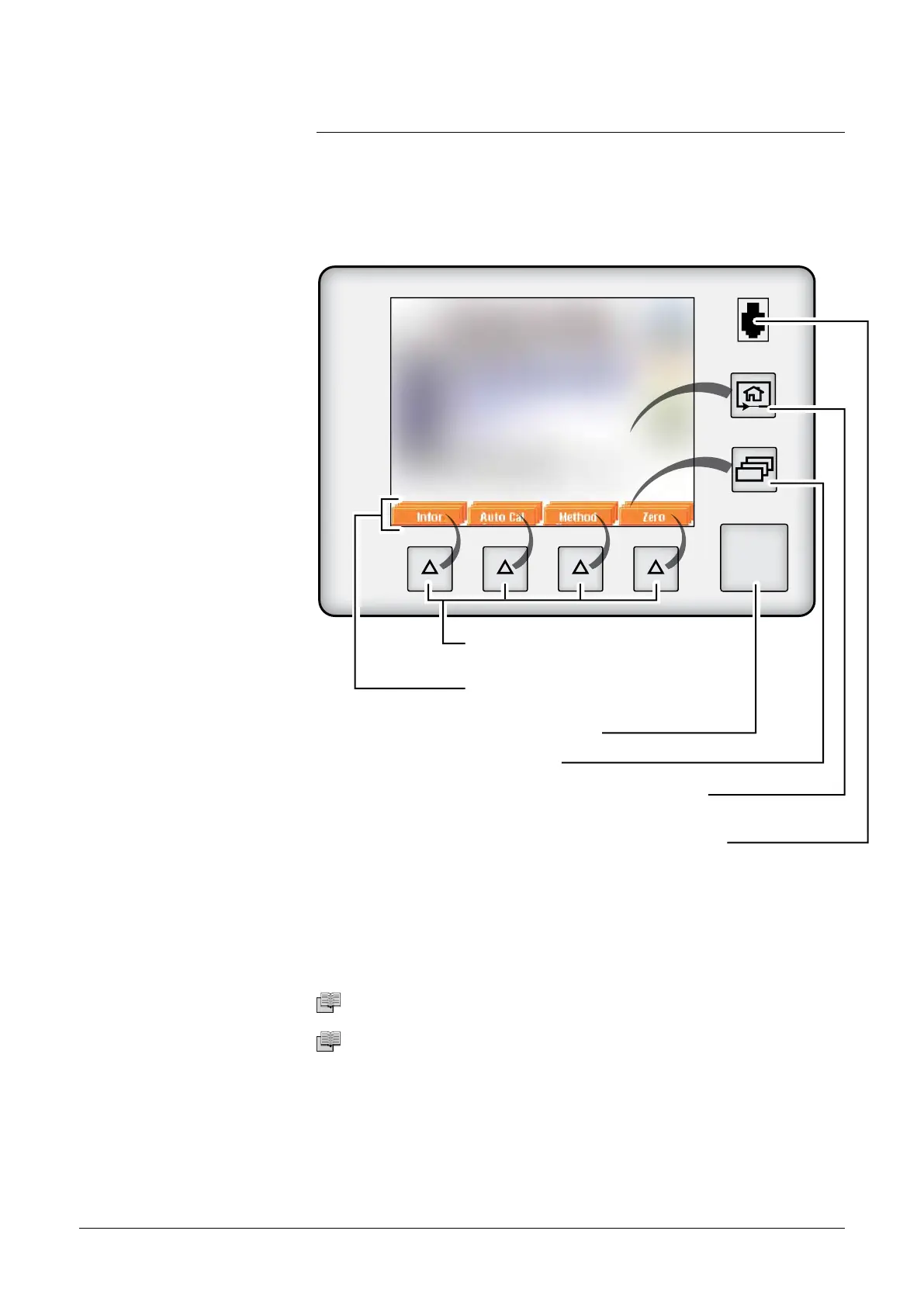
Contrast/Luminosity
Screensaver
Start/Stop of a test
Level change
Application window change, come
back to home (standard display)
Remote control connection
(accessory)
Functions allocated to the function
keys
START
STAND-BY
Application window
(touch-sensitive screen)
Function keys allowing the activation
of the associated functions
adixen Vacuum Products - ASM 310 Operating instructions



 To Next Page