GB 04527 - Edition 02 - June 12
5/9
C 405
Configuration Menu
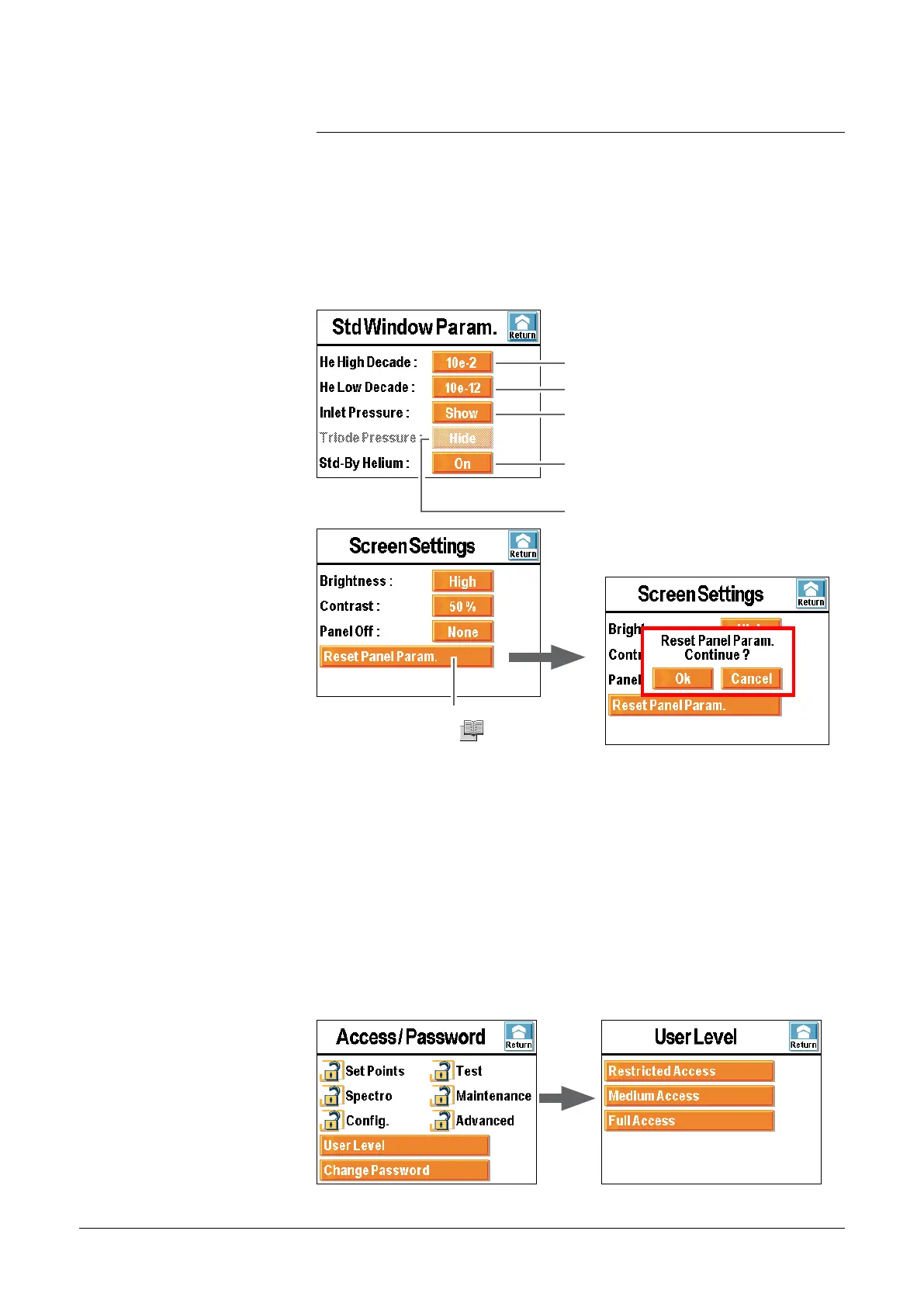
Screen settings
Control panel parameters (= factory
leaving configuration (
C 500)).
Nota : the screensaver corresponds to the retro-lighting extinction
(black screen). The detector seems switched off but it is not the case!
A single press on the touch-sensitive screen reactivates the display.
By default, the automatic panel off is not activated.
Access password
User levels
3 user levels allow restricting display and access to settings and
functions.
Standard windows
parameters
Max decade of the bargraph.
Mini decade of the bargraph.
Display/masking of the inlet pressure on the
standard display.
He signal display in stand-by mode.
Display/masking of the cell pressure on the
standard display.
adixen Vacuum Products - ASM 310 Operating instructions



 To Next Page