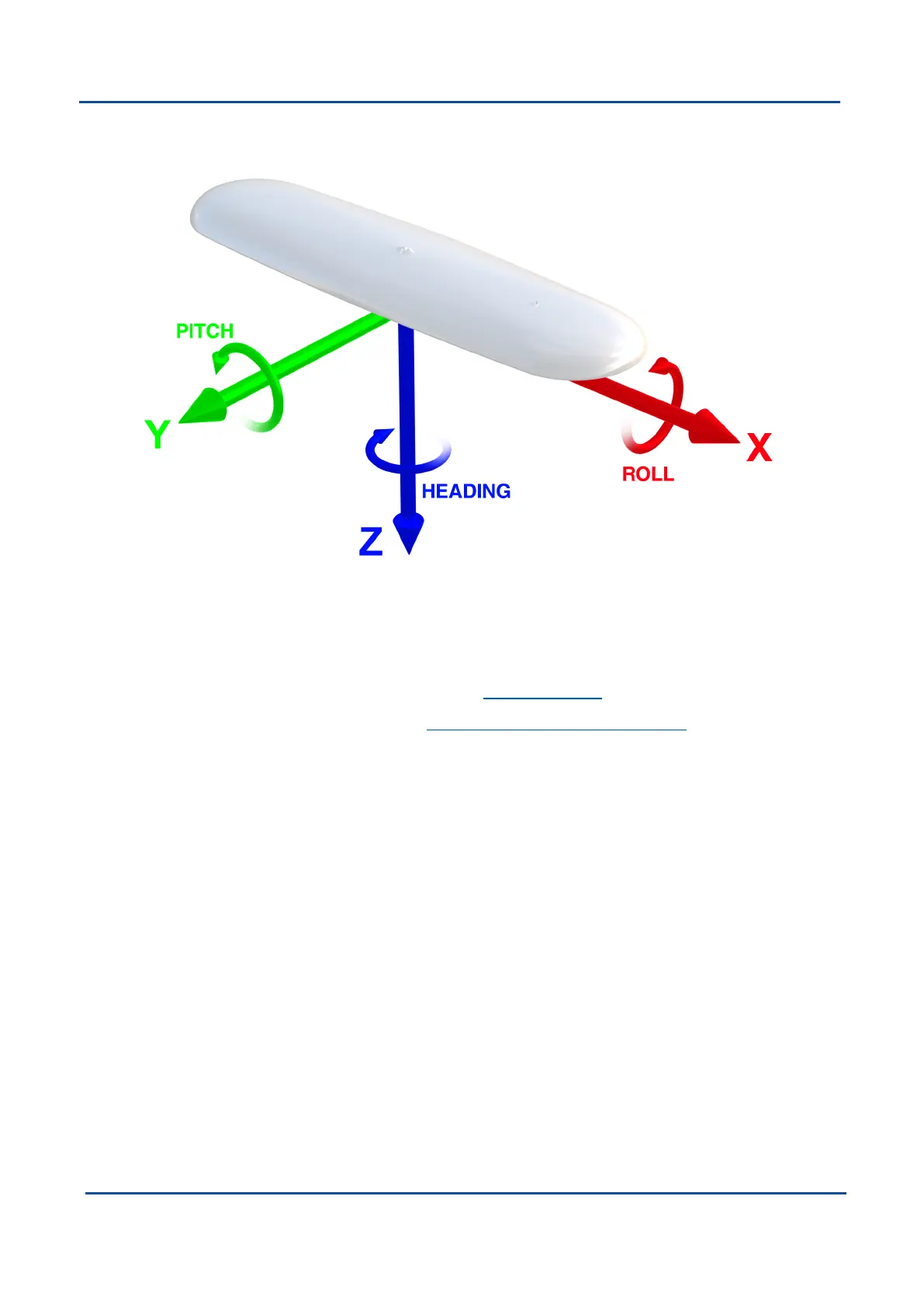
5.2.4 Axes
Figure 6: GNSS Compass axes with arrows showing positive direction
5.2.5 Serial Number
Units can be identified and tracked using the device serial number. This can be observed in a numbers of ways:
l
Through the Device Information page in the web UI (8.1.2 View Menu)
l
Through the Device Information page in the 8.2 Using GNSS Compass Manager application.
l
Via the 2D data matrix bar code on the underside of the enclosure near the IO connector. Applications are
available for most smart-phones that can scan the 2D data matrix bar code to display the serial number.
The label also contains the hardware version and build date.
v2.0 Page 15 04 Nov 2021
GNSS Compass Reference Manual • Specifications


 To Next Page