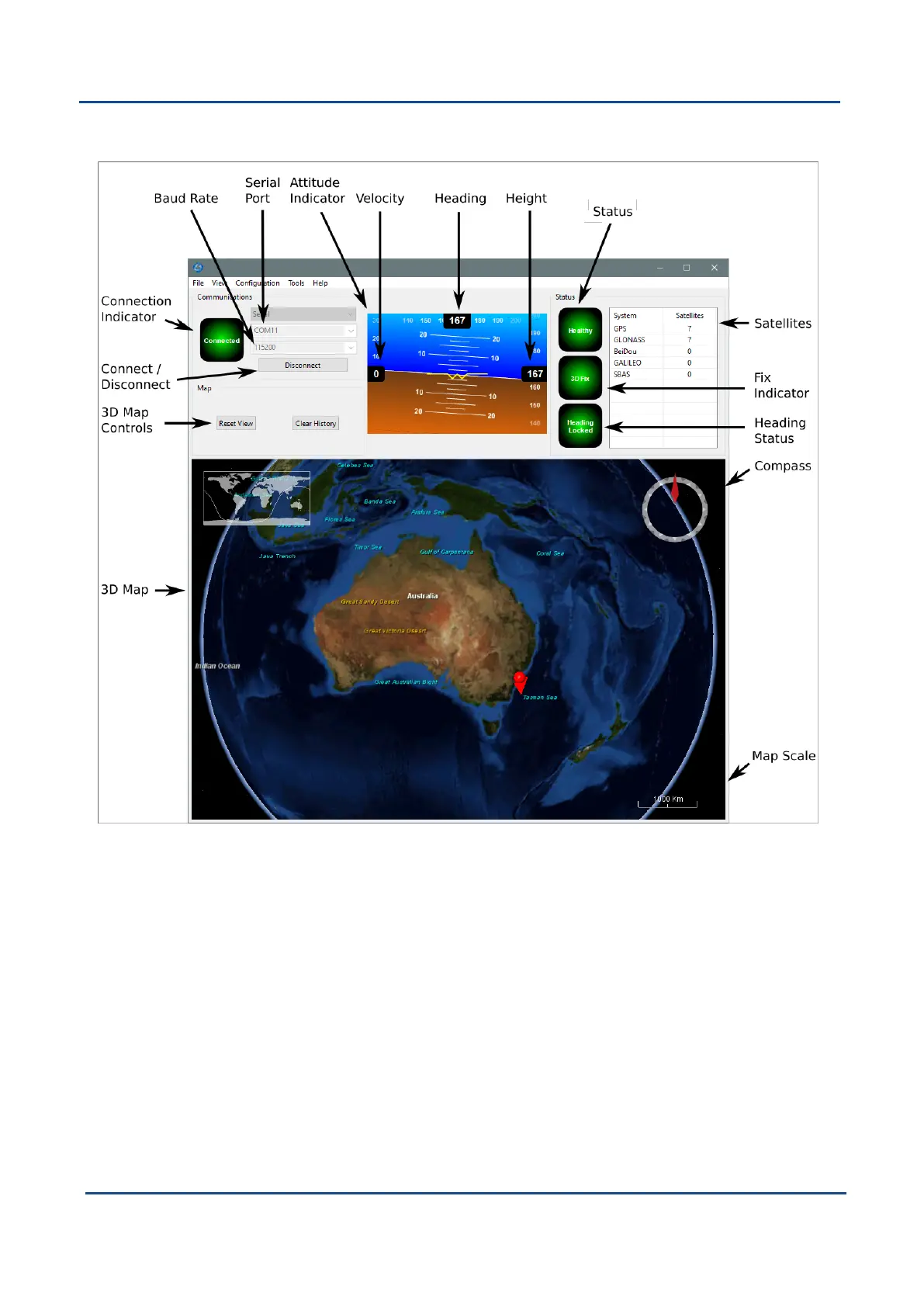
8.2.5 Main View
Figure 40: GNSS Compass Manager Main View
8.2.5.1 Serial Port
The Serial Port dialogue is used to connect to GNSS Compass. Select the serial port and baud rate and click
Connect. The default baud rate of GNSS Compass is 115200. The Connection Indicator displays whether
there is communication with a GNSS Compass unit.
8.2.5.2 Baud Rate
This displays the current and available baud rates options for the serial connection.
8.2.5.3 Connect / Disconnect
This button allows the serial connection to be enabled or disabled.
v2.0 Page 57 04 Nov 2021
GNSS Compass Reference Manual • Configuring and Monitoring GNSS Compass


 To Next Page