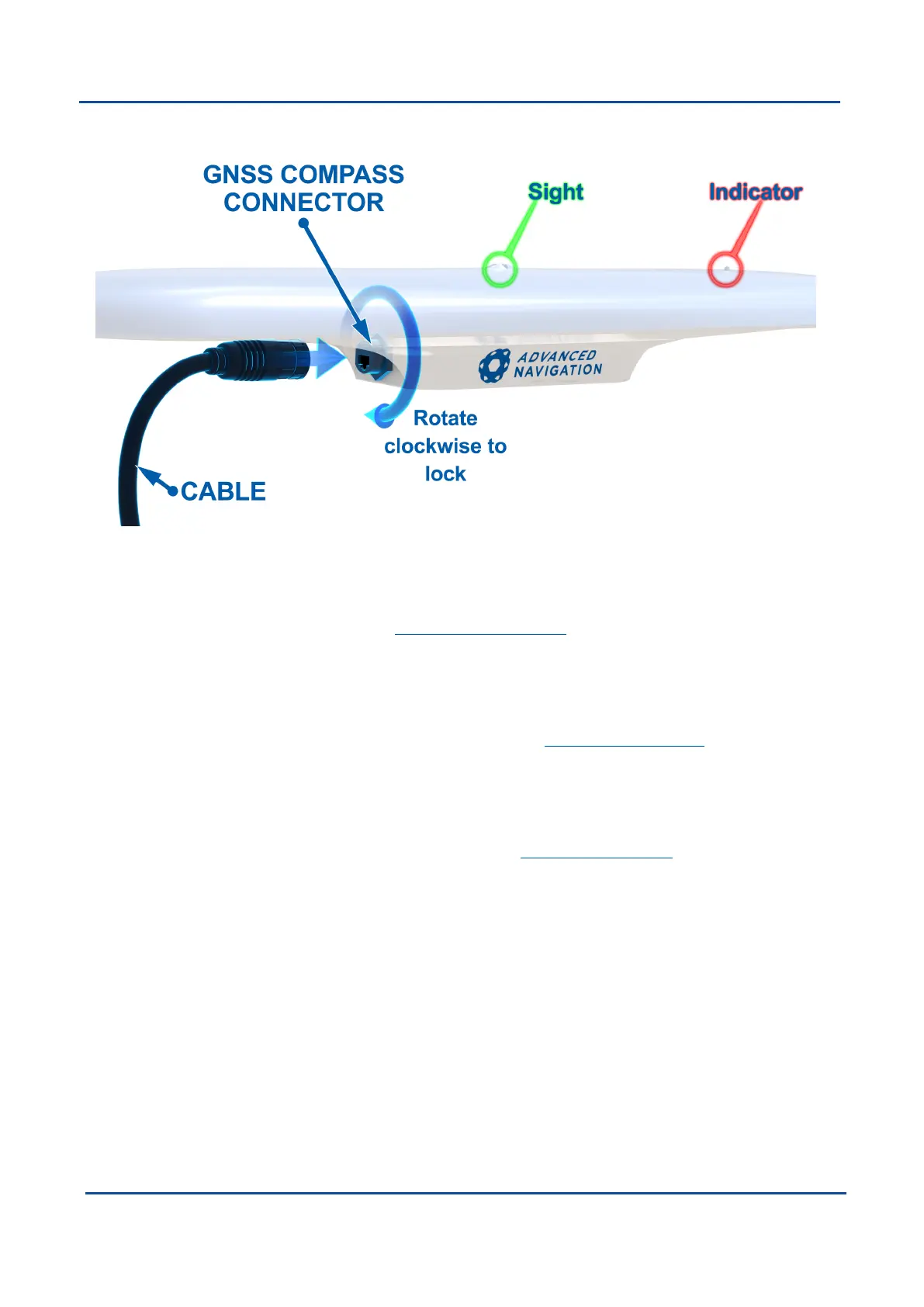
Figure 8: Connector locking
6.1.1.1 NMEA 2000
For connection to an NMEA 2000 network the NMEA 2000 Drop Cable is required (part number GC-
NMEA2000-CABLE). One end of the cable should be connected to the GNSS Compass and the other end to a
T-connector on the NMEA 2000 backbone of the vessel.
6.1.1.2 NMEA 0183
For connection to an NMEA 0183 network the Advanced Navigation SerialBreakout Cable is required (part
number GC-SER-BREAK-20M). The auxiliary serial port connector should be connected to the receiving device.
Power supply of between 9 to 36 volts should be applied to the DC jack with a 5 amp fuse.
6.1.1.3 Ethernet
For connection to an Ethernet network the Advanced Navigation Ethernet Connection is required (part number
GC-POE-CABLE-20M). One end of the cable should be connected to the GNSS Compass and the other to
either a PoE injector (part number POE-INJECTOR-DC) or 802.3af or 802.3at compliant PoE switch. The PoE
injector or switch is then connected to a router.
6.1.1.4 ANPP
For connection to an ANPP receiving device the Advanced Navigation Serial Breakout Cable is required (part
number GC-SER-BREAK-20M). The primary serial port connector should be connected to the receiving device.
Power supply of between 9 to 36 volts should be applied to the DC jack with a 5 amp fuse.
For advanced applications requiring configuration changes please follow the steps below.
v2.0 Page 21 04 Nov 2021
GNSS Compass Reference Manual • Installing GNSS Compass


 To Next Page