8.2.9 Logging
GNSS Compass Manager features a fully automatic logging system. Every time the serial port Connect button
is clicked GNSS Compass Manager starts a new log file in the current directory. The log file is given the file
name GNSS CompassLog_date_time.anpp and contains all of the raw data received from GNSS Compass in
the AN packet protocol. The log files are closed when the serial port is disconnected. To convert these log files
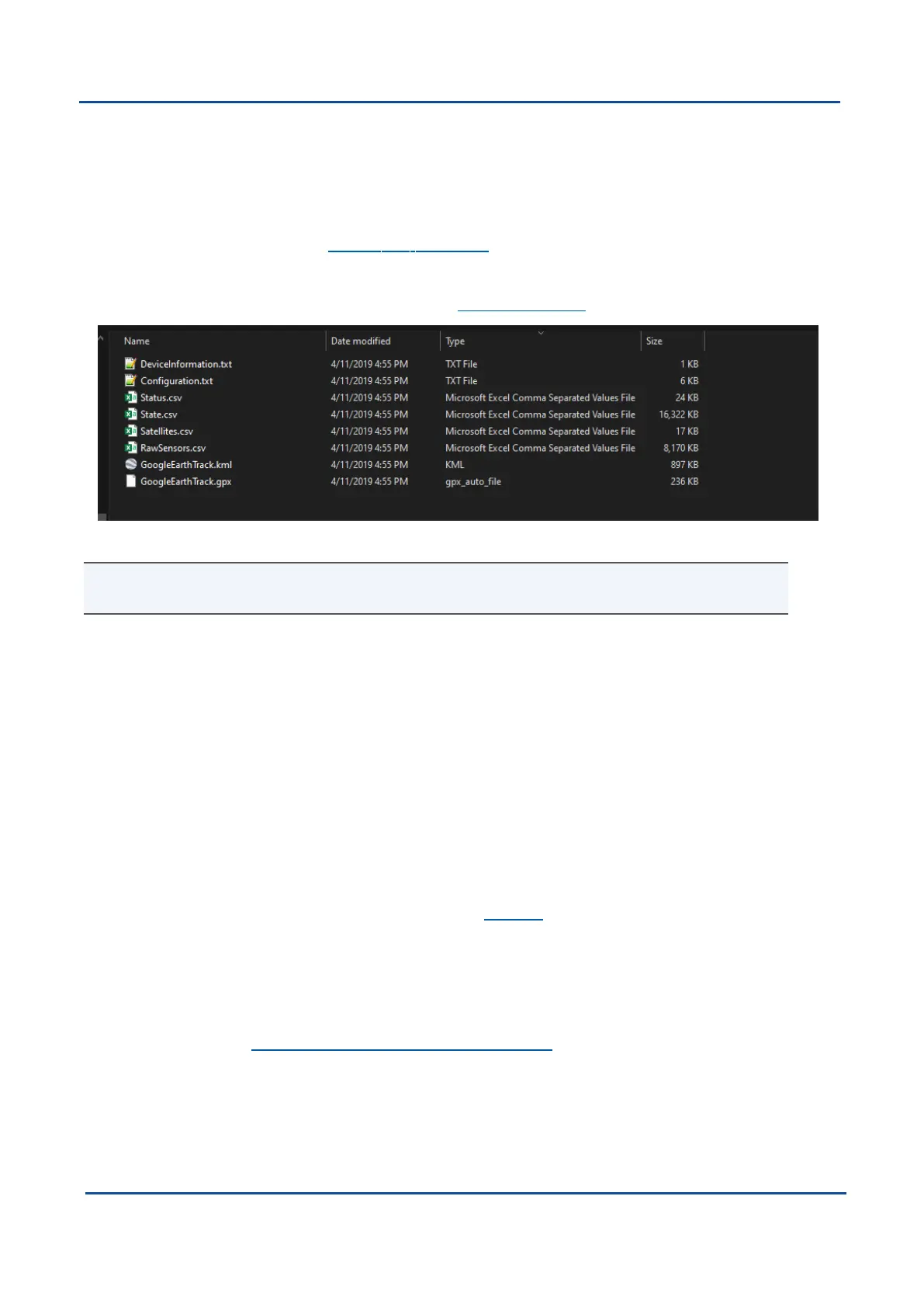
into easily accessible formats, the 8.2.8.1 Log Converter dialogue in the Tools menu can be used. The Log
Converter creates a folder and generates files in the CSV (comma separated values) format that can be easily
opened with Microsoft Excel, Matlab, LibreOffice and most other data analysis programs. It also creates a GPX
file and a KML file that are designed to be opened with Google Earth Pro.
Figure 52: Files Generated by the Log Converter
Note: This data logging is performed by the GNSS Compass Manager application and is separate from
the GNSS Compass inbuilt logging functionality accessible via the web UI.
8.3 Using the Android App
The Spatial Manager Android app provides logging and visualisation functions for Android phones and tablets.
It is particularly useful for field testing purposes. You can use this app to connect to your GNSS Compass via
Bluetooth and:
l
Monitor position and orientation in real time
l
Log real-time data for later analysis and review
l
Configure NTRIP stream corrections
l
Configure device alignment offsets and manual initialisation
You will require a Serial to Bluetooth adaptor with Bluetooth v2.0 support connected to the primary serial port.
The app can be found by searching the Google Play store for "Advanced Navigation Spatial Manager". Refer to
the in-app Quick Start guide for more information. Contact Support if you have any questions about the Android
app.
8.4 Using ANPP
GNSS Compass can be configured and monitored using the Advanced Navigation Packet Protocol (ANPP),
which is detailed fully in 10 Advanced Navigation Packet Protocol.
A software development kit (SDK) is available at no extra charge to assist you when developing your own
applications. It contains example code in a number of programming languages, ready to compile and test.
v2.0 Page 64 04 Nov 2021
GNSS Compass Reference Manual • Configuring and Monitoring GNSS Compass


 To Next Page