8.1.1 Main View
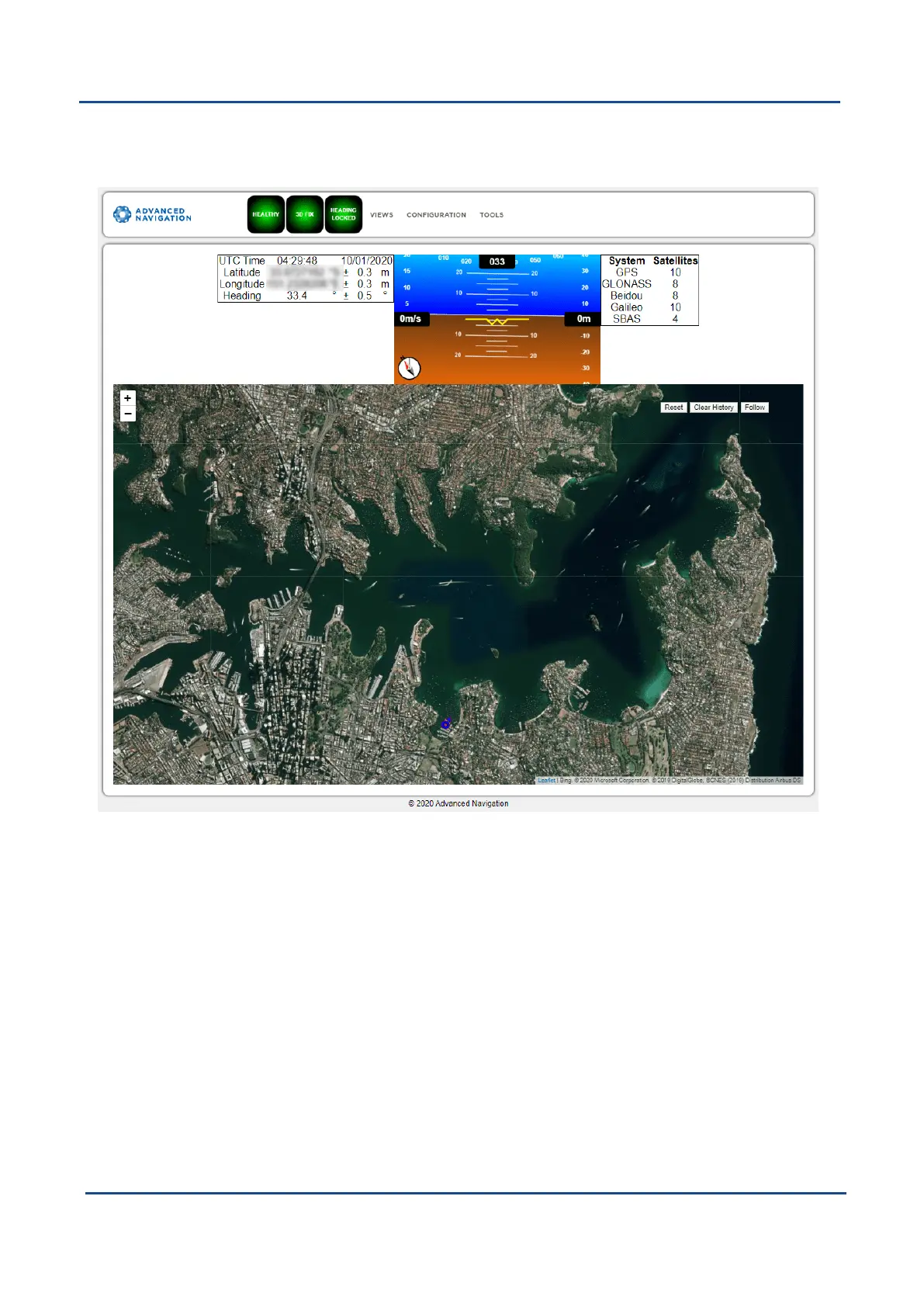
The Home Page is accessible from other pages via the Map menu item under the View menu.
Figure 18: GNSS Compass Web UI Home Page
8.1.1.1 Status Indicator
The Status Indicator section contains the current GNSS Compass status, the GNSS fix type indicator, and the
heading status. These are visible on every page.
l
Status Indicator:This indicator shows any problems with GNSS Compass. Once the filter has initialised it
will show “HEALTHY”.
l
GNSS Fix: This indicator shows the status of the GNSS fix. Under normal operating conditions it should
show “3D FIX”. When satellite visibility is poor it may show either “2D FIX” or “NO FIX”.
l
HeadingStatus:This indicator shows the current status of the heading filter. When there is good dual
antenna GNSS signal reception it will show “HEADING LOCKED”.
v2.0 Page 39 04 Nov 2021
GNSS Compass Reference Manual • Configuring and Monitoring GNSS Compass


 To Next Page