LOCAL OPERATION MODULATION: INTERNAL
ANALOG
MOD
B5208
SIG
GEN
B5287
...
B5456
3-104
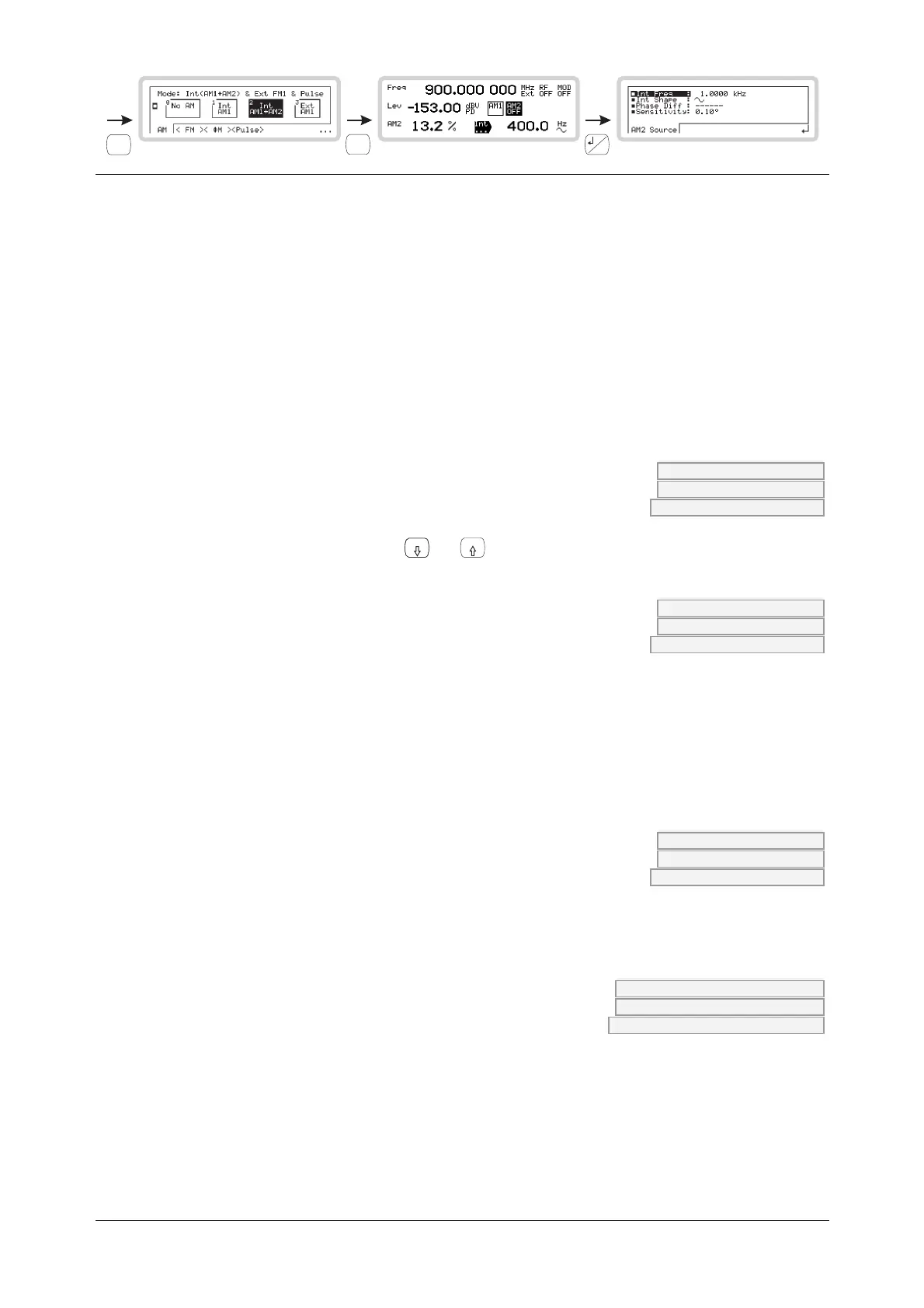
Modulation path 2
Use this menu to set up the internal source for a second modulation path. Set it up the same way
as for the first modulation path.
The soft tab shows the modulation path that Int is associated with — in this example, AM2. It
could also be FM2 or ΦM2.
From this menu you can:
• Specify the source’s frequency and waveshape
• Define the phase relationship of one path to another
• Set the resolution of the rotary control when defining the phase relationship.
Int Freq AM2:INT:FREQ page 4-53
FM2:INT:FREQ page 4-85
PM2:INT:FREQ page 4-137
Use the numeric keypad or the
x10
and
10
keys to specify the frequency of the internal source.
Int Shape AM2:INT:SHAP page 4-58
FM2:INT:SHAP page 4-90
PM2:INT:SHAP page 4-142
Use the numeric keypad to specify the waveshape of the internal source:
0 Sine
1 Triangle
2 Square
3 Ramp
Phase Diff AM2:INT:PHAS page 4-60
FM2:INT:PHAS page 4-92
PM2:INT:PHAS page 4-143
Use the numeric keypad or the control knob to set the phase of modulation path 2 relative to
modulation path 1.
Sensitivity AM2:INT:PHAS:SENS page 4-60
FM2:INT:PHAS:SENS page 4-92
PM2:INT:PHAS:SENS page 4-144
Use the numeric keypad to specify the sensitivity of the rotary control when setting up the
Phase Difference:
0 0.01° resolution (fine)
1 0.1° resolution (medium)
2 1.0° resolution (coarse)


 To Next Page