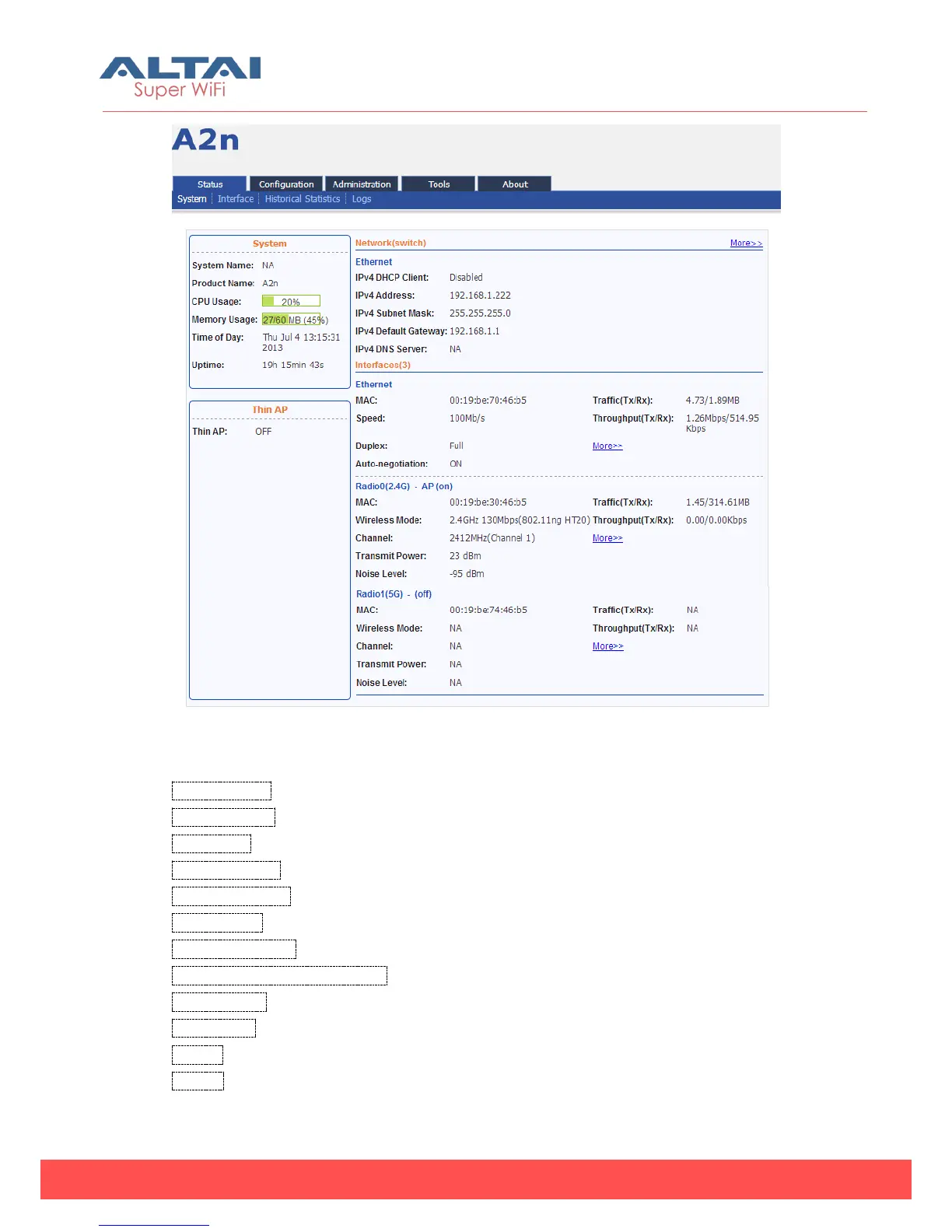
Figure 4-1 System information
Following information can be found from “System” function:
System Name:System name for A2n, it can be customized by customer.
Product Name:A2n.
CPU Usage:A2n CPU Usage (%).
Memory Usage:A2n memory Usage (Byte).
IPv4 DHCP Client:Enable/disable IPv4 DHCP Client.
IPv4 Address:A2n current IPv4 address
IPv4 Subnet Mask:A2n IPv4 subnet mask
IPv4 Default Gateway Address:A2n IPv4 gateway address
Interfaces (3) :A2n Ethernet, Radio interface information.
Time of Day:System time
Uptime:Operation time from last time reboot
Thin AP:ON/OFF Thin AP function



 To Next Page