WLAN X bandwidth control procedures:
1. Select Configuration -> Wireless -> Radio1 (5G) -> WLAN to edit “More…” WLAN,
and then select Bandwidth Control to access to bandwidth control configuration
page
2. Uplink set uplink bandwidth limitation
3. Downlink set downlink bandwidth limitation
4. Click Submit
5. Click Save&Apply to apply
5.3.2.3. 5G General setting — Station Mode
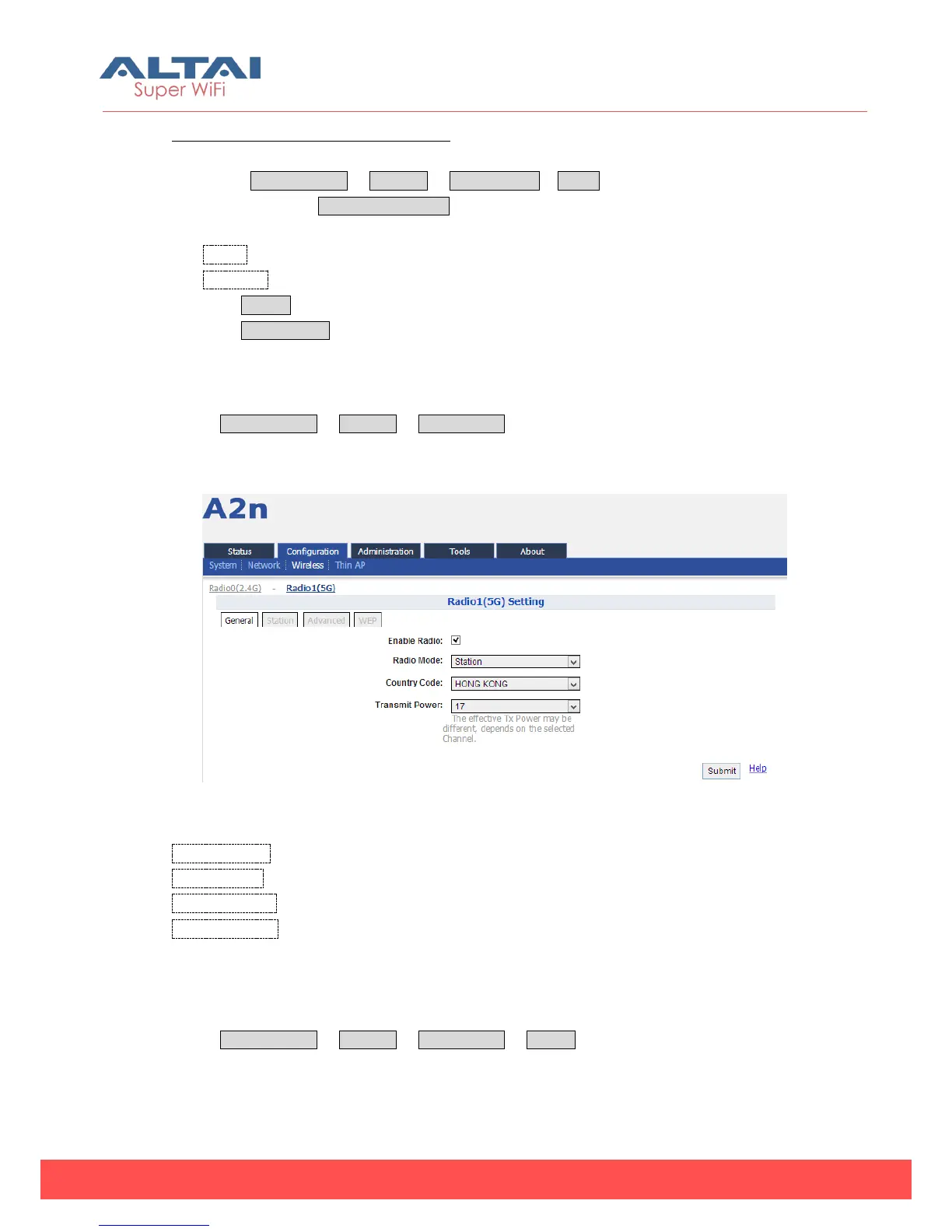
Select Configuration -> Wireless -> Radio1 (5G), and then select “Station” for Radio
Mode.
Figure 5-55 Station Mode
Enable Radio: Enable or Disable the radio.
Radio Mode: Select the “Station” for it.
Country Code: HONG KONG is default setting.
Transmit Power:By default, it is 17.
5.3.2.3.1. Station Setting
Select Configuration -> Wireless -> Radio1 (5G) -> Station to click the “More…” for the
Station setting web page.



 To Next Page