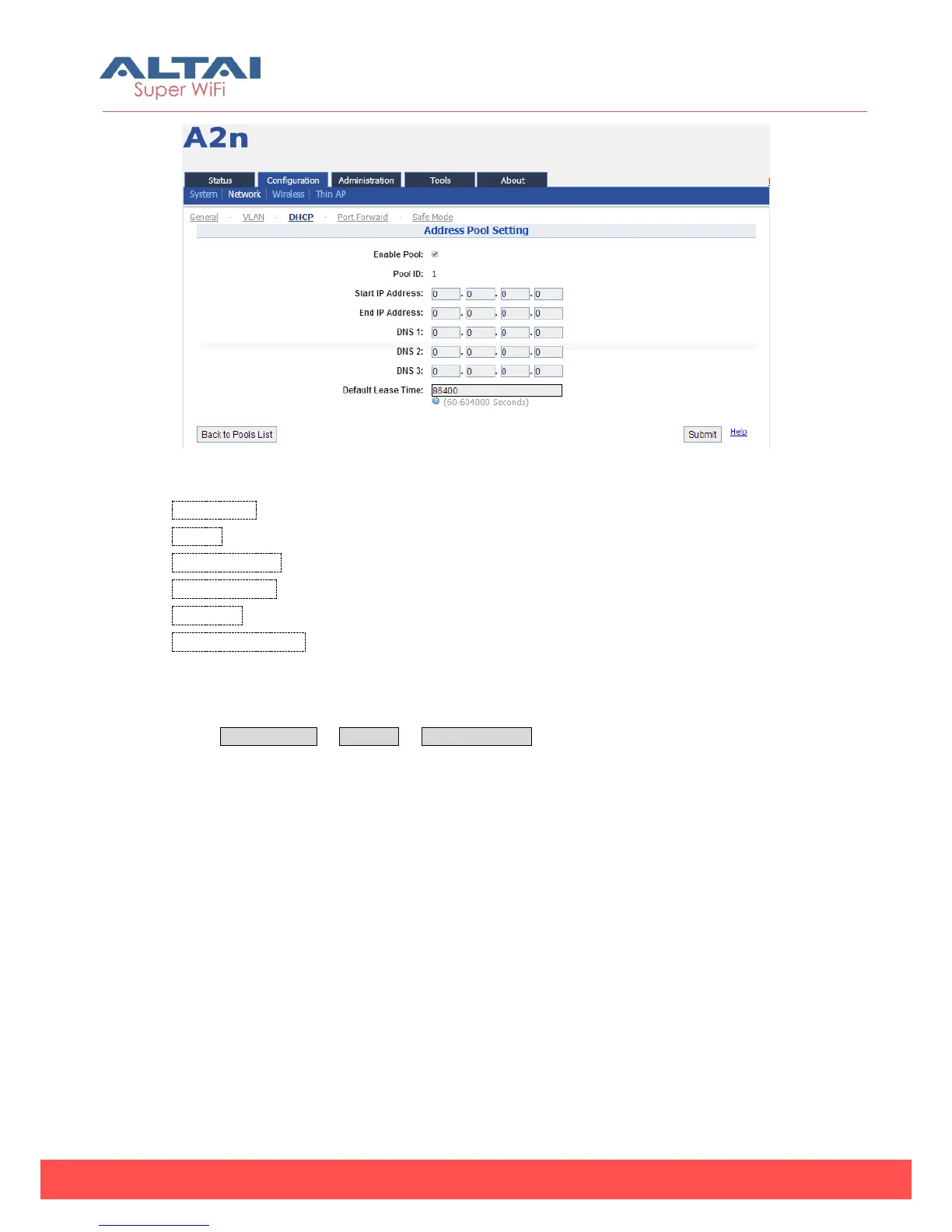
Figure 5-18 DHCP Server — Address Pool Setting
Enable Pool:Enable or Disable Pool
Pool ID:ID of the IP Pool
Start IP Address:Start IP address of the Pool
End IP Address:End IP address of the Pool
DNS1, 2, 3:DNS IP address of the Pool
Default Lease Time:Time to release the IP address to the clients
5.2.2.4. Port Forwarding
Select Configuration -> Network -> Port Forwarding to access Port forwarding
configuration page to set the mapping relation for local IP, Local Port and Global
Port.
Please note that Port forwarding service only works at gateway mode.



 To Next Page