AC IP Address: Set static IP address or automatically get AC IP address
AP Name: Thin AP name
AP Location:Thin AP location information
AC debug level:AC debug level, from 0-10
Managed Radio: select the radio interface for management.
6. Administration Configuration
6.1. User Admin
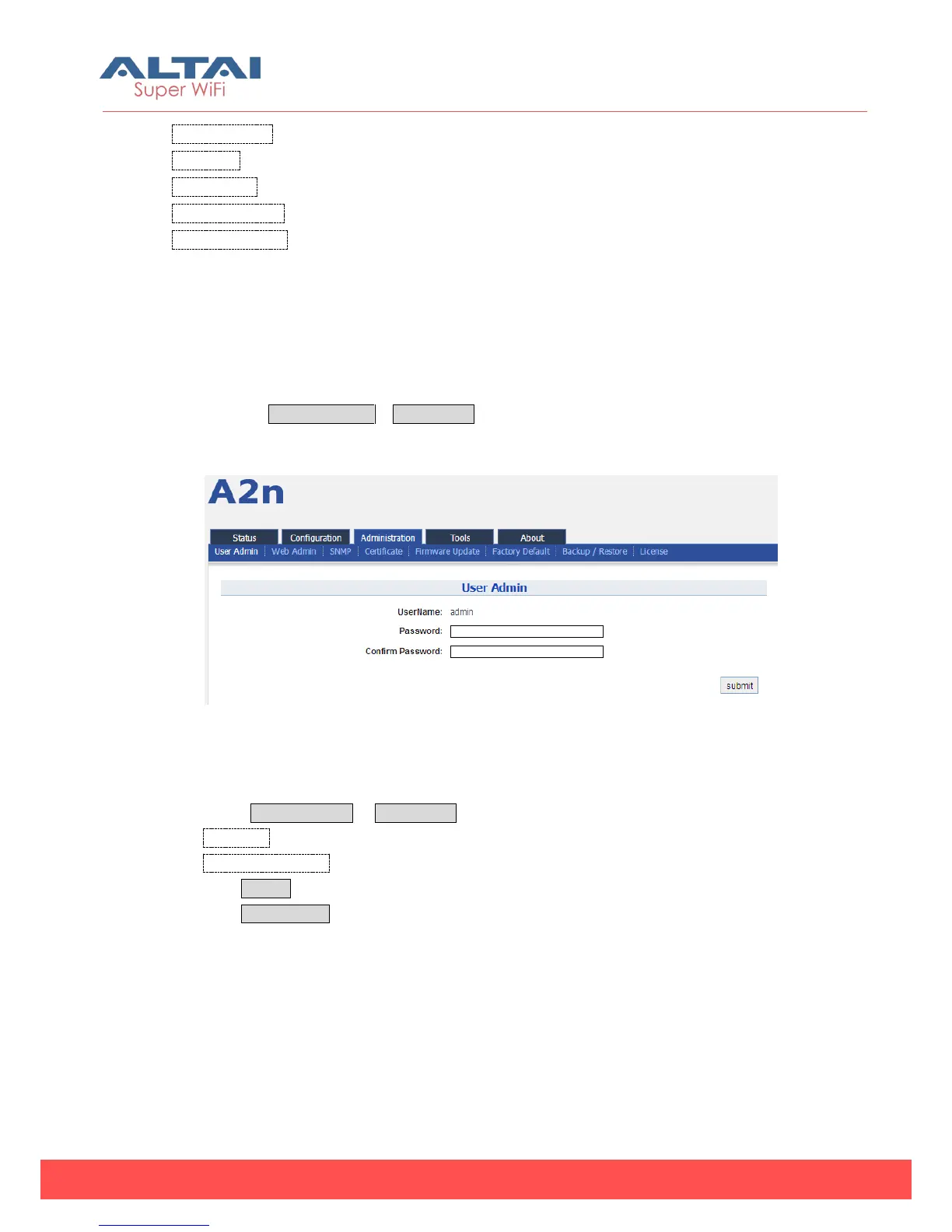
Please select Administration -> User Admin to change login password.
Default username is: admin, default password is: admin
Figure 6-1 User Admin
Procedures:
1. Select Administration -> User Admin
2. Password set password
3. Confirm Password input password again to confirm
4. Click Submit
5. Click Save&Apply to apply
6.2. Web Admin



 To Next Page