Procedures:
1. Press Administration -> Certificate
2. Http Cert File click “browse” to choose Http Certificate file, and then click Upload.
3. Http Key File click “browse” to choose Http Key file, and then click Upload.
6.5. Firmware Update
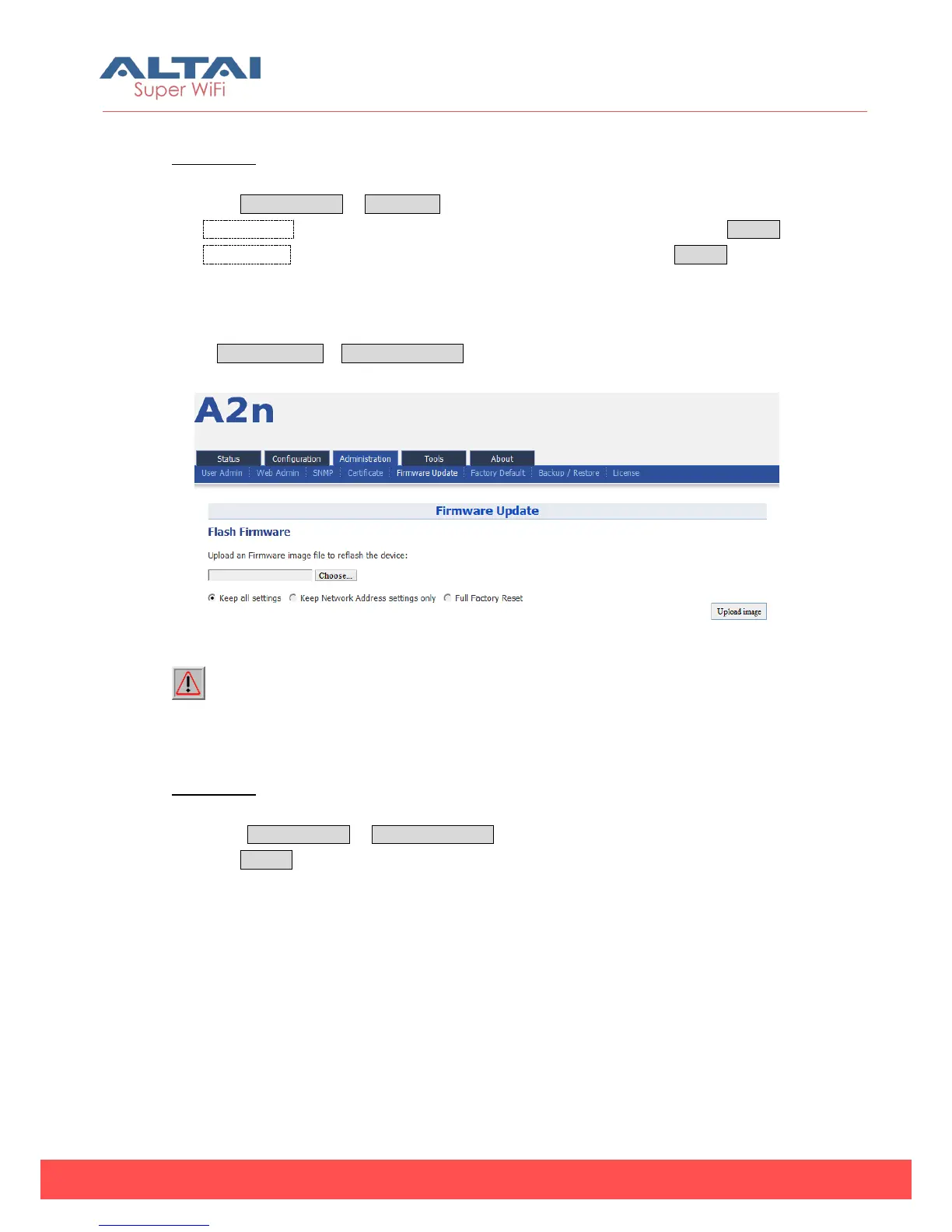
Go to Administration -> Firmware Update to update the firmware of A2n:
Figure 6-6 Firmware Upgrade
Caution: Do not interrupt the process of firmware update. Please maintain
network connection and power supply. A2n will not function properly if interruption
happened during firmware update.
Procedures:
1. Go to Administration -> Firmware Update
2. Press Browse,select the firmware,



 To Next Page