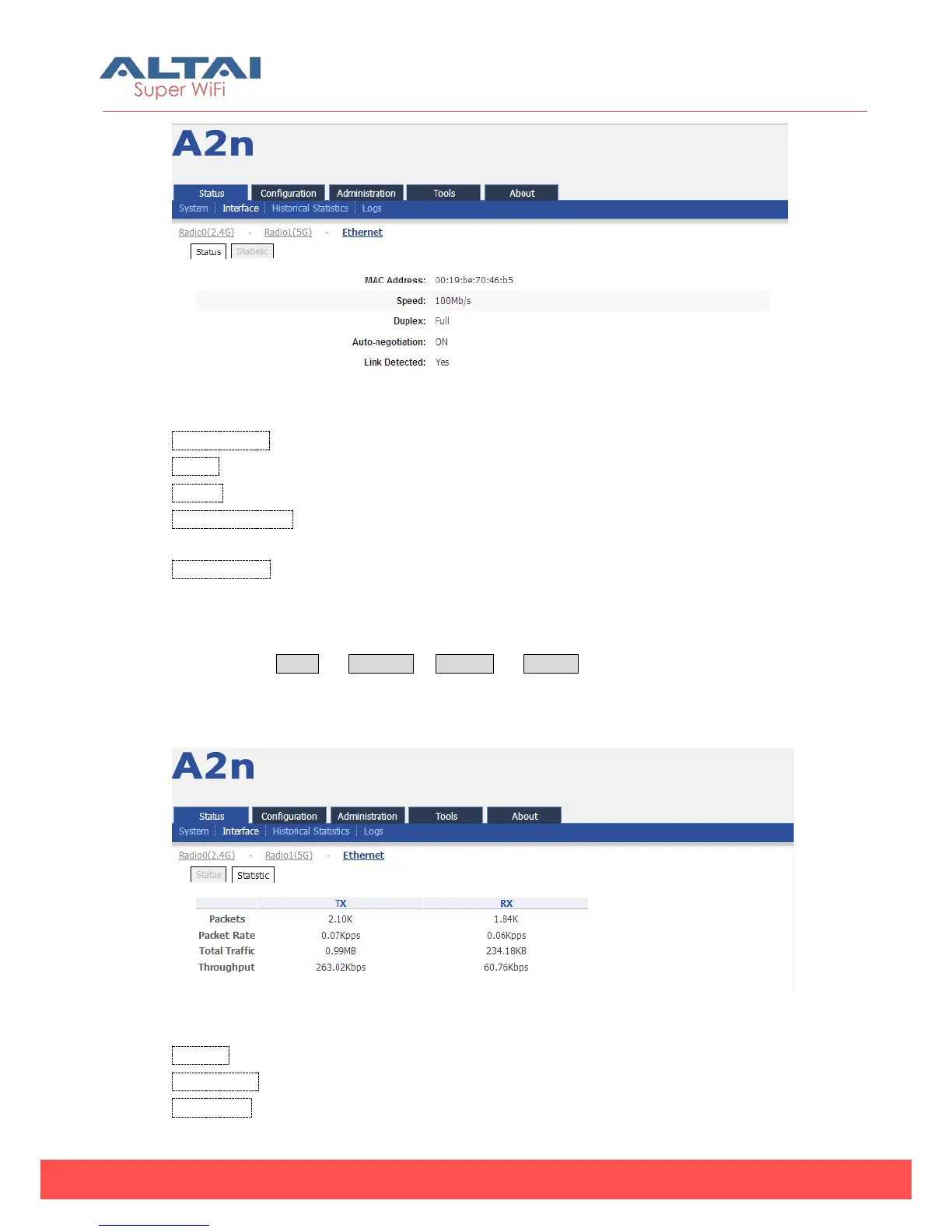
Figure 4-17 Ethernet interface state
MAC Address: A2n Ethernet MAC address
Speed: A2n Ethernet speed
Duplex:A2n Ethernet duplex mode (Full/Half)
Auto-negotiation:A2n Ethernet auto-negotiation mode ON or OFF, by default it is
“ON”.
Link Detected:Whether A2n Ethernet do link detection, by default it is “Yes”.
4.2.3.2. Statistic
Please select Status -> Interface-> Ethernet -> Statistic to check Ethernet statistic
information including Ethernet Packets (Tx and Rx), Packet Rate (Tx and Rx), Total
Traffic (Tx and Rx) and Throughput (Tx and Rx).
Figure 4-18 Ethernet interface statistic
Packets:Ethernet transmitted and received packets
Packet Rate:Ethernet interface packet rate
Total Traffic:Ethernet transmitted and received total traffic.



 To Next Page