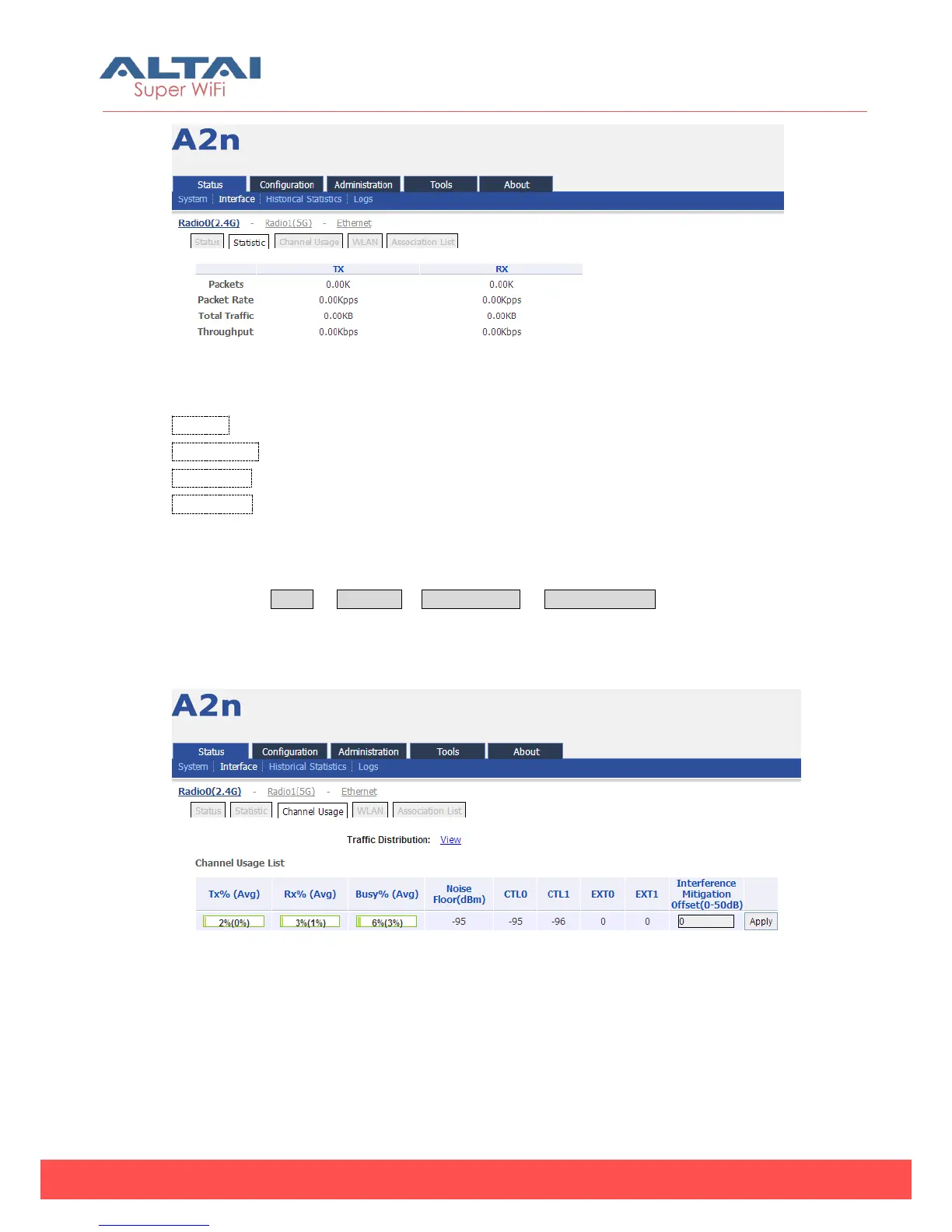
Figure 4-4 Interface Statistic
Packets: Number of Radio0 (2.4G) received and transmitted packets.
Packet Rate: Radio0 (2.4G) packet rate
Total Traffic: Radio0 (2.4G) received and transmitted total traffic.
Throughput: Radio0 (2.4G) throughput
4.2.1.3. Channel usage
Please select Status -> Interface-> Radio0 (2.4G) -> Channel Usage to check Radio0
channel usage information including: Tx % (Avg), Rx% (Avg), Busy% (Avg), Noise
Floor(dBm), CTL0, CTL1, EXT0, EXT1 and Interference Mitigation Offset (0~50dB).
Figure 4-5 Channel usage and



 To Next Page