EXT1:Chain 1 Noise Floor of the Extension Channel (i.e the +/- channel of the HT40)
Interference Mitigation Offset (0-50dB) :This option will mask all noise / valid signal
below "0-50" dB.
4.2.1.4. WLAN
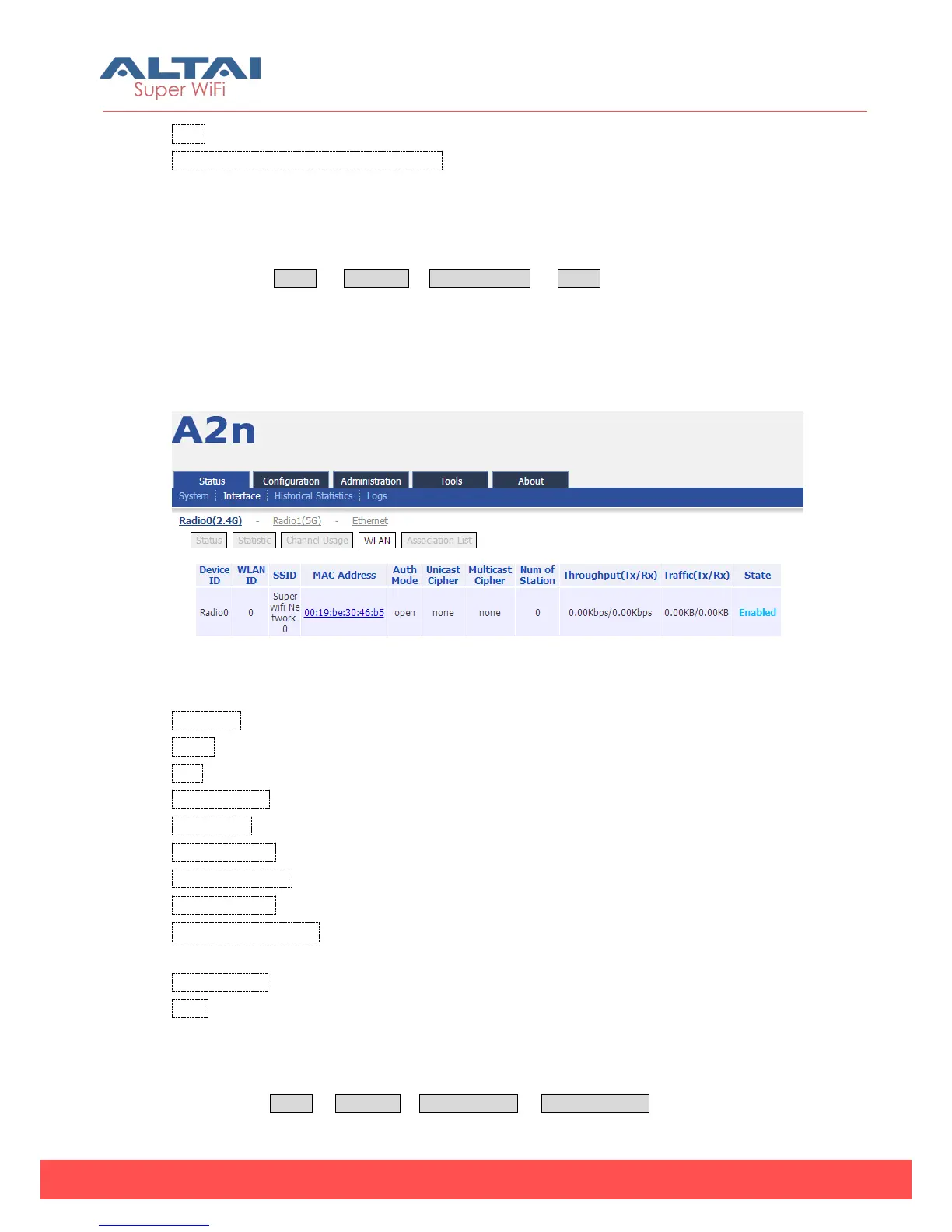
Please select Status -> Interface-> Radio0 (2.4G) -> WLAN to check Radio0 (2.4G)
wireless network information including: Device ID, WLAN ID, SSID, MAC Address, Auth
Mode, Unicast Cipher, Multicast Cipher, Num of Station, Throughput(TX/RX), Traffic
(Tx/Rx) and State.
When you enable a WLAN, you can find its relevant information in “State”.
Figure 4-7 WLAN information
Device Id:2.4G interface ID
WLAN:Wireless network number
SSID: A2n default SSID is Superwifi Network x (x is from 0 to 15)
MAC Address: 2.4G wireless network MAC address (BSSID)
Auth Mode: Authentication mode for each wireless network
Unicast Cipher :Unicast cipher mode for each wireless network
Multicast Cipher : Multicast cipher mode for each wireless network
Num of Station: Associated client number
Throughput(Tx/Rx):Real Throughput of transmitted and received packets for each
wireless network
Traffic (Tx/Rx) :Download and Upload packets for each wireless network
State:Wireless network state
4.2.1.5. Association List
Please select Status -> Interface-> Radio0 (2.4G) -> Association List to get associated



 To Next Page