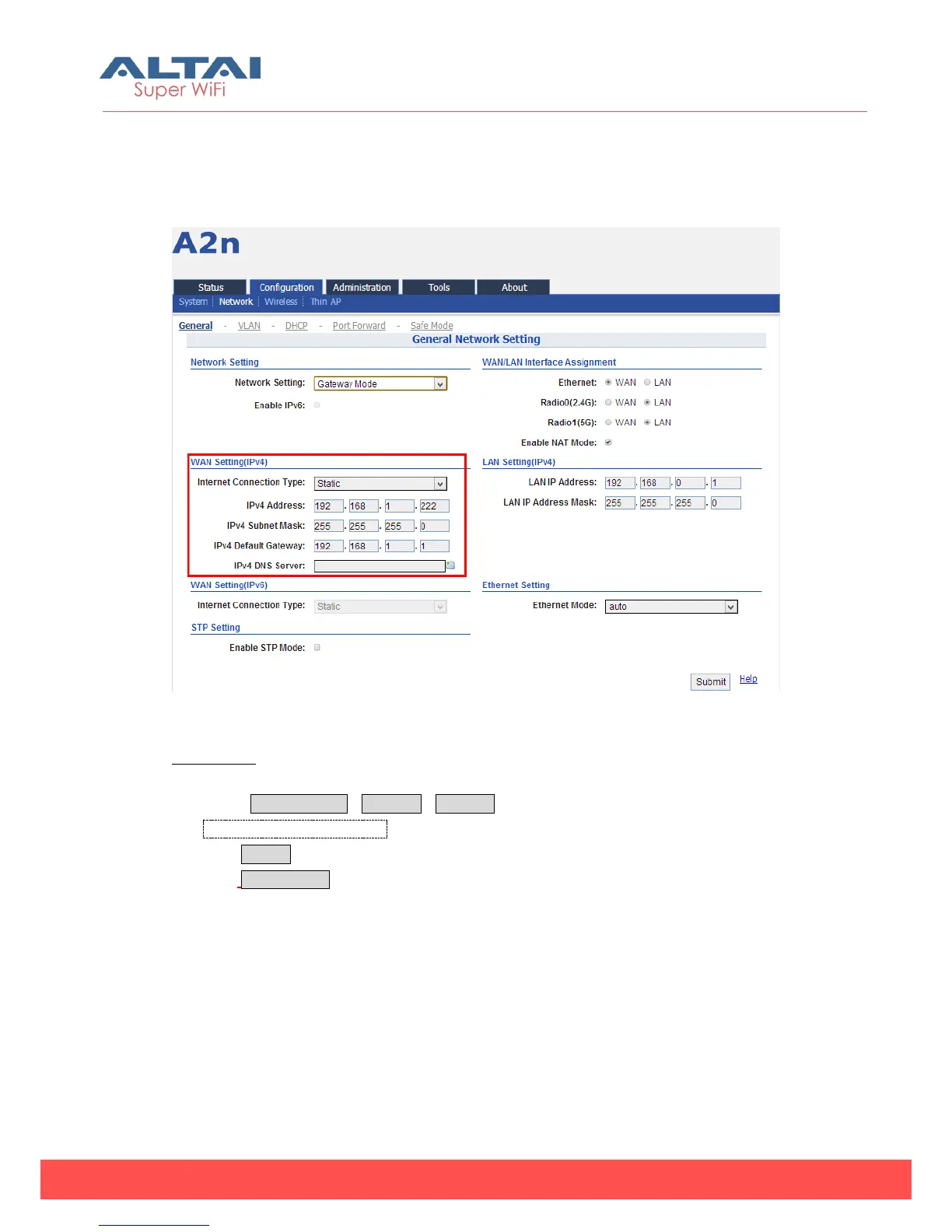
5.2.2.1.3. Internet Connection Type (IPv4)
In switch mode and Gateway mode, there are 2 types: Static IP or DHCP client
Figure 5-10 Internet Connection Type
Procedures:
1. Select Configuration->Network->General
2. Internet Connection Type : choose Static or DHCP
3. Click Submit
4. Click Save&Apply to apply.
1)Static IP (IPv4)
Users need manually configure A2n IP address, subnet mask, gateway address and
DNS server IP address:



 To Next Page