6. Set Daylight Saving Time(Optional)
7. Click Submit
8. Click Save&Apply to commit changes.
5.2.2. Network Configuration
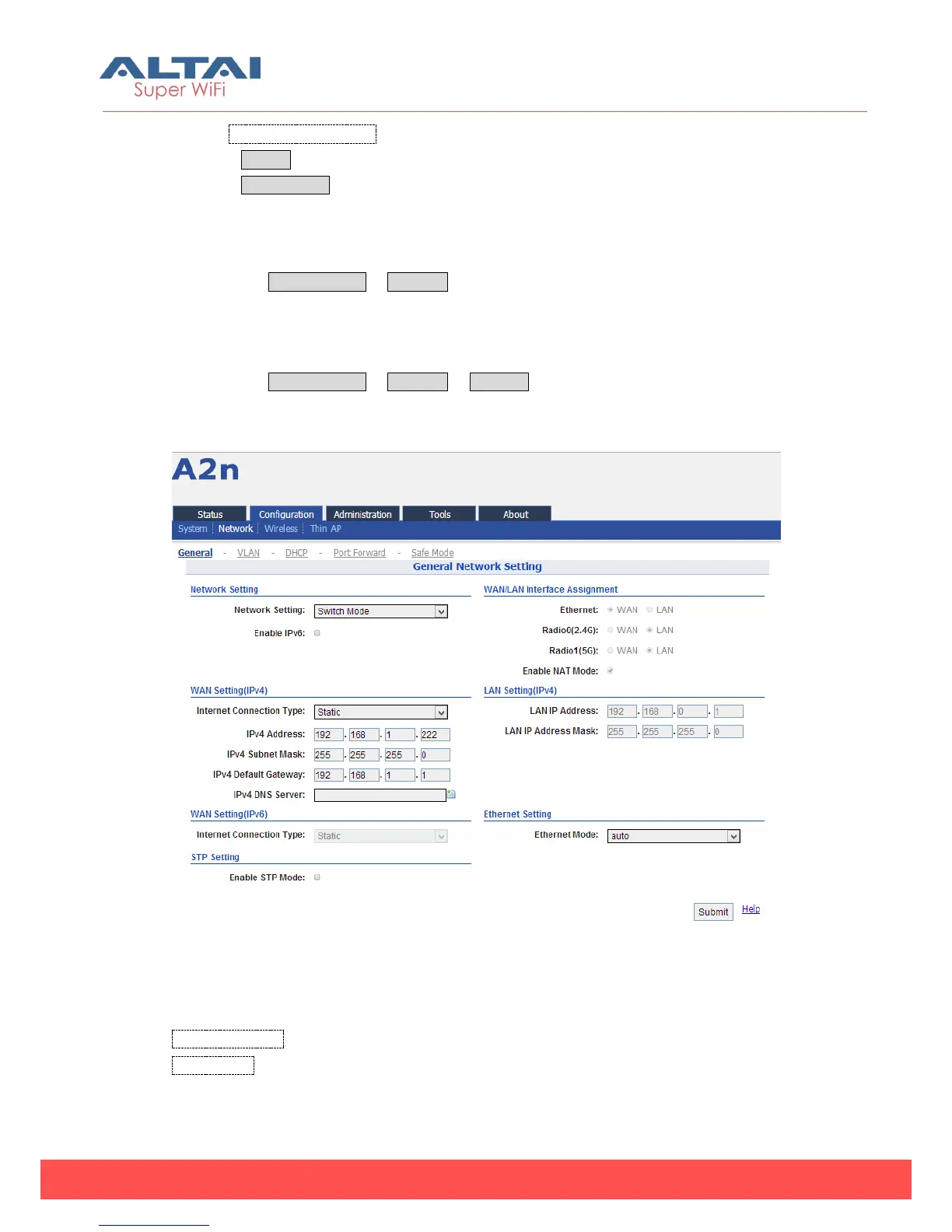
Please select Configuration -> Network to go to Network configuration page.
5.2.2.1. General network configuration
Please select Configuration -> Network -> General and start to configure general
settings.
Figure 5-7 Network Setting
1) Network Setting
Network Setting:There are Switch Mode and Gateway Mode being selected.
Enable IPv6:IPv6 is disable by default.
2) WLAN Setting (IPv4)



 To Next Page