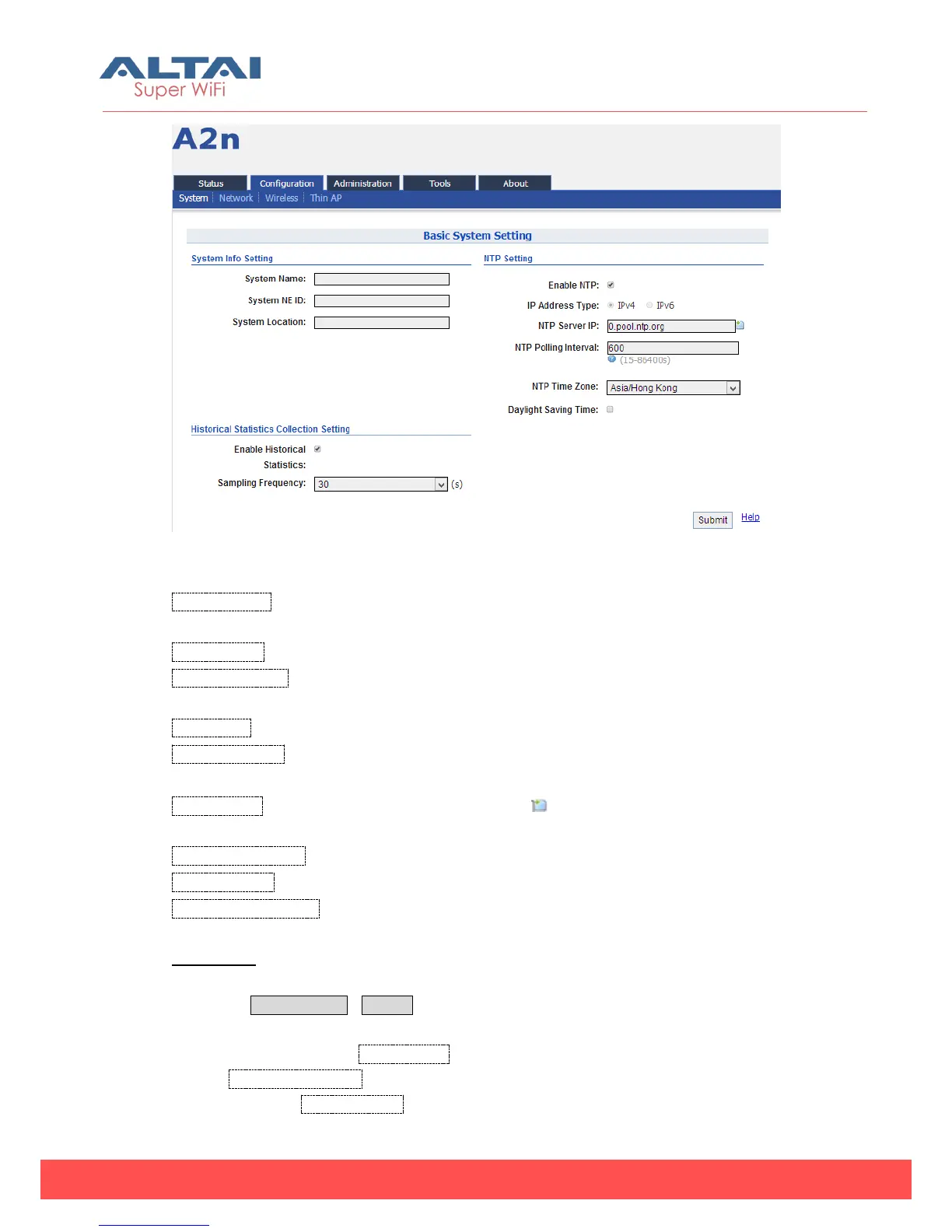
Figure 5-6 Basic System Setting
System Name:Set system name of the device, the system name can be up to 255
characters long.
System NE ID:Set system NE ID, the system NE ID can be up to 64 characters long.
System Location:Set system location, the system location can be up to 255
characters long.
Enable NTP: Enable or disable NTP function, by default it is selected.
IP Address Type:IPv4 or IPv6. (Please note that IPv6 is available to be select after
enable IPv6 on Network setting web page).
NTP Server IP: NTP server IP address, please click “ ” to add new NTP server IP
address.
NTP Polling Interval: By default, it is 600s
NTP Time Zone: Time Zone setting, by default it is Asia/Hong Kong.
Daylight Saving Time: By default, it is not selected.
Procedures:
1. Select Configuration->System, to go to system setting page.
2. Type in the system information if it is needed.
3. Add NTP IP address in NTP Server IP.
4. Set NTP Polling Interval
5. Choose local NTP Time Zone



 To Next Page