EasyManua.ls Logo

ALTAI A2N - 5.3.3.Thin AP Configuration

Default Icon
121 pages
Print Icon
To Next Page IconTo Next Page
To Previous Page IconTo Previous Page
Loading...
Altai Technologies Ltd. All rights reserved
Altai A2n WiFi Access Point/Bridge Web-Admin Configuration Manual
TPS13-001_rev1.0
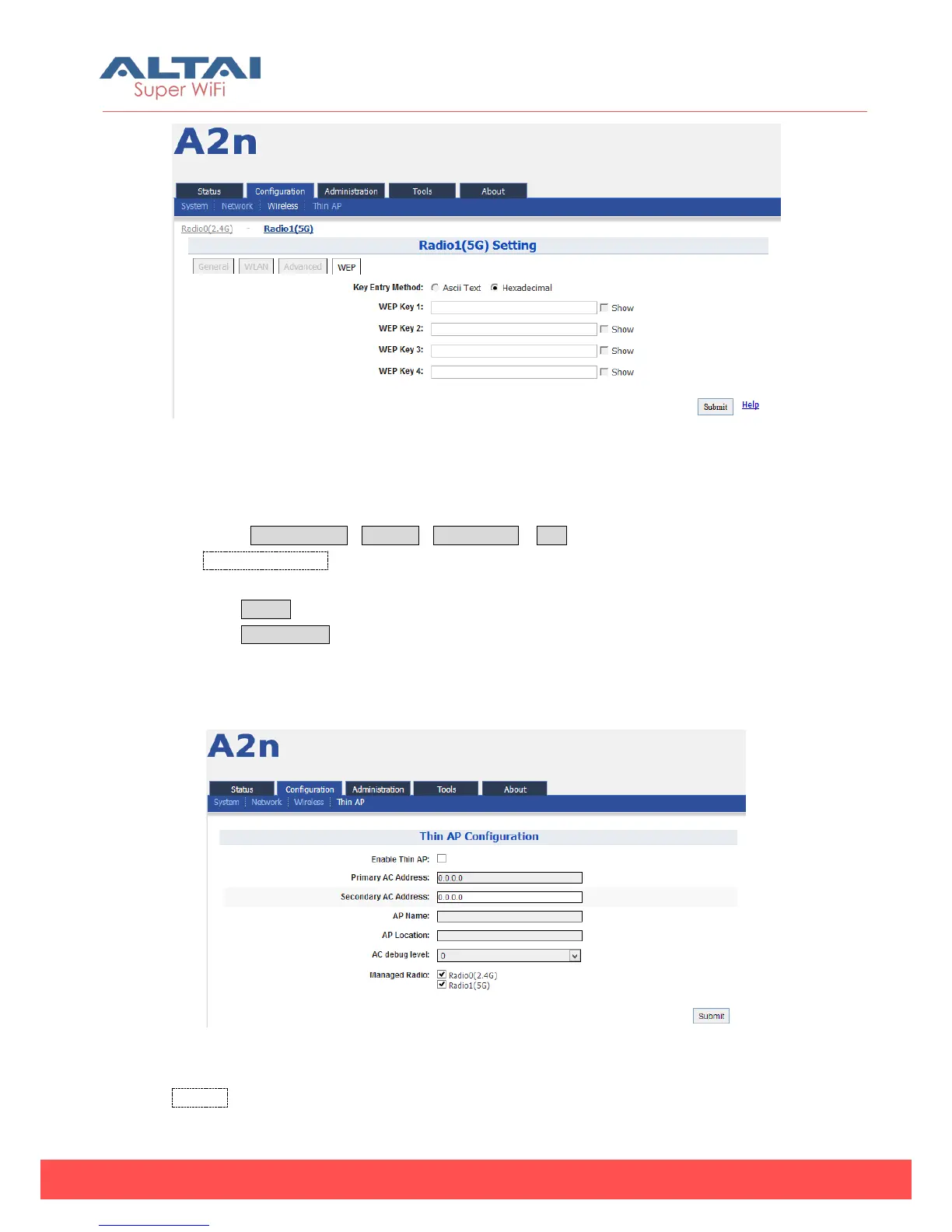
Figure 5-71 5G WEP Key
Procedures:
1. Select Configuration->Wireless->Radio1 (5G) ->WEP
2. Key Entry Method select the key format
3. Input key phrase in related WEP Key
4. Click Submit
5. Click Save&Apply to apply
5.3.3. Thin AP Configuration
Figure 5-72 Thin AP configurations
Thin AP Enable or disable Thin AP mode

Table of Contents

Related product manuals