Local IP Address:This control is used to specify the host which is connected to the
internal network and needs to be accessible from the external network.
Local Port:This control is used to specify the TCP/UDP port of the application running
on the host which is connected to the internal network. The specified port will be
accessible from the external network.
Protocol Type:This control is used to specify the L3 protocol (IP) type which need to
be forwarded from the internal network.
Global Port:This control is used to specify the TCP/UDP port of the A2n Wi-Fi Access
Point/Bridge based device which will accept and forward the connections from the
external network to the host connected to the internal network.
Description:This control is used to specify informal field for the comment of the
particular port forwarding entry. Few words about the particular port forwarding entry
purpose are saved there usually.
5.2.2.5. Safe Mode
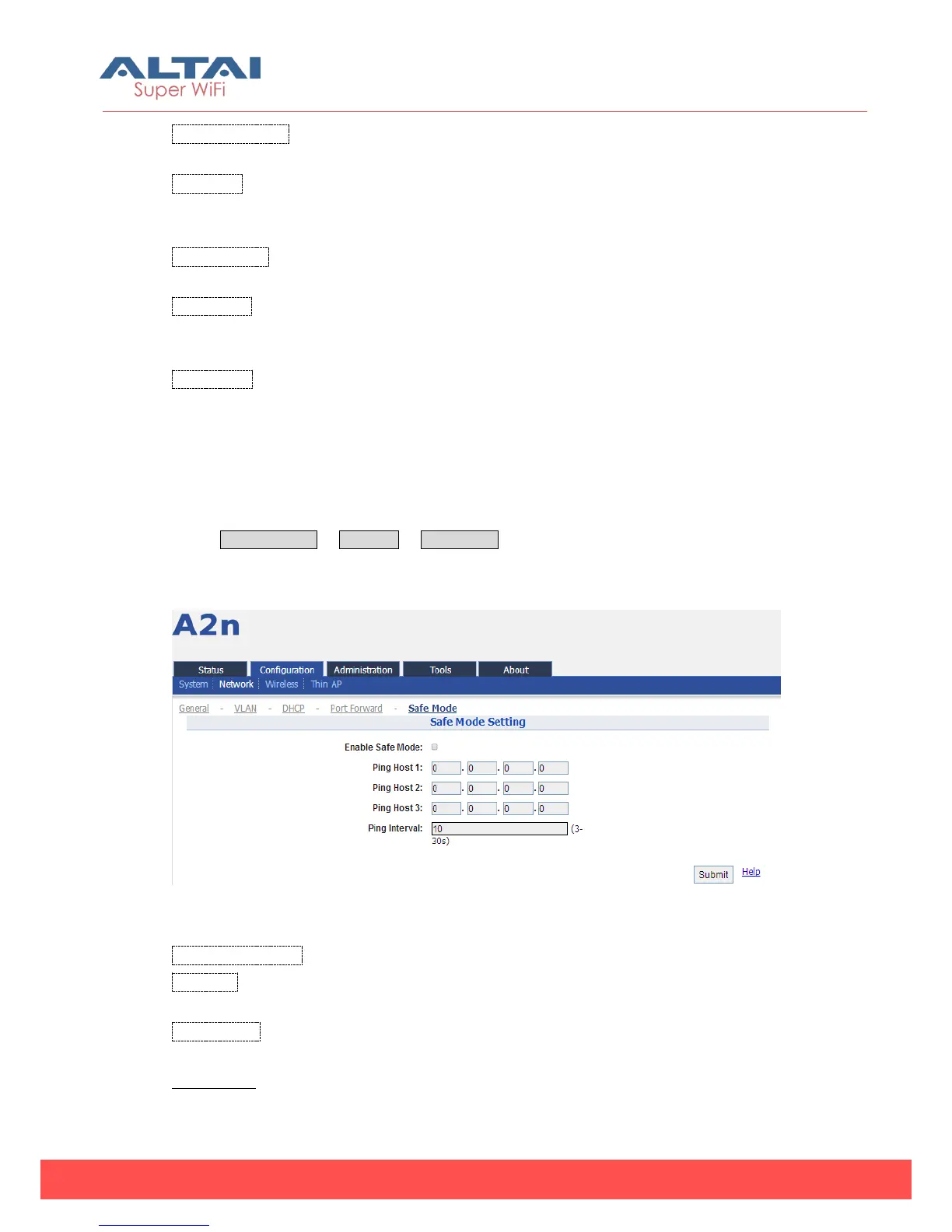
Select Configuration -> Network -> Safe Mode to access Safe Mode configuration
page.
Figure 5-21 Safe Mode Settings
Enable Safe Mode:By default, it is disabled.
Ping Host:Three ping hosts can be entered. AP will ping these hosts periodically at
the ping interval configured through its current backhaul link.
Ping Interval:Default setting is 10 seconds.
Procedures:



 To Next Page