1. Select Configuration->Network->Sate Mode
2. Enable Safe Mode: Select it to enable STP function. By default, it is disabled.
3. Ping Host: at least input one host
4. Ping Interval: input the interval of ping
5. Click Submit
6. Click Save&Apply to apply
5.3. Wireless
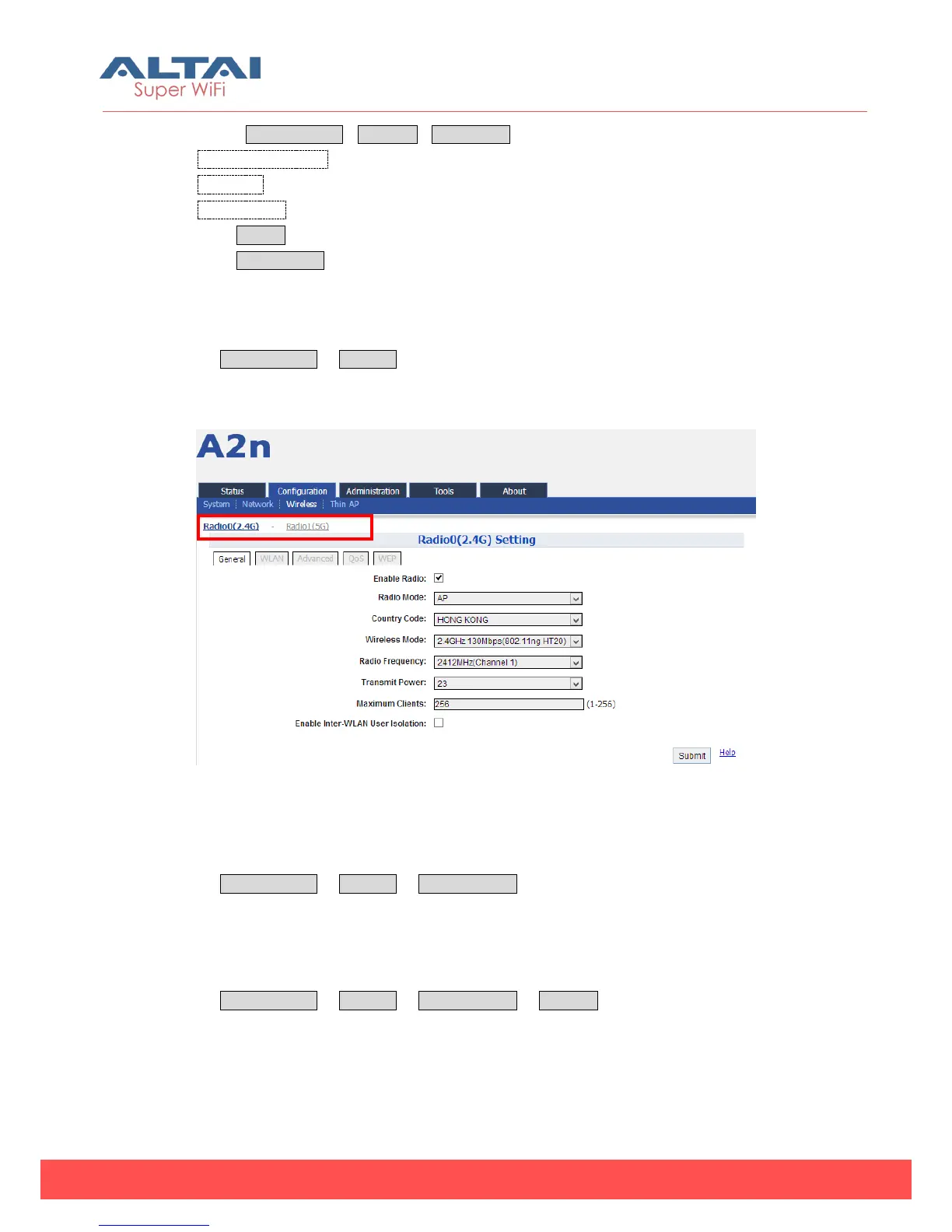
Select Configuration -> Wireless to access wireless network configuration page. There
are 2 interfaces, Radio0 (2.4G) and Radio1 (5G):
Figure 5-22 2.4G radio setting
5.3.1. 2.4G Radio
Select Configuration -> Wireless -> Radio0 (2.4G) to change 2.4G radio setting. You
can configure the items below: General, WLAN, Advanced and WEP.
5.3.1.1. 2.4G General configuration —AP Mode
Select Configuration -> Wireless -> Radio0 (2.4G) -> General to access 2.4G general
configuration page:



 To Next Page