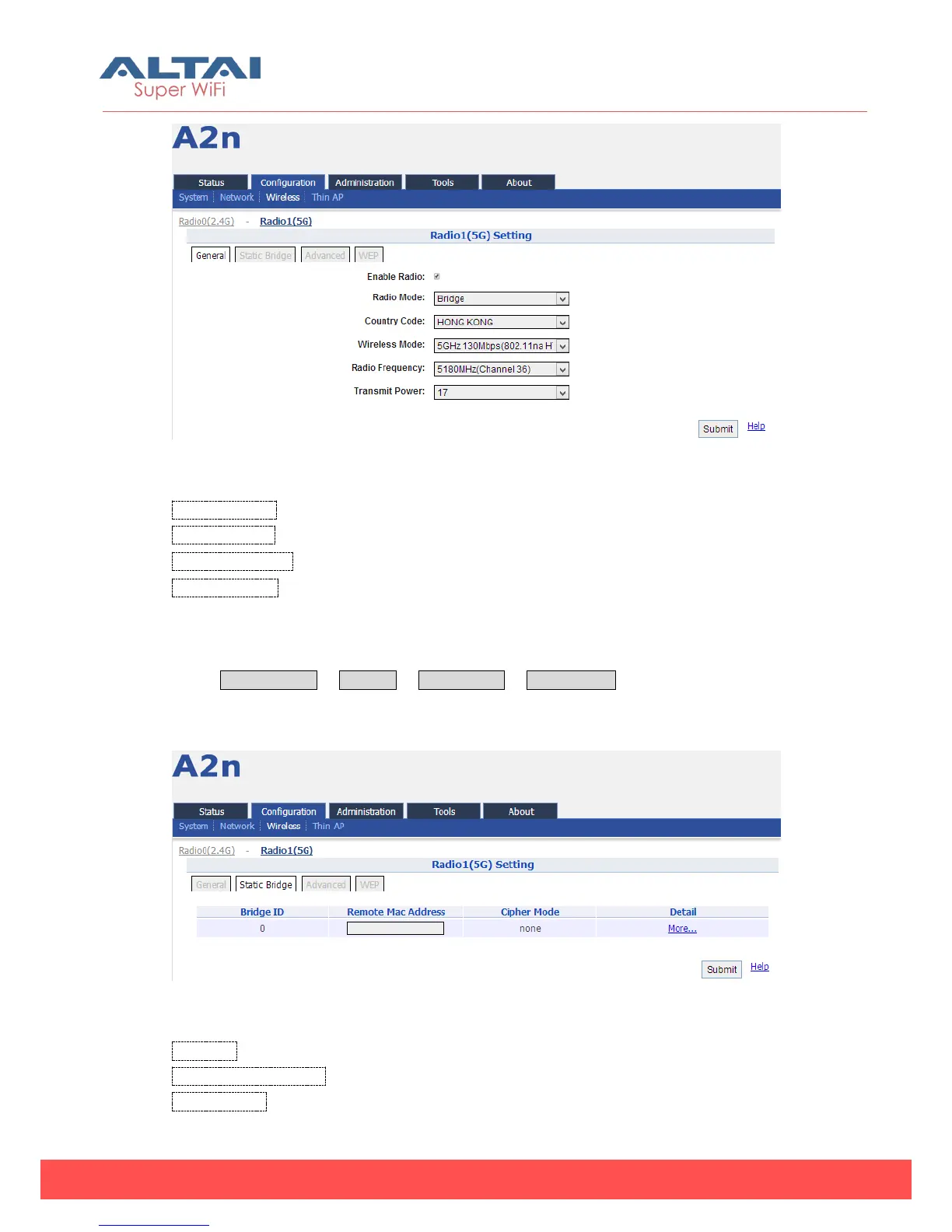
Figure 5-63 5G Bridge Mode
Country Code: HONG KONG is default setting.
Wireless Mode:By default, it is 5GHz 130Mbps (802.11na HT20)
Radio Frequency:By default, it is 5180MHZ (Channel 36)
Transmit Power:By default, it is 17
5.3.2.5.1. Static Bridge Setting
Select Configuration -> Wireless -> Radio1 (5G) -> Static Bridge to access the static
bridge setting web page.
Figure 5-64 5G bridge setting
Bridge ID: Bridge number.
Remote Mac Address: Mac address of the bridge peer.
Cipher Mode: Cipher Mode can have three settings "Disabled", "WEP" or "AES. Default



 To Next Page