setting is "Disabled".
Detail: Click for more editing.
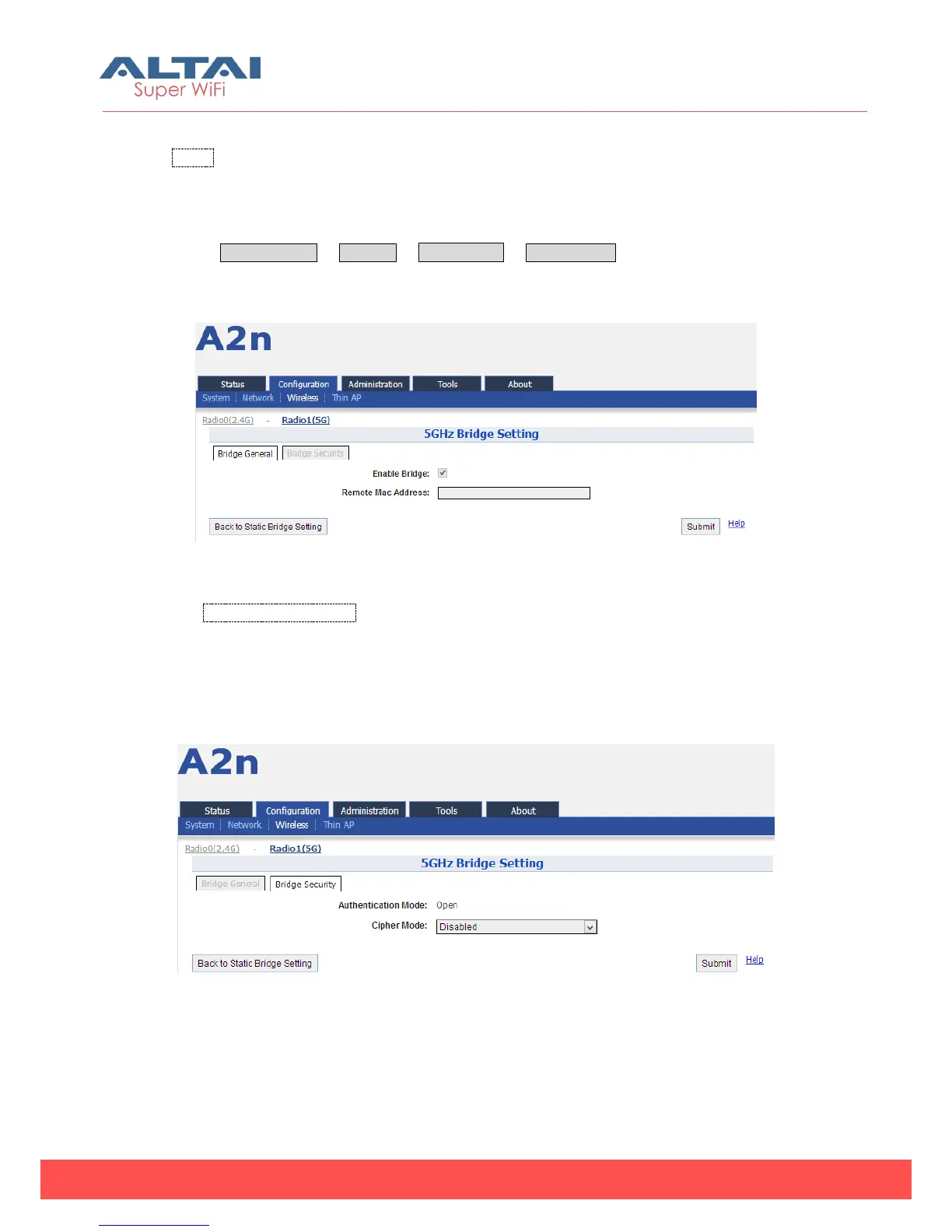
1) Bridge General Setting
Select Configuration -> Wireless -> Radio1 (5G) -> Static Bridge and click the
“More…” for more detail settings.
Figure 5-65 5G bridge setting
Remote Mac Address: Mac address of the bridge peer.
2) Bridge Security Setting
A2n 5GHz bridge security supports Disabled, WEP, AES cipher mode.
Figure 5-66 5G bridge security setting-Open & No security



 To Next Page