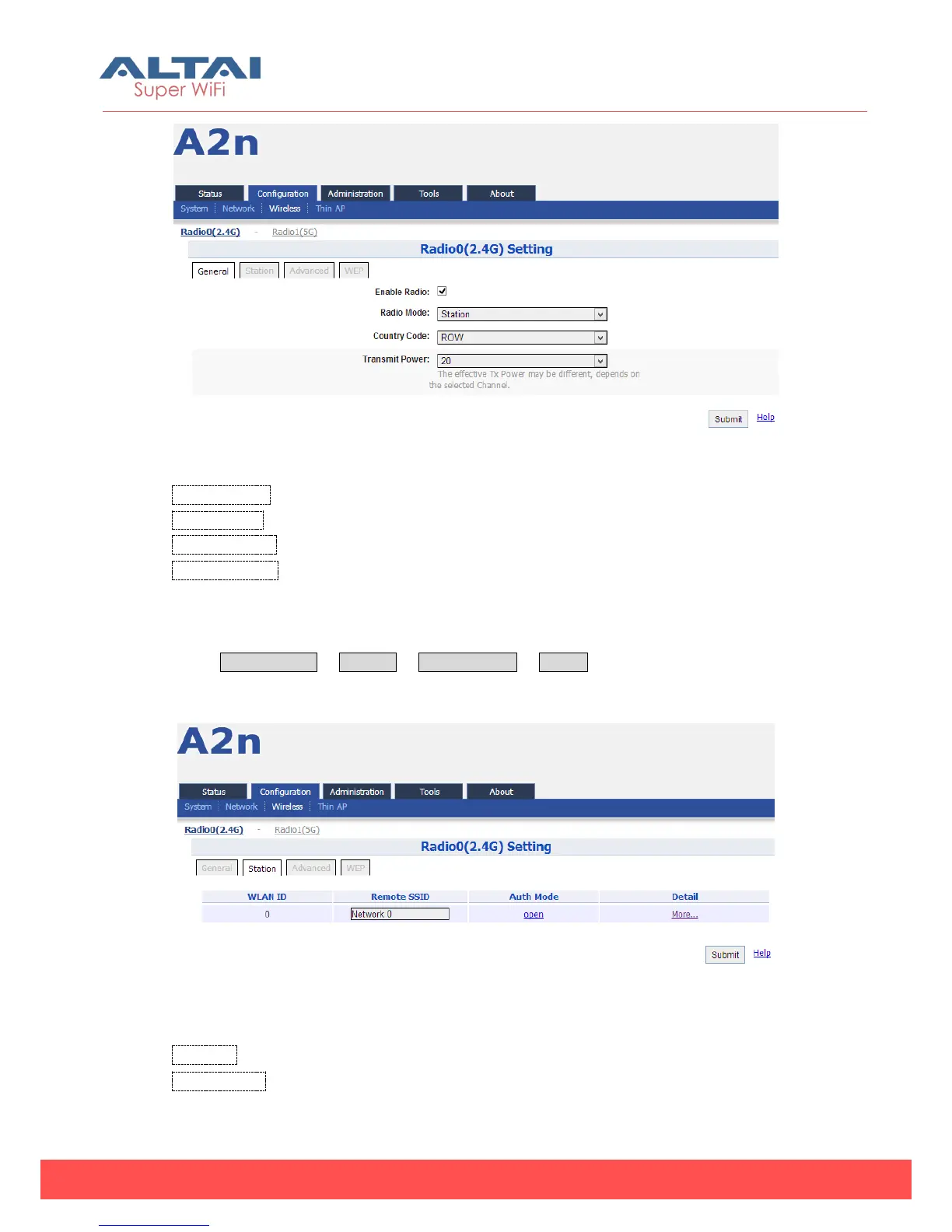
Figure 5-41 Radio (2.4G) Station Setting
Enable Radio: Enable or Disable the radio.
Radio Mode: Select the “Station” for it.
Country Code: HONG KONG is default setting.
Transmit Power:By default, it is 20.
5.3.1.5.1. Station Setting
Select Configuration -> Wireless -> Radio0 (2.4G) -> Station to click the “More…” for
the Station setting web page.
Figure 5-42 Radio (2.4G) Station Setting
WLAN ID :WLAN number.
Remote SSID: Type in the target SSID for station to associate to. Or click the “More…”
for more detail station settings.



 To Next Page