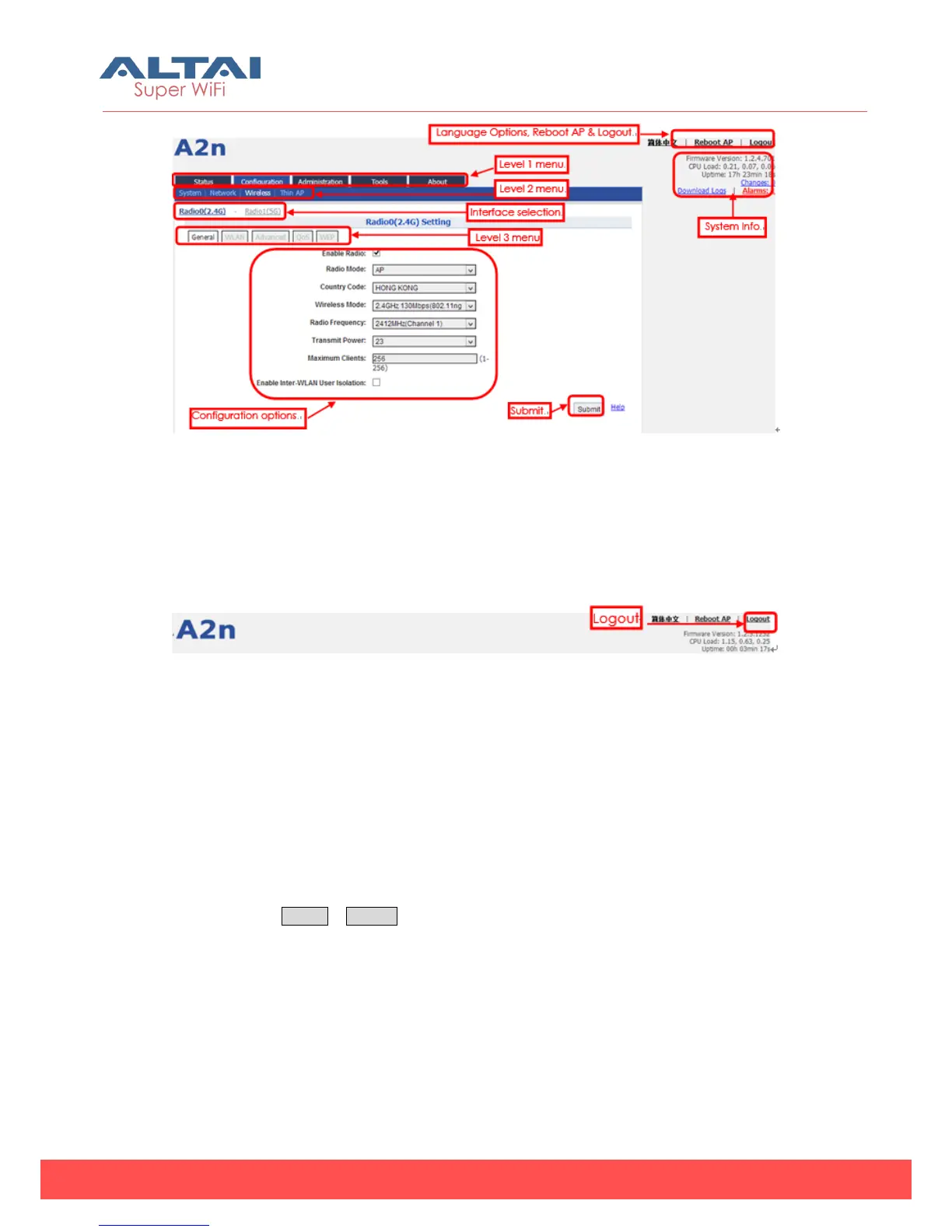
Figure 3-7 A2n webpage
3.5. Logout from A2n Interface
On the right top corner of A2n Web interface, click “Logout” button to logout from
A2n. On the other side, you can directly close A2n webpage to logout from A2n.
Figure 3-8 Logout
4. System Status
A2n Status function gives System information, interface information, Log and Statistics
information.
4.1. System
You can select Status -> System to check A2n basic information and real-time status.



 To Next Page