4.2. Interface
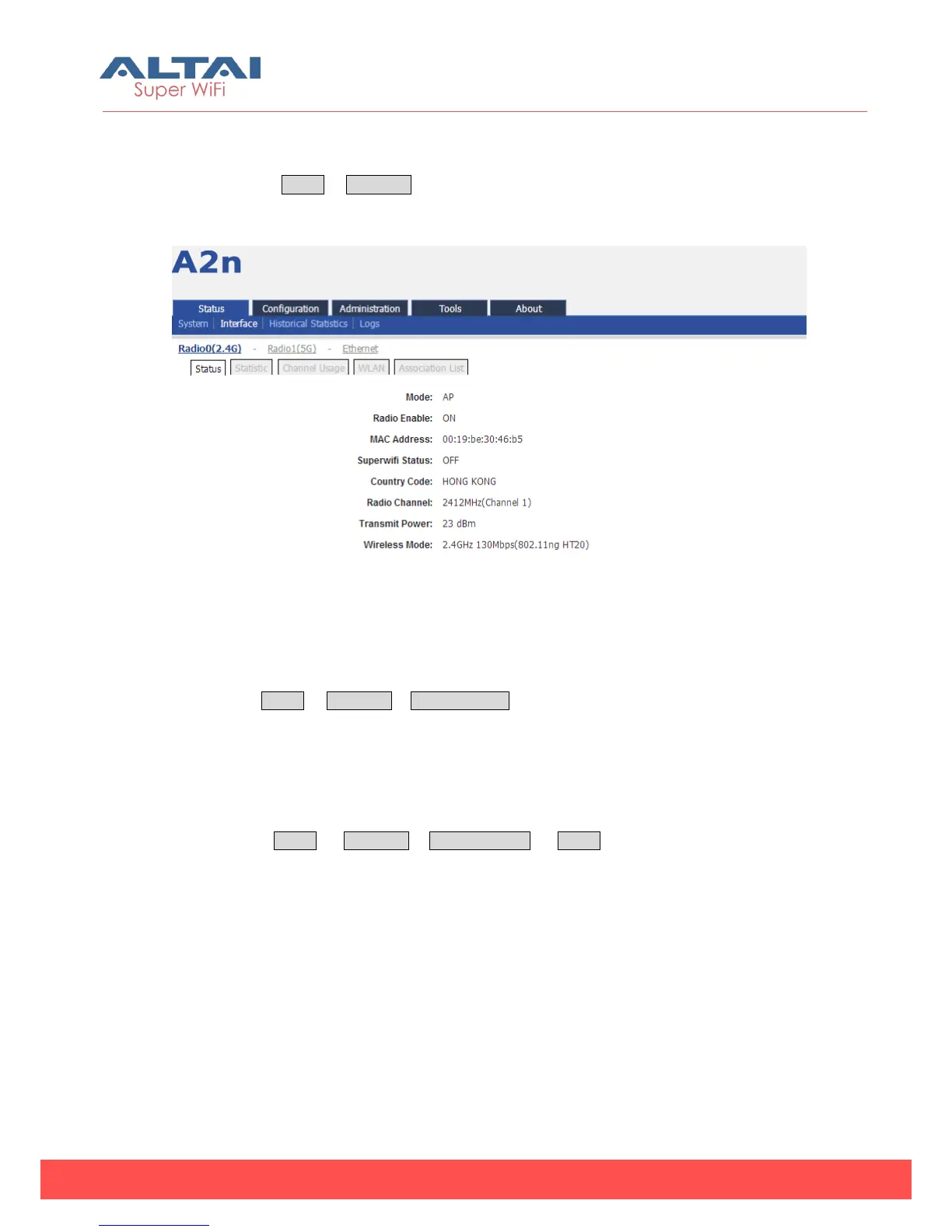
You can select Status -> Interface to check interface information which includes
Radio0 (2.4G), Radio1 (5G) and Ethernet information.
Figure 4-2 Interface Status
4.2.1. 2.4G Interface Status
By selecting Status -> Interface-> Radio0 (2.4G), you can find 2.4G interface (Radio0)
information which includes following 5 parts: Status, Statistic, Channel Usage, WLAN
and Association List.
4.2.1.1. Status
Please select Status -> Interface-> Radio0 (2.4G) -> Status to check Radio0 (2.4G)
status, the webpage provides Radio0 (2.4G) Mode, Radio Enable/Disable, MAC
Address, Superwifi Status, Country Code, Radio Channel, Transmit Power and Wireless
Mode.



 To Next Page