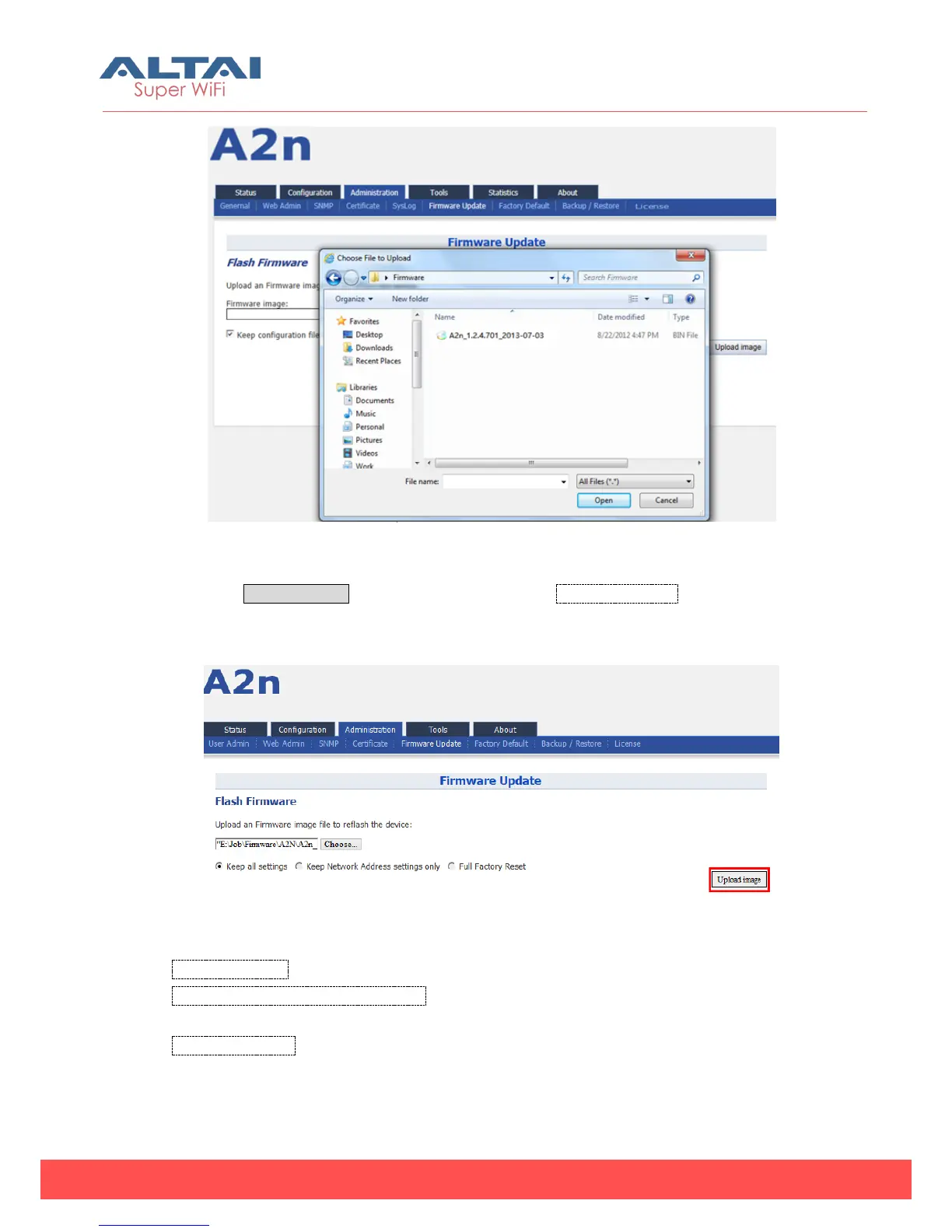
Figure 6-7 Select firmware file
3. Press Upload image to begin the update,the keep all settings allow user to
keep the current configuration after update
Figure 6-8 Press Upload Image to start firmware update
Keep all settings: All configuration will be kept after upgrading or downgrading.
Keep Network Address settings only:The configuration about the network settings
like IP address and VLAN will be kept after upgrading or downgrading.
Full Factory Reset: All configuration will be lost and back to factory settings after
upgrading or downgrading.



 To Next Page